
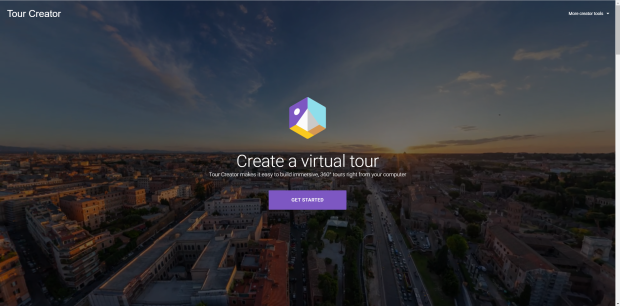
Creating a Virtual Tour Free: A Step-by-step Guide
Are you an immovable officer looking to create interactive experiences for your clients? Look no further! In this article, we’ll explore the world of virtual tours and provide you with a step-by-step guide on how to create a virtual tour free using various platforms.
What Are Virtual Tours?
Virtual tours are immersive experiences that allow users to explore a physical space in 360 degrees. They can be created using panoramic photos, videos, and other interactive elements. With the advancement of technology, creating virtual tours has become more accessible and affordable than ever.
Why Create a Virtual Tour Free?
Creating a virtual tour free offers numerous benefits for immovable officers like you. Here are some reasons why:
- Increased Engagement: Virtual tours can increase user engagement by providing an immersive experience that showcases your property or space.
- Cost-effective: Creating a virtual tour free is a cost-effective way to showcase your property without the need for physical tours.
- Time-saving: Virtual tours can save you time and effort in showcasing your property to potential clients.
- Increased Sales: By creating an immersive experience, virtual tours can increase sales by providing potential clients with a better understanding of your property.
How to Create a Virtual Tour Free on PC
Creating a virtual tour free on PC is easier than ever. Here are some platforms that you can use:
Lapentor
- Overview: Lapentor is a platform that allows you to create, manage, and share virtual tours.
- Features:
- Create up to 3 blueprints for free
- Remove the limit on blueprints with a subscription
- Personalize your surroundings with plugins and topics
-
How to Use:
-
Register for an account on Lapentor.Com.
- Log in to your account and click on “Create New Blueprint” to start creating your virtual tour.
- Upload a 360-degree panoramic photo as the base of your tour.
- Add hotspots, images, videos, and other interactive elements to create an immersive experience.
- Share your virtual tour with others by clicking on the “Share” button.
Divein Studio
- Overview: DiveIn Studio is a platform that allows you to create, manage, and share virtual tours.
- Features:
- Create up to one blueprint for free
- Remove the limit on blueprints with a subscription
- Personalize your surroundings with plugins and topics
-
How to Use:
-
Register for an account on DiveIn.Studio.
- Log in to your account and click on “Create New Tour” to start creating your virtual tour.
- Upload a 360-degree panoramic photo as the base of your tour.
- Add hotspots, images, videos, and other interactive elements to create an immersive experience.
- Share your virtual tour with others by clicking on the “Share” button.
Other Solutions to Create Virtual Tours Free on PC
If you’re not satisfied with Lapentor or DiveIn Studio, there are other solutions that you can use:
- Eyespy360: A platform that allows you to create and manage virtual tours.
- Marzipiano: An HTML instrument that allows you to create virtual tours without the need for plugins.
Creating a Virtual Tour Free on Smartphone And Tablet
With the advancement of technology, creating virtual tours is now possible on smartphone and tablet devices. Here are some platforms that you can use:
VR Maker (Android/iOS/iPadOS)
- Overview: VR Maker is an application developed by iStaging that allows you to create, manage, and share virtual tours.
- Features:
- Create up to one blueprint for free
- Remove the limit on blueprints with a subscription
- Personalize your surroundings with plugins and topics
-
How to Use:
-
Download VR Maker from the Google Play Store or Apple App Store.
- Log in to your account or register for a new one.
- Click on “Create New LiveTour” to start creating your virtual tour.
- Upload a 360-degree panoramic photo as the base of your tour.
- Add hotspots, images, videos, and other interactive elements to create an immersive experience.
- Share your virtual tour with others by clicking on the “Share” button.
Other Solutions to Create Virtual Tours Free on Smartphone And Tablet
If you’re not satisfied with VR Maker, there are other solutions that you can use:
- Matterport: An application that allows you to create and manage virtual tours.
- Viewmake: A platform that allows you to create and manage virtual tours.
- Zillow 3D Home: A tool that allows you to create and manage virtual tours.
Conclusion
Creating a virtual tour free is a cost-effective way to showcase your property or space without the need for physical tours. With the advancement of technology, creating virtual tours has become more accessible and affordable than ever. By using platforms like Lapentor, DiveIn Studio, VR Maker, and others, you can create immersive experiences that engage users and increase sales.
Frequently Asked Questions
Here are some frequently asked questions about creating a virtual tour free:
- Q: What is The Cost of Creating a Virtual Tour?
A: The cost of creating a virtual tour varies depending on the platform used. Some platforms offer free versions, while others require subscriptions. - Q: How do I Create a Virtual Tour?
A: Creating a virtual tour involves uploading a 360-degree panoramic photo as the base of your tour and adding hotspots, images, videos, and other interactive elements to create an immersive experience. - Q: Can I Use my Smartphone or Tablet to Create a Virtual Tour?
A: Yes, you can use your smartphone or tablet to create a virtual tour using platforms like VR Maker.
Conclusion
Creating a virtual tour free is a cost-effective way to showcase your property or space without the need for physical tours. With the advancement of technology, creating virtual tours has become more accessible and affordable than ever. By using platforms like Lapentor, DiveIn Studio, VR Maker, and others, you can create immersive experiences that engage users and increase sales.
I hope this guide was helpful in your quest to find out how to create a virtual tour free on PC, smartphone and tablet


