
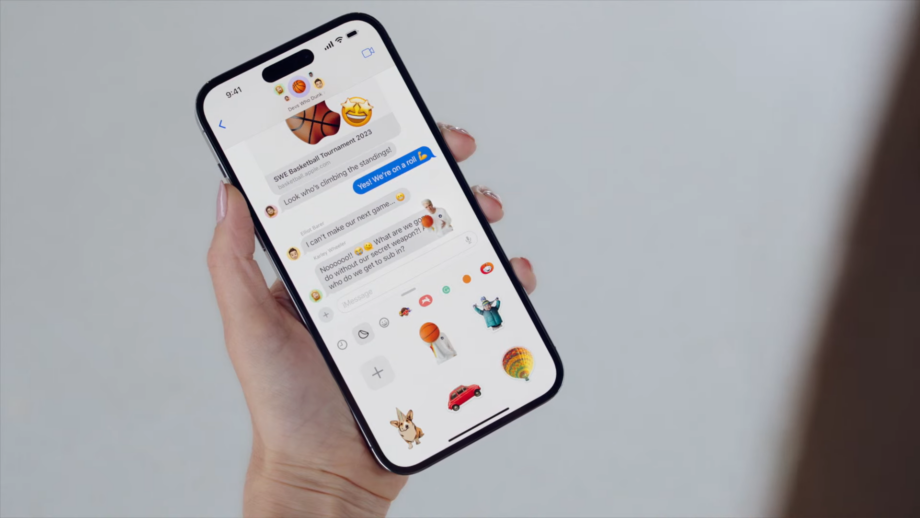
Creating Stickers on Iphone: A Step-by-step Guide
Are you tired of using boring stickers on your social media apps? Do you want to create personalized stickers that reflect your personality? Look no further! In this article, we will guide you through the process of creating stickers on your iPhone, using various apps and features.
Getting Started
Before we dive into the nitty-gritty, let’s get one thing straight: Creating stickers on iPhone is a breeze. With just a few taps and swipes, you can create custom stickers that are unique to you. So, if you’re ready to level up your sticker game, then keep reading!
How to Create Stickers on Iphone
There are several ways to create stickers on iPhone, depending on the app you want to use them in. Here’s a breakdown of each method:
Method 1: Using Photos
The easiest way to create stickers is by using photos from your gallery or camera roll. To do this:
- Open the Photos app and select the image you want to use.
- Tap on the “Share” icon (the box with an arrow coming out of it).
- Select the “Copy” option.
- Open the app where you want to create the sticker (e.G., Messages, WhatsApp, etc.).
- Tap on the “Paste” icon and select the image.
Voilà! Your sticker is ready to use.
Method 2: Using Instagram
If you’re an Instagram user, then you can easily create stickers using their built-in feature. To do this:
- Open Instagram and access your profile.
- Tap on the “+” button to create a new post.
- Select the “Stickers” option from the menu.
- Choose the sticker you want to use and adjust its size and position as desired.
Method 3: Using Tiktok
TikTok also has a built-in feature for creating stickers. To do this:
- Open TikTok and create a new video.
- Tap on the “Stickers” option from the menu.
- Select the sticker you want to use and adjust its size and position as desired.
Method 4: Using Telegram
If you’re a Telegram user, then you can create stickers using their built-in feature or by using an external app. To do this:
- Open Telegram and access your chat.
- Tap on the “Stickers” option from the menu.
- Select the sticker you want to use and adjust its size and position as desired.
Method 5: Using a Third-party App
There are several third-party apps available that allow you to create custom stickers. To do this:
- Download and install an app like Top Adhesive Sticker Meme.
- Follow the app’s instructions to create your sticker.
Tips And Variations
Here are some additional tips and variations to consider when creating stickers on iPhone:
- Use a Transparent Background: This will make your sticker look more professional and easier to use in various apps.
- Experiment With Different Shapes And Sizes: Don’t be afraid to try out different shapes and sizes for your sticker. This can add a personal touch and make it stand out.
- Add Text or Emojis: You can add text or emojis to your sticker to give it more personality.
- Use a Photo Editing App: If you want to edit your photo before creating the sticker, use a photo editing app like Photos or Adobe Lightroom.
Conclusion
Creating stickers on iPhone is a fun and easy process that can enhance your social media experience. Whether you’re using photos, Instagram, TikTok, Telegram, or a third-party app, there are plenty of options available to suit your needs. So go ahead, get creative, and start making your own custom stickers today!
Frequently Asked Questions (FAQs)
-
What Apps Can I Use to Create Stickers on Iphone?
You can use various apps like Instagram, TikTok, Telegram, and third-party apps like Top Adhesive Sticker Meme. -
How do I Create a Sticker Using Photos?
To create a sticker using Photos, select the image you want to use, tap on the “Share” icon, select the “Copy” option, open the app where you want to create the sticker, and tap on the “Paste” icon. -
Can I Add Text or Emojis to my Sticker?
Yes, you can add text or emojis to your sticker to give it more personality. -
How do I Use a Third-party App to Create Stickers?
To use a third-party app like Top Adhesive Sticker Meme, download and install the app, follow its instructions to create your sticker, and then use it in various apps. -
What Are Some Tips For Creating Great Stickers on Iphone?
Some tips include using a transparent background, experimenting with different shapes and sizes, adding text or emojis, and using a photo editing app to edit your photo before creating the sticker. -
Can I Create Stickers Using Tiktok?
Yes, you can create stickers using TikTok’s built-in feature by tapping on the “Stickers” option from the menu and selecting the sticker you want to use. -
How do I Create a Sticker Using Telegram?
To create a sticker using Telegram, tap on the “Stickers” option from the menu, select the sticker you want to use, and adjust its size and position as desired. -
What Are Some Variations For Creating Stickers on Iphone?
Some variations include using different shapes and sizes, adding text or emojis, and using a photo editing app to edit your photo before creating the sticker.


