
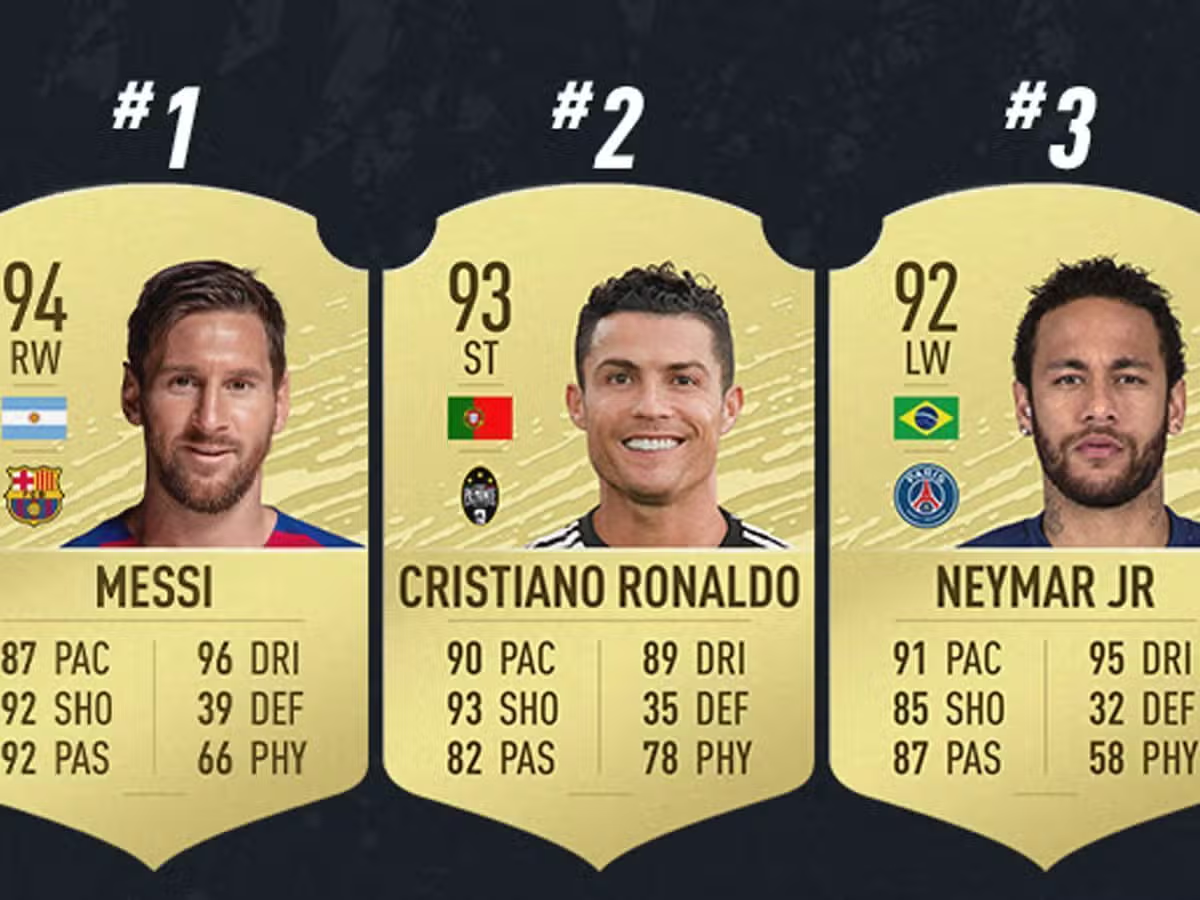
Creating The Ultimate Neymar on Fifa: A Step-by-step Guide
As a football enthusiast, you’ve probably always wanted to have Neymar Jr in your favorite team. Now, with FIFA 23, you can finally create the Brazilian superstar as your very own player. But, have you ever wondered how to do it without spending hours playing? Well, wonder no more! In this article, we’ll guide you through the process of creating Neymar on FIFA.
The First Edition: Understanding Fifa’s Updates
Before we dive into the tutorial, let’s talk about FIFA’s updates. As you might know, Electronic Arts (EA) releases a new edition of FIFA every year, and each one brings some exciting changes to the game. The latest edition, FIFA 24, marks the first time in history that the title has changed its name from FIFA to EA Sports FC 24. Don’t worry; this change doesn’t affect the process of creating Neymar on FIFA.
Creating an Avatar: A Quick Guide
The process of creating an avatar is relatively quick and easy. To start, go to the game’s menu and select “Personalize” or “Create Avatar.” From there, you’ll be able to choose from a variety of pre-set avatars that resemble Neymar Jr. Once you’ve selected your preferred avatar, you can modify its characteristics and statistics to make it even more realistic.
The Editor: A Powerful Tool
The editor is a powerful tool that allows you to customize your avatar’s appearance and abilities. To access the editor, go to the “Info” tab and select “Edit Avatar.” From there, you’ll be able to modify various aspects of your avatar, including its physical characteristics, animations, and attributes.
Physical Characteristics: A Detailed Guide
To make your Neymar avatar look as realistic as possible, you’ll need to pay attention to its physical characteristics. Here’s a step-by-step guide on how to do it:
- Name And Surname: Enter Neymar Jr in the name and surname fields.
- Alias: Choose an alias for your avatar (e.G., “Neymar” or “Junior”).
- Name on Uniform: Enter Neymar Jr in the field for the player’s name on their uniform.
- Number of Vest: Select 10 as the number of vest for your avatar.
- Country/region: Choose Brazil as the country and region for your avatar.
- Team: Select PSG (Paris Saint-Germain) as the team for your avatar.
- Year of Birth: Enter 1992 as the year of birth for your avatar.
- Month of Birth: Select February as the month of birth for your avatar.
- Date of Birth: Choose 5th (February 5, 1992) as the date of birth for your avatar.
Physical Appearance: A Guide
Now that you’ve entered all the necessary information, it’s time to customize your Neymar avatar’s physical appearance. Here’s a step-by-step guide:
- Height And Weight: Regulate the Height and Weight charts to match Neymar’s actual measurements (175 cm tall, 68 kg).
- Face: Select the pre-set face that resembles Neymar Jr.
- Head: Choose the correct preset for Neymar’s head shape and features.
Creating Neymar on Fifa: A Step-by-step Guide
Here’s a step-by-step guide on how to create Neymar on FIFA:
- Go to the game’s menu and select “Create Avatar.”
- Choose the pre-set avatar that resembles Neymar Jr.
- Customize your avatar’s physical characteristics, including its name, surname, alias, and appearance.
- Select Brazil as the country and region for your avatar.
- Choose PSG (Paris Saint-Germain) as the team for your avatar.
- Enter 1992 as the year of birth and February 5th as the date of birth for your avatar.
- Regulate the Height and Weight charts to match Neymar’s actual measurements (175 cm tall, 68 kg).
- Select the pre-set face that resembles Neymar Jr.
- Choose the correct preset for Neymar’s head shape and features.
Tips And Tricks
Here are some tips and tricks to help you create a realistic Neymar avatar:
- Use the editor to customize your avatar’s appearance, attributes, and animations.
- Pay attention to physical characteristics like height, weight, face, and head shape.
- Select Brazil as the country and region for your avatar.
- Choose PSG (Paris Saint-Germain) as the team for your avatar.
- Enter 1992 as the year of birth and February 5th as the date of birth for your avatar.
- Regulate the Height and Weight charts to match Neymar’s actual measurements (175 cm tall, 68 kg).
Conclusion
Creating a realistic Neymar avatar on FIFA is easier than you think. With these step-by-step guides and tips and tricks, you’ll be able to create an avatar that resembles the Brazilian superstar. Remember to pay attention to physical characteristics like height, weight, face, and head shape. And most importantly, have fun creating your own unique player!
Faqs
-
Q: Can I Create Neymar on Fifa Without Spending Hours Playing?
A: Yes, you can! Just follow the step-by-step guides and tips and tricks provided in this article. -
Q: What Are The Physical Characteristics of Neymar Jr?
A: Neymar’s height is 175 cm, his weight is 68 kg, he was born on February 5th, 1992, and his date of birth is February 5th. -
Q: How do I Customize my Avatar’s Appearance?
A: Use the editor to customize your avatar’s appearance, attributes, and animations. -
Q: What Are Some Tips And Tricks For Creating a Realistic Neymar Avatar?
A: Pay attention to physical characteristics like height, weight, face, and head shape. Select Brazil as the country and region for your avatar. Choose PSG (Paris Saint-Germain) as the team for your avatar. Enter 1992 as the year of birth and February 5th as the date of birth for your avatar.
Frequently Asked Questions
-
Q: Can I Create Other Legends on Fifa?
A: Yes, you can! Check out our guides on creating other legends like Cristiano Ronaldo, Ronaldinho, and Zidane. -
Q: How do I Gain Currency in Fut?
A: There are several ways to gain currency in FUT, including buying packs and trading with other players. -
Q: Can I Use The Editor to Customize my Avatar’s Attributes And Animations?
A: Yes, you can! Use the editor to customize your avatar’s appearance, attributes, and animations.


