
How to Create Panoramic Photos Free: A Step-by-step Guide
Are you tired of taking individual photos that don’t quite capture the grandeur of a beautiful landscape? Do you want to create stunning panoramic photos without breaking the bank? Look no further! In this article, we’ll show you how to create panoramic photos free using various software and apps.
Understanding Panoramic Photos
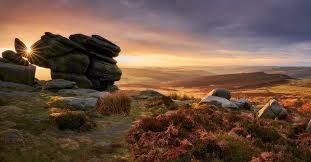
Before we dive into the nitty-gritty, let’s quickly understand what panoramic photos are. A panoramic photo is a wide-angle photograph that captures a scene from one side to the other, creating a seamless and immersive experience for the viewer. These types of photos are perfect for showcasing architectural landmarks, sweeping landscapes, or even cityscapes.
Software to Create Panoramic Photos Free
There are several software options available that can help you create panoramic photos without spending a dime. Here are some of our top picks:
1. Hugin (Windows/MacOS/Linux)
Hugin is an open-source software that’s perfect for creating panoramic photos. It’s free, user-friendly, and compatible with multiple platforms. With Hugin, you can stitch together multiple images to create a seamless panorama.
- Download Hugin from their official website.
- Launch the software and select the “Create Panorama” option.
- Choose your input images and let Hugin do its magic!
2. Panoramastudio (Windows/MacOS)
PanoramaStudio is another excellent choice for creating panoramic photos. It’s available in a free trial version, which should suffice for most users.
- Download the software from their website.
- Launch PanoramaStudio and select the “Create Panorama” option.
- Choose your input images and let the software stitch them together!
3. Ptgui (Windows/MacOS/Linux)
PTGui is a powerful software that’s perfect for creating panoramic photos. It’s available in a free Standard version, which should be sufficient for most users.
- Download PTGui from their official website.
- Launch the software and select the “Create Panorama” option.
- Choose your input images and let PTGui do its magic!
Creating Panoramic Photos Online Free
If you don’t want to install any software on your computer, you can create panoramic photos online for free using services like Pano.
How to Use Pano:
- Visit the Pano website.
- Drag and drop your input images into the designated area.
- Select the “Create Panorama” option.
- Let Pano do its magic, and you’ll have a stunning panoramic photo in no time!
Apps to Create Panoramic Photos Free
There are several apps available that can help you create panoramic photos on-the-go. Here are some of our top picks:
1. Bimostitch Panorama Stitcher (Android)
Bimostitch Panorama Stitcher is a helpful app for Android devices that allows you to create panoramic photos with ease.
- Download the app from the Google Play Store.
- Launch the app and select the “Create Panorama” option.
- Choose your input images and let the app stitch them together!
2. Panorama Crop (Android/iOS/iPadOS)
Panorama Crop is another excellent choice for creating panoramic photos on-the-go.
- Download the app from the Google Play Store or Apple App Store.
- Launch the app and select the “Create Panorama” option.
- Choose your input images and let the app stitch them together!
3. Panoramas 360 & Virtual Tours (Android/iOS)
Panoramas 360 & Virtual Tours is a comprehensive app that allows you to create panoramic photos with high precision.
- Download the app from the Google Play Store or Apple App Store.
- Launch the app and select the “Create Panorama” option.
- Choose your input images and let the app stitch them together!
Tips For Creating Stunning Panoramic Photos
Here are some tips to keep in mind when creating panoramic photos:
- Make sure your input images are properly aligned and stitched together.
- Use a tripod or stable surface to ensure smooth, even movements.
- Take multiple shots from different angles to create a seamless panorama.
Conclusion
Creating panoramic photos free is easier than you think! With software like Hugin, PanoramaStudio, and PTGui, you can stitch together multiple images to create stunning panoramas. If you prefer to create panoramic photos online or on-the-go using apps like Pano, Bimostitch Panorama Stitcher, and Panoramas 360 & Virtual Tours, we’ve got you covered! Just remember to follow the tips we provided above to ensure a seamless and immersive experience for your viewers.
Frequently Asked Questions
Here are some frequently asked questions about creating panoramic photos:
- Q: What is a panoramic photo?
- A: A panoramic photo is a wide-angle photograph that captures a scene from one side to the other, creating a seamless and immersive experience for the viewer.
- Q: How do I create panoramic photos free?
- A: You can use software like Hugin, PanoramaStudio, and PTGui to create panoramic photos free. Alternatively, you can use online services like Pano or mobile apps like Bimostitch Panorama Stitcher or Panoramas 360 & Virtual Tours.
- Q: What are some tips for creating stunning panoramic photos?
- A: Make sure your input images are properly aligned and stitched together. Use a tripod or stable surface to ensure smooth, even movements. Take multiple shots from different angles to create a seamless panorama.
Hope this article was helpful!


