
How to Create a Ps4 Account: A Step-by-step Guide
Are you eager to start playing online games on your PlayStation 4? First, you need to create a PSN (PlayStation Network) account. Don’t worry; it’s easier than you think! In this article, we’ll guide you through the process of creating a PSN account and a secondary profile, as well as other types of accounts like EA and Epic Games.
What You Need to Know Before Creating a Ps4 Account
Before diving into the creation process, let’s cover some essential information. There are two main types of profiles on your PlayStation 4:
- Psn (PlayStation Network) Account: This is the primary profile required for online gaming. It allows you to access various features like purchasing games, watching videos, and playing online with friends.
- Local Account: This is the default profile created when you first set up your PS4. It’s used for offline play and accessing some basic features.
Creating a Psn Account on Your Ps4
To create a PSN account directly on your PS4:
- Ensure your console is connected to the internet.
- Go to the Settings menu and select “Network” > “Configure Internet Connection.”
- Choose between Wi-Fi or LAN (if you have a wired connection).
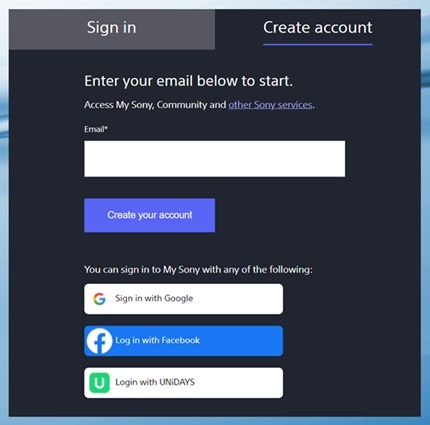
- Sign in to your existing PSN account or create a new one by selecting “Create an Account.”
- Follow the prompts to enter your country, language, and date of birth.
- Create a username, password, and email address for your PSN account.
- Confirm your account creation by clicking on the link sent to your email.
Creating a Secondary Profile on Your Ps4
If you want to play with a friend or family member without affecting your primary profile, you can create a secondary profile:
- Go to the Settings menu and select “Users” > “Create User.”
- Choose to create a new user and follow the prompts to set up their account.
- You can also create a PSN account for this user by following the same steps as before.
Creating an Account Family on Your Ps4
If you have children, you might want to restrict access to certain games or content on your PS4:
- Go to the Settings menu and select “Filtering” > “Family Management.”
- Set up a family account and add members by entering their date of birth.
- Configure parental controls for each member’s profile.
Creating an EA Account on Your Ps4
Some games, like FIFA or Battlefield, require you to create an EA account:
- Launch the game and follow the prompts to create an EA account.
- Enter your email address, password, and other required information.
- Confirm your account creation by clicking on the link sent to your email.
Creating an Epic Games Account on Your Ps4
Similarly, games like Fortnite require you to create an Epic Games account:
- Launch the game and follow the prompts to create an Epic Games account.
- Enter your email address, password, and other required information.
- Confirm your account creation by clicking on the link sent to your email.
Creating a Microsoft Account on Your Ps4
For playing Minecraft or other games that require a Microsoft account:
- Launch the game and follow the prompts to create a Microsoft account.
- Enter your email address, password, and other required information.
- Confirm your account creation by clicking on the link sent to your email.
Conclusion
Creating a PSN account and other types of profiles on your PS4 is relatively straightforward. Follow these steps, and you’ll be ready to start gaming online with friends or playing games that require specific accounts. Remember to always follow the instructions provided within each game to create the necessary accounts.
Frequently Asked Questions (FAQs)
- Q: Do I Need a Psn Account to Play Offline Games on my Ps4?
A: No, you can play offline games without a PSN account. - Q: Can I Create Multiple Profiles on my Ps4?
A: Yes, you can create up to 8 user profiles on your PS4. - Q: How do I Switch Between Profiles on my Ps4?
A: Go to the Settings menu and select “Users” > “Switch User.” - Q: Can I Delete a Profile on my Ps4?
A: Yes, go to the Settings menu and select “Users” > “Manage Users” > “Delete User.” - Q: What if I Forget my Psn Account Password?
A: Click on the “Forgot Password” link on the login page to reset your password. - Q: Can I Use my Existing Microsoft or EA Account on Other Devices?
A: Yes, you can create and manage multiple accounts across different platforms. - Q: How do I Update my Psn Account Information?
A: Go to the Settings menu and select “Users” > “Account Management.” - Q: Can I Change my Psn Account Email Address?
A: Yes, go to the Settings menu and select “Users” > “Account Management” > “Update Email.”


