
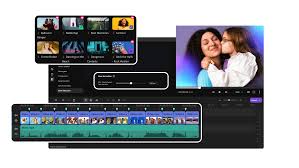
How to Create a Video With Photos, Music, And Text
Are you looking to create a video that showcases your favorite photos, accompanied by music and text? Look no further! In this article, we will guide you through the process of creating a video using various tools, both offline and online.
Why Create a Video With Photos, Music, And Text?
Creating a video with photos, music, and text is an excellent way to showcase your memories, share your story, or promote a product or service. It’s also a great way to add visual interest to your social media posts, presentations, or websites.
Tools For Creating a Video With Photos, Music, And Text
There are many tools available that can help you create a video with photos, music, and text. Here are some of the most popular ones:
Offline Tools
- Clipchamp (Windows): A free tool that allows you to create videos with photos, music, and text. It’s user-friendly and offers various features, such as editing, effects, and transitions.
- Imovie (macOS): A free tool developed by Apple that allows you to create and edit videos on your Mac. It’s easy to use and offers a range of features, including video editing, audio editing, and visual effects.
Online Tools
- Canva: A popular online tool that allows you to create graphics, presentations, and videos with ease. It offers a wide range of templates, fonts, and design elements.
- Animoto: An online tool that allows you to create animations, videos, and presentations with photos, music, and text. It’s free to use, but offers a paid subscription for additional features.
Mobile Apps
- Splice (Android/iOS/iPadOS): A mobile app that allows you to create and edit videos on your smartphone or tablet. It’s easy to use and offers various features, including video editing, audio editing, and visual effects.
- Videoshow (Android/iOS/iPadOS): A mobile app that allows you to create and edit videos on your smartphone or tablet. It’s easy to use and offers various features, including video editing, audio editing, and visual effects.
How to Create a Video With Photos, Music, And Text Using Clipchamp
Clipchamp is a free tool that allows you to create videos with photos, music, and text on your Windows computer. Here’s how to get started:
- Download and install Clipchamp from the Microsoft Store.
- Launch Clipchamp and sign in with your Microsoft account or Google account.
- Select the type of video you want to create (e.G., Slideshow, animated video).
- Import your photos, music, and text using the Clipchamp interface.
- Edit your video by adding effects, transitions, and audio elements.
- Export your video in various formats, including MP4, AVI, and GIF.
How to Create a Video With Photos, Music, And Text Using Imovie
IMovie is a free tool developed by Apple that allows you to create and edit videos on your Mac. Here’s how to get started:
- Launch iMovie from the Applications folder.
- Select the type of video you want to create (e.G., Slideshow, animated video).
- Import your photos, music, and text using the iMovie interface.
- Edit your video by adding effects, transitions, and audio elements.
- Export your video in various formats, including MP4, AVI, and GIF.
How to Create a Video With Photos, Music, And Text Using Canva
Canva is an online tool that allows you to create graphics, presentations, and videos with ease. Here’s how to get started:
- Sign up for a free account on Canva.
- Select the type of video you want to create (e.G., Slideshow, animated video).
- Import your photos, music, and text using the Canva interface.
- Edit your video by adding effects, transitions, and audio elements.
- Export your video in various formats, including MP4, AVI, and GIF.
Conclusion
Creating a video with photos, music, and text is an exciting project that can help you showcase your creativity and express yourself visually. With the tools mentioned above, you can create high-quality videos on both desktop and mobile devices. Remember to have fun and experiment with different features and effects to make your video stand out!
Frequently Asked Questions
- What Are Some Popular Tools For Creating a Video With Photos, Music, And Text?
- Clipchamp (Windows), iMovie (macOS), Canva (online), Animoto (online), Splice (Android/iOS/iPadOS), VideoShow (Android/iOS/iPadOS)
- Can I Create a Video With Photos, Music, And Text on my Smartphone or Tablet?
- Yes! You can use mobile apps like Splice and VideoShow to create videos on your Android, iOS, or iPadOS device.
- How do I Export my Video in Various Formats?
- Depending on the tool you’re using, you can export your video in MP4, AVI, GIF, or other formats by following the tool’s instructions.
- Can I Add Effects, Transitions, And Audio Elements to my Video?
- Yes! Most tools mentioned above allow you to add effects, transitions, and audio elements to your video.
- How do I Edit my Video?
- Each tool has its own editing interface, but most of them offer features like trimming, splitting, and merging clips, as well as adjusting audio levels and adding visual effects.
- Can I Share my Video on Social Media or Other Platforms?
- Yes! Most tools allow you to export your video in various formats and share it directly on social media platforms, email, or websites.


