
How to Get Dark Parts of a Pdf Free: A Comprehensive Guide
Are you tired of dealing with sensitive information in your PDF documents? Do you want to know how to get dark parts of a PDF free without installing any software on your computer? Look no further! In this article, we will guide you through the process of modifying your PDFs using various software and online services.
What is a Pdf And Why Would I Want to Modify It?
A PDF (Portable Document Format) is a file format that preserves the layout and appearance of a document, including text, images, and other elements. Modifying a PDF can be useful for hiding sensitive information or redacting confidential data. With the rise of digital documents, it’s essential to have tools at your disposal to make adjustments as needed.
Software For Modifying Pdfs on Your Computer
- Libreoffice: A free and open-source productivity suite that includes a PDF editor. You can use LibreOffice to modify your PDFs by adding or removing text, images, and shapes.
- Microsoft Edge: The default browser on Windows devices can also be used to edit PDFs. Simply drag the file into the browser window, click on the pen icon in the toolbar, and start modifying.
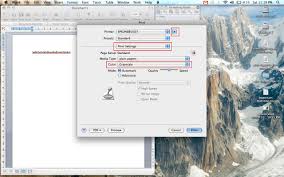
- Trailer (macOS): This app comes pre-installed on Mac devices and allows you to modify PDFs directly within the application.
Online Services For Modifying Pdfs
- Ilovepdf: A web-based service that provides a user-friendly interface for editing PDFs. You can upload your file, select the areas you want to modify, and download the updated document.
- Pdfescape: Another online tool that allows you to edit PDFs using various shapes and colors.
- Smallpdf: A simple and intuitive online editor that enables you to add text, images, and shapes to your PDFs.
Mobile Apps For Modifying Pdfs on Your Smartphone or Tablet
- Xodo Pdf (Android/iOS/iPadOS): A powerful app that allows you to edit PDFs using various tools, including a pen tool with adjustable thickness and opacity.
- Foxit Mobile Pdf (Android/iOS/iPadOS): This app provides a range of editing tools, including a highlighter with dark colors.
- Pdf Reader (Android/iOS/iPadOS): A free app that allows you to view and edit PDFs using various shapes and colors.
Tips And Tricks
- When modifying PDFs online, make sure to save your changes frequently to avoid losing work due to internet connectivity issues.
- Use the right tool for the job: If you need to perform complex edits, use a software like LibreOffice or Xodo. For simple tasks, online services like iLovePDF or Smallpdf might be sufficient.
- Be mindful of file size and formatting when editing PDFs on your mobile device.
Conclusion
Modifying PDFs can be a simple process if you have the right tools at your disposal. Whether you prefer software solutions or online services, there are plenty of options to choose from. Remember to follow best practices and save your changes frequently to avoid losing work. With these tips in mind, you’ll be able to get dark parts of a PDF free in no time!
Frequently Asked Questions
- Q: Can I Modify Pdfs on my Mac Without Installing Any Software?
A: Yes, you can use the built-in Trailer app or Microsoft Edge browser to edit your PDFs. - Q: How do I Access Online Services For Modifying Pdfs?
A: Simply visit the websites of iLovePDF, PDFescape, or Smallpdf and upload your file using their respective interfaces. - Q: Can I Use Mobile Apps to Modify Pdfs on my Smartphone or Tablet?
A: Yes, you can download Xodo PDF, Foxit Mobile PDF, or PDF Reader from the App Store or Google Play Store. - Q: How do I Save Modified Pdfs?
A: Make sure to save your changes frequently and download the updated document in the desired format (e.G., PDF). - Q: Can I Modify Pdfs Without Installing Any Software on my Computer?
A: Yes, you can use online services like iLovePDF or Smallpdf to edit your PDFs directly within your web browser. - Q: How do I Access Mobile Apps For Modifying Pdfs?
A: Simply download and install the desired app from the App Store or Google Play Store. - Q: Can I Modify Pdfs Using a Software Like Libreoffice?
A: Yes, you can use LibreOffice to edit your PDFs by adding or removing text, images, and shapes. - Q: How do I Ensure That my Modified Pdf is Secure?
A: Make sure to save your changes frequently and download the updated document in a secure location on your computer or mobile device.


