
How to Disable Ps4 Account Leading: A Step-by-step Guide
If you’ve sold your old PlayStation 4 and want to get rid of the associated account leading, this guide is for you! Here’s how to disable the account leading on your PS4 without any hassle.
Why Is It Important to Disable Account Leading?
Before we proceed, it’s essential to understand why disabling account leading is crucial. When you chose yourself as an account leading, you authorized Sony to use your information to provide personalized services and content. If you don’t disable the account leading before selling your PS4, new console owners might have access to your personal life.
Disabling Account Leading Without Ps4
If you no longer have access to your PS4, you can still disable the account leading using Sony’s official website. Here’s how:
- Log in to The Official Sony Website: Go to the Sony website and log in with your credentials.
- Device Management: Click on “Device Management” under the “Account” section.
- Disable All Devices: Select “Disable all devices” and confirm your action.
Disabling Account Leading With Ps4
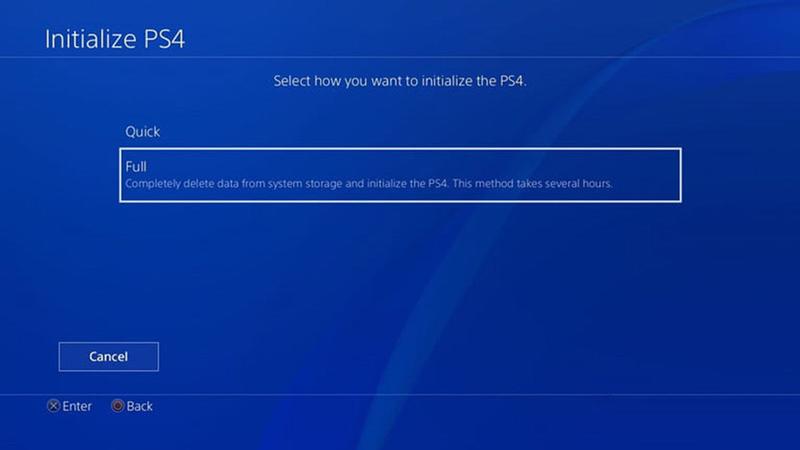
If you still have access to your PS4, disabling the account leading is even easier using the console’s menu. Here’s how:
- Access Console Menu: Go to the PS4 menu and select “Settings”.
- User Management: Select “User Management” and then “Delete User”.
- Confirm Action: Confirm your action to disable the account leading.
Disabling Account Leading With Smartphone
If you’ve sold your PS4 but want to get rid of the account leading, you can use the PlayStation app on your smartphone or tablet. Here’s how:
- Download The App: Download the PlayStation app on your mobile device.
- Log in to Your Account: Log in to your PlayStation account using your credentials.
- Device Management: Select “Device Management” and then “Disable all devices”.
- Confirm Action: Confirm your action to disable the account leading.
Conclusion
Disabling the PS4 account leading is an essential step to protect your privacy and free yourself from associated information. Using this guide, you can easily perform the operation without any issues. Remember to disable the account leading before selling your PS4 or passing it on to a new owner.
Faq
- Why Is It Important to Disable Account Leading?
Account leading contains personal information that might be used by new console owners. - How Can I Disable Account Leading Without Ps4?
You can use Sony’s official website to disable the account leading. - How Can I Disable Account Leading With Ps4?
You can use the console menu to disable the account leading. - How Can I Disable Account Leading With Smartphone?
You can use the PlayStation app on your mobile device to disable the account leading.


