
How to Disattivare Subscriptions: A Step-by-step Guide
Are you tired of unwanted subscriptions draining your wallet? Look no further! In this article, we will guide you through the process of disattivare (cancelling) subscriptions on various platforms, including Google Play, Apple Store, Amazon, and more.
What Are Value-added Services (VAS)?
Before we dive into the step-by-step guide, let’s quickly explain what Value-Added Services (VAS) are. VAS refers to services that provide additional value to customers, such as premium content, exclusive offers, or enhanced features. These services often come with a subscription fee and can be cancelled at any time.
Disattivare Subscriptions on Google Play
If you have a device running Android and have signed up for an app’s subscription service through Google Play, follow these steps:
- Open the Google Play Store on your device.
- Tap on the profile picture in the top right corner.
- Select “Payments & subscriptions” from the menu.
- Scroll down to find the active subscriptions list.
- Tap on the subscription you want to cancel and select “Cancel subscription.”
- Confirm your decision by tapping “Continue > Cancel subscription.”
Disattivare Subscriptions on Apple Store
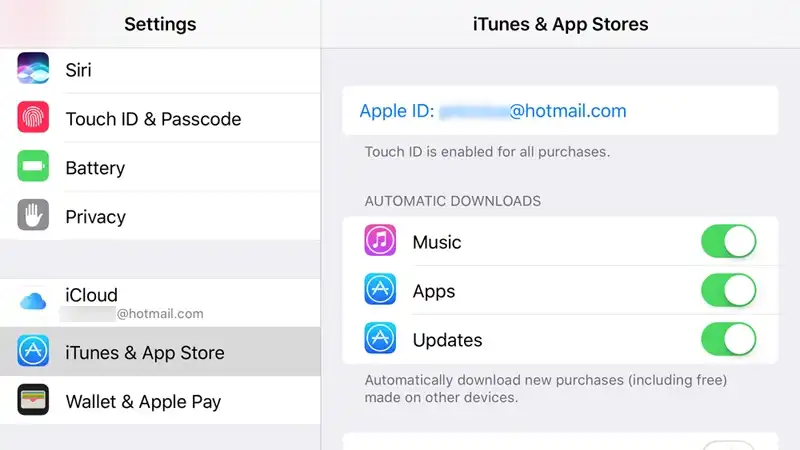
If you have an iPhone, iPad, or Mac and have signed up for a subscription service through Apple, follow these steps:
- Open the Settings app on your device.
- Tap on your name at the top of the screen.
- Select “Subscriptions” from the menu.
- Find the subscription you want to cancel and tap on it.
- Select “Cancel subscription” and confirm your decision.
Disattivare Subscriptions on Amazon
If you have signed up for a subscription service through Amazon, follow these steps:
- Open the Amazon website on your device.
- Sign in to your account using your login credentials.
- Click on “Account & lists” at the top right corner of the screen.
- Select “Registrations & subscriptions” from the menu.
- Find the subscription you want to cancel and click on “Settings registration.”
- Select “End the registration” and follow the instructions to confirm your decision.
Disattivare Subscriptions on Postepay
If you have signed up for a subscription service through Postepay, follow these steps:
- Contact the service provider directly to request cancellation.
- Provide them with your account information and reason for cancelling.
Why Can’t I Disattivare Subscriptions No Richiesti?
As of May 2021, AGCOM (the Italian Authority for Communications) has mandated a stop to premium services, including VAS. This means that most unwanted subscriptions should no longer be active. However, if you receive a strange SMS or message asking you to confirm an activation, follow the instructions provided to cancel the subscription.
How to Disattivare Subscriptions on Tim
If you have signed up for a subscription service through TIM (Telecom Italia), follow these steps:
- Access your personal area on the TIM app or website.
- Follow the instructions to cancel the subscription.
- If needed, contact a customer support representative to assist with cancellation.
How to Disattivare Subscriptions on Vodafone
If you have signed up for a subscription service through Vodafone, follow these steps:
- Access your personal area on the Vodafone app or website.
- Follow the instructions to cancel the subscription.
- If needed, contact a customer support representative to assist with cancellation.
How to Disattivare Subscriptions on Windtre
If you have signed up for a subscription service through WINDTRE, follow these steps:
- Contact a customer support representative directly to request cancellation.
- Provide them with your account information and reason for cancelling.
How to Disattivare Subscriptions on Iliad
If you have signed up for a subscription service through Iliad, follow these steps:
- Call the customer support number (177) to speak with an operator.
- Follow their instructions to cancel the subscription.
How to Disattivare #telephone Subscriptions Standard
If you have signed up for a standard telephone subscription and want to cancel it, follow these steps:
- Contact your current service provider to request cancellation.
- Arrange a new SIM card with another operator (if needed).
- Update any necessary documentation.
Conclusion
Disattivare subscriptions can be a straightforward process if you know where to look. Remember to always review the terms and conditions of your subscription before cancelling, as some may have penalties or restrictions. If you’re still unsure about how to disattivare a specific subscription, don’t hesitate to contact the service provider directly for assistance.
Frequently Asked Questions
- What is a Value-added Service (VAS)?
A VAS refers to services that provide additional value to customers, such as premium content or enhanced features. - How do I Disattivare Subscriptions on Google Play?
Follow the steps outlined above: Access your Google account, go to Payments & subscriptions, and select Cancel subscription. - Can I Cancel a Subscription no Richiesti (unwanted Subscription)?
Yes, most unwanted subscriptions should no longer be active due to AGCOM’s stop of premium services. - How do I Disattivare Subscriptions on Tim?
Access your personal area on the TIM app or website and follow the instructions to cancel the subscription. - Can I Switch my Telephone Operator Without Losing Service?
Yes, you can arrange a new SIM card with another operator (if needed) and update any necessary documentation.
Remember to always review the terms and conditions of your subscription before cancelling, as some may have penalties or restrictions. Happy disattivare!


