
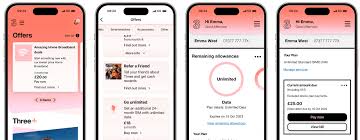
How to Deactivate Promotions on Your Tim Mobile Phone
Are you tired of getting unwanted promotions on your TIM mobile phone? Do you want to know how to deactivate them once and for all? Look no further! In this article, we will guide you through the step-by-step process of deactivating promotions on your TIM mobile phone.
Why Deactivate Promotions?
Before we dive into the process, let’s talk about why you might want to deactivate promotions on your TIM mobile phone. Perhaps you’ve been getting too many unwanted messages or calls from third-party companies, and you just want some peace of mind. Or maybe you’re trying to save money by canceling unnecessary services. Whatever your reason, we’re here to help.
Method 1: Deactivate Promotions Online
The first method is to deactivate promotions online through the TIM website. Here’s how:
- Step 1: Open a web browser on your computer or mobile device and navigate to the TIM website.
- Step 2: Click on the “My TIM” button in the top right corner of the page.
- Step 3: Enter your login credentials to access your account.
- Step 4: Click on the “Line” tab and select the option to view your active bids.
- Step 5: Find the promotion you want to deactivate and click on the “Disattiva” button.
That’s it! If you encounter any issues or need further assistance, don’t hesitate to reach out to us.
Method 2: Deactivate Promotions Using The Tim App
If you prefer using the TIM app, here’s how:
- Step 1: Open the TIM app on your smartphone or tablet.
- Step 2: Tap on the “Line” tab and select the option to view your active bids.
- Step 3: Find the promotion you want to deactivate and tap on the “Disattiva” button.
Easy peasy!
Method 3: Deactivate Promotions by Calling Tim
If you’re not comfortable using the internet or the app, you can also call TIM directly to request the deactivation of promotions. Here’s how:
- Step 1: Dial the number 40916 from your mobile phone.
- Step 2: Follow the prompts and select the option to speak with an operator.
- Step 3: Explain your situation to the operator and request the deactivation of promotions.
And that’s it!
Method 4: Deactivate Promotions in a Tim Store
If you prefer dealing with a human, you can visit a TIM store and ask for assistance. Here’s how:
- Step 1: Find a TIM store near you by visiting their website or using a mapping app.
- Step 2: Visit the store and speak with an operator.
- Step 3: Explain your situation and request the deactivation of promotions.
Easy!
Conclusion
Deactivating promotions on your TIM mobile phone is a straightforward process that can be completed online, through the TIM app, or by calling TIM directly. By following these simple steps, you can say goodbye to unwanted messages and calls from third-party companies. If you have any questions or need further assistance, don’t hesitate to reach out to us.
Frequently Asked Questions
Here are some frequently asked questions related to deactivating promotions on your TIM mobile phone:
- What is the best way to deactivate promotions?
- How do I know if a promotion has been successfully deactivated?
- Can I deactivate promotions from third-party companies?
- How long does it take for promotions to be deactivated?
Answering these questions will help you understand the process better and make an informed decision.
- The best way to deactivate promotions is to do so online through the TIM website, using the TIM app, or by calling TIM directly.
- You can check if a promotion has been successfully deactivated by checking your account online or through the app.
- Yes, you can deactivate promotions from third-party companies, but you may need to follow a specific procedure for VAS services.
- The time it takes for promotions to be deactivated varies depending on the method chosen.
By following these steps and answering these questions, you’ll be well on your way to deactivating unwanted promotions on your TIM mobile phone.


