
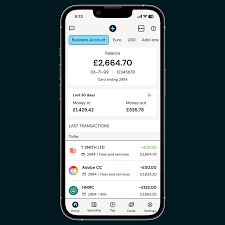
How to Delete a Postepay Card From The App: A Step-by-step Guide
Are you wondering how to delete a Postepay card from the app? Look no further! In this article, we’ll guide you through the process of canceling your Postepay card and replacing it with a new one.
Understanding Postepay Cards And Their Cancellation Process
Before we dive into the steps, let’s understand how Postepay cards work. A Postepay card is a prepaid debit card issued by BancoPosta that can be used for online payments, shopping, and more. When you cancel your Postepay card, it doesn’t disappear automatically from your app list. Instead, you need to follow specific steps to remove it.
Why Delete a Postepay Card?
You might need to delete a Postepay card due to various reasons such as:
- Theft or loss of the card
- Needing to update your personal information
- Replacing an old card with a new one
Step-by-step Instructions to Delete a Postepay Card From The App
- Open The Bancoposta App: Access the BancoPosta app on your Android or iOS device.
- Login And Access Your Account: Enter your login credentials, such as your Code PosteID, to access your account.
- Navigate to The Card List: Go to the “Your cards” section in the app and find the Postepay card you want to delete.
- Tap on The Three Dots: Tap on the three dots next to the card’s name, which will lead you to a menu.
- Select The “Replacement” Option: Choose the replacement option from the menu, which will guide you through the process of deleting and replacing your Postepay card.
Replacing Your Old Postepay Card With a New One
When replacing your old Postepay card with a new one:
- You’ll need to request a replacement card through the app or at a postal office.
- The new card will be credited with any remaining credit from the old card.
- The PIN and other details will remain the same for the new card.
Tips And Precautions
To ensure a smooth replacement process:
- Make sure to update your address information in the app or at a postal office before requesting a replacement card.
- Be aware that canceling a Postepay card doesn’t delete it from the app immediately. You’ll need to follow specific steps to remove it.
Conclusion
Deleting a Postepay card from the app is a straightforward process that requires some basic understanding of how Postepay cards work and their cancellation procedure. By following these step-by-step instructions, you can easily cancel your old card and replace it with a new one.
Frequently Asked Questions
- How do I Delete a Postepay Card From The App?
- To delete a Postepay card, follow the steps outlined in this article.
- Why Can’t my Postepay Card be Deleted Automatically?
- When you cancel your Postepay card, it doesn’t disappear automatically from your app list. You need to follow specific steps to remove it.
Additional Resources
For more information on Postepay cards and their cancellation process, refer to the official BancoPosta website or consult with a customer support representative.


