
How to Delete Your Ebay Account: A Step-by-step Guide
Are you tired of using your eBay account and want to delete it? Perhaps you’re looking to take a break from online shopping or have decided that you no longer need an eBay account. Whatever the reason, deleting your eBay account can be a simple process if you follow these steps.
Why Delete Your Ebay Account?
Before we dive into the step-by-step guide, let’s quickly discuss why you might want to delete your eBay account. Here are a few reasons:
- You no longer use your eBay account and don’t see the need to keep it active.
- You’re experiencing problems with your account, such as payment issues or trouble accessing your account.
- You’ve decided that you no longer want to be associated with eBay or its community.
What Happens When You Delete Your Ebay Account?
Before we proceed, it’s essential to understand what happens when you delete your eBay account. Here are a few things you should know:
- Deleting your eBay account will remove your access to the site and any related services.
- Your account will be removed from the system within 14 days of requesting deletion.
- If you have outstanding payments or unresolved issues with your account, it may take up to 60 days for your account to be fully deleted.
How to Delete Your Ebay Account
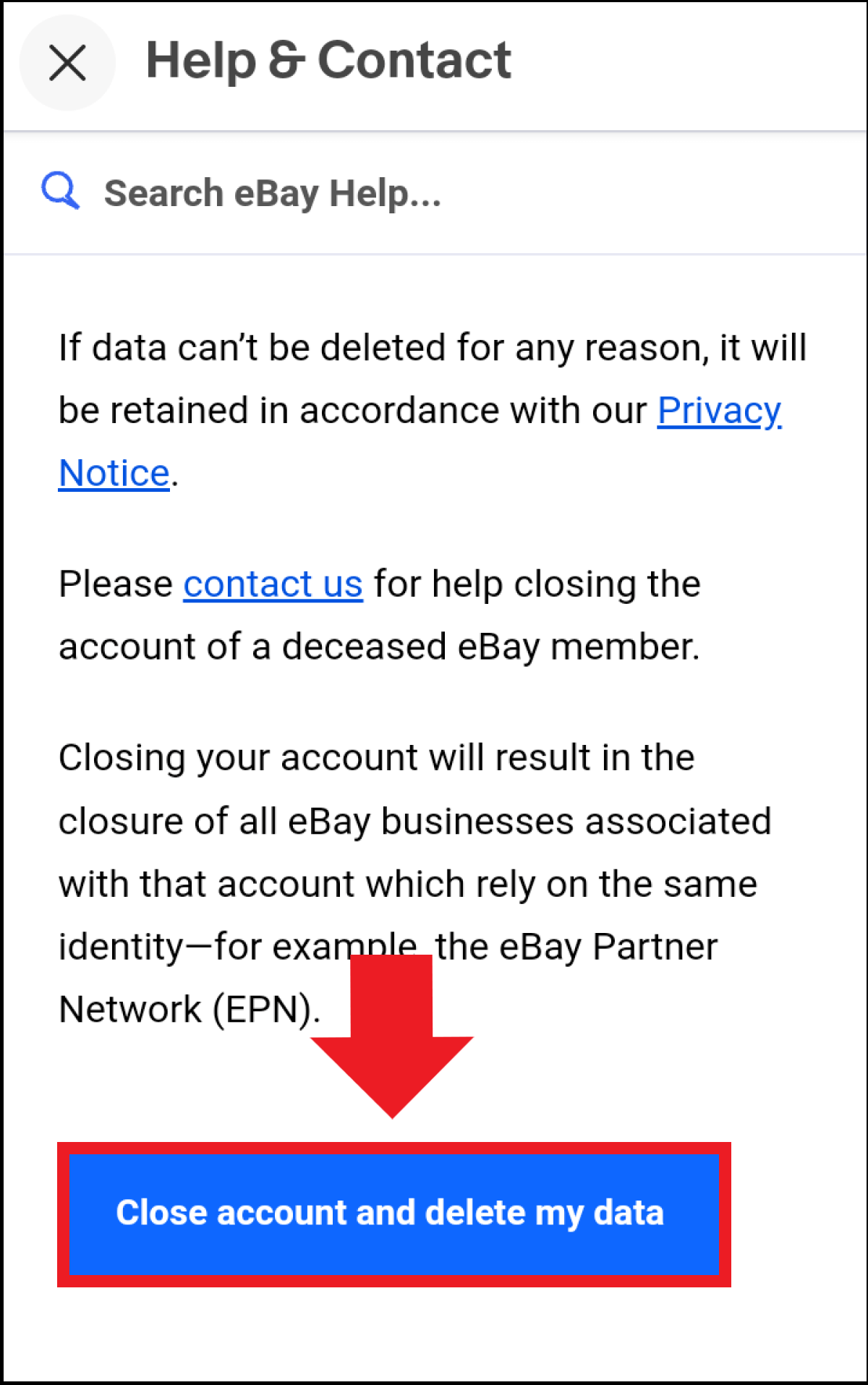
Now that we’ve covered what happens when you delete your account, let’s move on to the step-by-step guide. Here’s how to delete your eBay account:
Deleting Your Ebay Account From a Computer
- Log in to your eBay account using your email and password.
- Click on the “Account” tab at the top of the page.
- Select “Settings” from the dropdown menu.
- Scroll down to the bottom of the page and click on “Close my account.”
- Fill out the form with the reason for closing your account (optional).
- Click on the “Confirm” button.
Deleting Your Ebay Account From a Mobile Device
- Open the eBay app on your mobile device.
- Tap on the “Account” tab at the bottom of the screen.
- Select “Settings” from the dropdown menu.
- Scroll down to the bottom of the page and tap on “Close my account.”
- Fill out the form with the reason for closing your account (optional).
- Click on the “Confirm” button.
How to Delete a Suspended Ebay Account
If you’re trying to delete an eBay account that’s been suspended, here are some additional steps:
- Follow the same procedure as above.
- In the “Reason for closing your account” field, select “Relative problems with my account.”
- Fill out any additional required fields.
How to Cancel a Suspended Account Cancellation
If you’ve initiated the process of deleting an eBay account but want to cancel it, here’s how:
- Log in to your account using your email and password.
- Click on the “Account” tab at the top of the page.
- Select “Settings” from the dropdown menu.
- Scroll down to the bottom of the page and click on “Close my account.”
- Fill out the form with the reason for closing your account (optional).
- Click on the “Confirm” button.
What to Do If You Change Your Mind
If you’ve deleted your eBay account but want to reinstate it, here’s what you can do:
- Contact eBay customer support.
- Explain that you’d like to reinstate your account.
- Wait for their response.
Closing a Shop on Ebay
If you have an active shop on eBay and want to close it, here are some additional steps:
- Log in to your account using your email and password.
- Click on the “Shop” tab at the top of the page.
- Select “Manage Shop” from the dropdown menu.
- Scroll down to the bottom of the page and click on “Close shop.”
- Fill out the form with the reason for closing your shop (optional).
- Click on the “Confirm” button.
What Happens When You Close a Shop
When you close an eBay shop, here are some things that will happen:
- Your shop will be removed from the site.
- Any pending payments or issues will need to be resolved before your account can be fully deleted.
Conclusion
Deleting your eBay account can be a simple process if you follow these steps. Remember that deleting your account will remove your access to the site and any related services, and it may take up to 60 days for your account to be fully deleted. If you have outstanding payments or unresolved issues with your account, it’s essential to address them before initiating the deletion process.
Frequently Asked Questions
Here are some additional questions that might help:
- Q: How do I Delete my Ebay Account?
A: To delete your eBay account, follow these steps: Log in to your account using your email and password, click on the “Account” tab at the top of the page, select “Settings,” scroll down to the bottom of the page, and click on “Close my account.” - Q: What Happens When I Delete my Ebay Account?
A: When you delete your eBay account, it will be removed from the system within 14 days. If there are outstanding payments or unresolved issues with your account, it may take up to 60 days for your account to be fully deleted. - Q: Can I Cancel a Suspended Account Cancellation?
A: Yes, if you’ve initiated the process of deleting an eBay account but want to cancel it, contact eBay customer support and explain that you’d like to reinstate your account. - Q: How do I Close a Shop on Ebay?
A: To close an eBay shop, log in to your account using your email and password, click on the “Shop” tab at the top of the page, select “Manage Shop,” scroll down to the bottom of the page, and click on “Close shop.” - Q: What Happens When I Close a Shop on Ebay?
A: When you close an eBay shop, your shop will be removed from the site, and any pending payments or issues will need to be resolved before your account can be fully deleted.
Additional Resources
Here are some additional resources that might help:
Note: The information provided in this article is for informational purposes only and may not be up-to-date or accurate. It’s essential to check eBay’s official resources for the most current and accurate information on deleting an account.


