
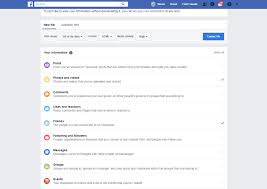
How to Delete Followers on Facebook: A Step-by-step Guide
Are you tired of dealing with unwanted followers on Facebook? Do you want to maintain a clean and organized online presence? Look no further! In this article, we will guide you through the process of deleting followers on Facebook, both on your personal profile and page.
Why Delete Followers on Facebook?
Deleting followers on Facebook can be beneficial for several reasons:
- You can prevent unwanted individuals from seeing your posts or interacting with you.
- You can maintain a more private online presence, which can be especially important if you’re concerned about online safety.
- You can focus on engaging with people who are genuinely interested in your content.
How to Delete Followers on Facebook (Personal Profile)
To delete followers on Facebook from your personal profile:
- Open The Facebook App: Go to the Facebook app on your mobile device or computer and log in to your account.
- Access Your Profile Settings: Tap on the menu icon (three horizontal lines) at the top right corner of the screen, then select “Settings.”
- Select “Followers”: From the list of options, choose “Followers.”
- Choose Who Can See Your Posts: Select “Friends” to limit the visibility of your posts only to people you’ve added as friends.
- Remove Unwanted Followers: Tap on the three dots next to an individual’s name and select “Block.” Confirm that you want to block them by tapping “Confirm.”
How to Delete Followers on Facebook (Page)
To delete followers on a Facebook page:
- Access Your Page Settings: From the top right corner of the screen, tap on the three horizontal lines and select “Settings.”
- Select “Blocking”: Choose “Blocking” from the list of options.
- Add Someone to Block: Tap on “Block Somebody” and enter the name of the person you want to block.
- Confirm Blocking: Tap “Confirm” to finalize the action.
What Happens When You Delete Followers on Facebook?
When you delete followers on Facebook, they will no longer be able to see your posts or interact with your content. However, keep in mind that:
- They may still be able to see some of your past posts, depending on the settings you have in place.
- If someone has already commented on one of your posts, they won’t be affected by the blocking action.
Tips And Precautions
When deleting followers on Facebook, keep the following tips and precautions in mind:
- Be Cautious With Friend Requests: Make sure to review and approve friend requests carefully, as accepting someone as a friend can allow them to see your posts and interact with you.
- Monitor Your Online Presence: Regularly check your online presence to ensure that only authorized individuals are seeing your content.
- Use Facebook’s Built-in Tools: Utilize Facebook’s built-in features, such as blocking or reporting unwanted interactions, to maintain a safe and enjoyable online experience.
By following these steps and tips, you can effectively delete followers on Facebook and create a more private online presence.


