
Deleting Your Kik Account: A Step-by-step Guide
Are you tired of using Kik, but not sure how to delete your account? Look no further! In this article, we’ll guide you through the process of deleting your Kik account, both temporarily and permanently.
Why Delete Your Kik Account?
Before we dive into the steps, let’s talk about why you might want to delete your Kik account. Maybe you’re not using it as much as you thought you would, or maybe you’ve just realized that you don’t need it anymore. Whatever the reason, deleting your account is a simple process that can be completed in just a few minutes.
Temporary Deactivation
If you’re not sure if you want to delete your Kik account permanently, you might consider temporarily deactivating it instead. This way, you can take a break from the service without losing all of your data and contacts.
How to Temporarily Deactivate Your Kik Account
To deactivate your Kik account temporarily, follow these steps:
- Open The Kik App: Open the Kik app on your smartphone or tablet.
- Tap on The Menu: Tap on the three horizontal lines in the top left corner of the screen to open the menu.
- Select “Your Account”: Select “Your Account” from the menu.
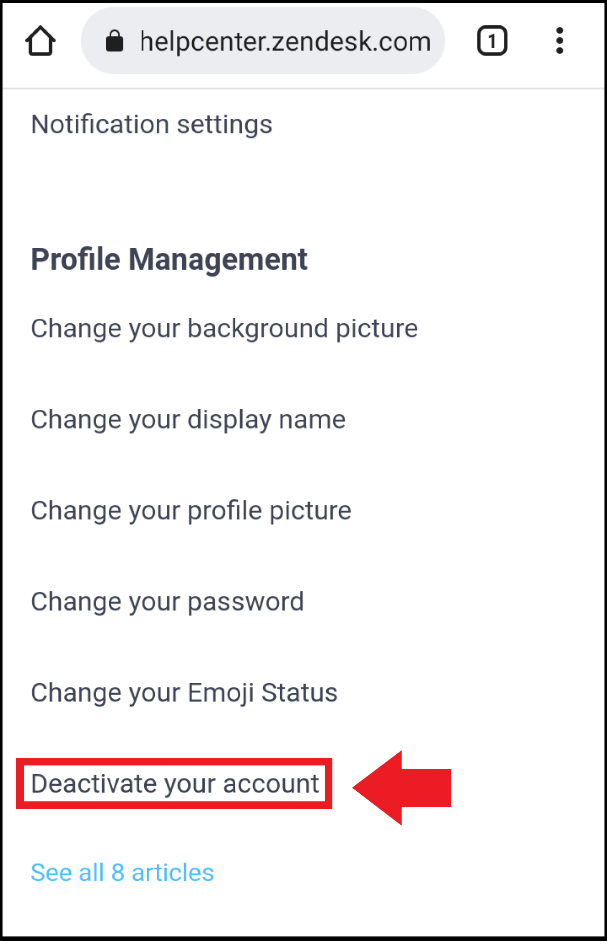
- Deactivate Your Account: Tap on the “Deactivate Your Account” button.
That’s it! Your Kik account will be temporarily deactivated, and you won’t receive any further messages or notifications.
Permanently Deleting Your Kik Account
If you’re sure that you want to delete your Kik account permanently, here are the steps to follow:
- Open a Web Browser: Open a web browser on your smartphone, tablet, or computer.
- Go to The Kik Website: Go to the Kik website and sign in with your username and password.
- Select “Delete My Account”: Select “Delete My Account” from the menu.
- Confirm Deletion: Confirm that you want to delete your account permanently.
That’s it! Your Kik account will be deleted immediately, and all of your data and contacts will be erased.
What Happens When You Delete Your Kik Account?
When you delete your Kik account, all of your data and contacts will be erased. This includes any messages, photos, or other content that you’ve shared with others on the service.
Can I Reactivate My Kik Account?
Yes, if you’ve temporarily deactivated your Kik account, you can reactivate it at any time by following the same steps as above.
Conclusion
Deleting your Kik account is a simple process that can be completed in just a few minutes. Whether you want to temporarily deactivate or permanently delete your account, we hope this guide has been helpful.
Frequently Asked Questions (FAQs)
- Q: How do I Delete my Kik Account?
A: To delete your Kik account, follow the steps outlined above. - Q: Will Deleting my Kik Account Erase All of my Data And Contacts?
A: Yes, when you delete your Kik account, all of your data and contacts will be erased. - Q: Can I Reactivate my Kik Account if I’ve Deleted it Permanently?
A: No, once you’ve deleted your Kik account permanently, it cannot be reactivated. - Q: How do I Temporarily Deactivate my Kik Account?
A: To temporarily deactivate your Kik account, follow the steps outlined above.


