
How to Delete Instagram Data: A Step-by-step Guide
Are you tired of having access to your Instagram account saved on a device that’s no longer yours? Do you want to delete the data of login on Instagram from your smartphone or PC? Look no further! In this article, we’ll guide you through the process of deleting Instagram data from both Android and iOS devices, as well as from your PC.
Why Delete Instagram Data?
Before we dive into the steps, let’s quickly discuss why you might want to delete Instagram data in the first place. Perhaps you’ve loaned your smartphone to a friend and no longer need access to your account. Or maybe you’re looking to clear up some space on your device. Whatever the reason, deleting Instagram data is a straightforward process that can be completed in just a few minutes.
Deleting Instagram Data From Android Devices
To delete Instagram data from an Android device, follow these steps:
- Open The Instagram App: First, open the Instagram app on your Android device.
- Tap on Your Profile Icon: Next, tap on your profile icon located at the bottom of the screen.
- Select Menu: Then, select the menu icon (three horizontal lines) located in the top-right corner of the screen.
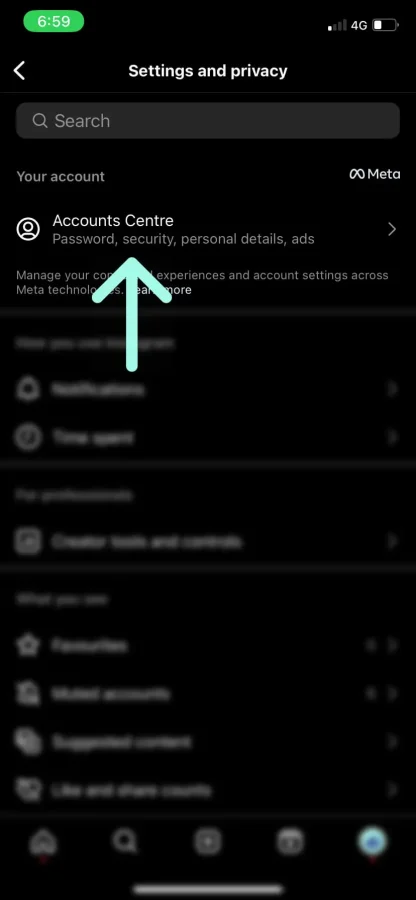
- Go to Settings: From the menu, go to Settings.
- Tap on “Log Out”: Tap on the “Log out” option.
- Confirm Log Out: Confirm that you want to log out by tapping on the “Log Out” button.
That’s it! You’ve successfully deleted Instagram data from your Android device.
Deleting Instagram Data From Ios Devices
To delete Instagram data from an iOS device, follow these steps:
- Open The Instagram App: First, open the Instagram app on your iOS device.
- Tap on Your Profile Icon: Next, tap on your profile icon located at the bottom of the screen.
- Select Menu: Then, select the menu icon (three horizontal lines) located in the top-right corner of the screen.
- Go to Settings: From the menu, go to Settings.
- Tap on “Log Out”: Tap on the “Log out” option.
- Confirm Log Out: Confirm that you want to log out by tapping on the “Log Out” button.
You’ve successfully deleted Instagram data from your iOS device!
Deleting Instagram Data From PC
To delete Instagram data from your PC, follow these steps:
- Open a Web Browser: First, open a web browser (such as Google Chrome or Mozilla Firefox).
- Go to Instagram Website: Navigate to the Instagram website (www.Instagram.Com).
- Click on Your Profile Icon: Click on your profile icon located in the top-right corner of the screen.
- Select Settings: From the dropdown menu, select “Settings”.
- Tap on “Log Out”: Tap on the “Log out” option.
- Confirm Log Out: Confirm that you want to log out by tapping on the “Log out” button.
You’ve successfully deleted Instagram data from your PC!
Deleting Activity Data on Instagram
If you’re looking to delete activity data on Instagram, follow these steps:
- Open The Instagram App: First, open the Instagram app on your device.
- Go to Settings: From the menu, go to Settings.
- Select “Privacy And Security”: Select the “Privacy and Security” option.
- Tap on “Devices”: Tap on the “Devices” option.
- Select Your Device: Select your device from the list of devices that have accessed Instagram.
- Tap on “Log Out”: Tap on the “Log out” option to delete activity data.
Tips And Variations
- If you’ve saved your password in a browser, make sure to clear it after deleting Instagram data.
- To delete activity data from multiple devices, simply repeat the steps above for each device.
Conclusion
Deleting Instagram data is a straightforward process that can be completed in just a few minutes. Whether you’re looking to clear up space on your device or simply want to remove access to your account, following these steps will guide you through the process. Happy deleting!
Frequently Asked Questions
- Q: How do I delete Instagram data from my device?
A: To delete Instagram data from your device, follow the steps outlined in this article. - Q: Can I delete activity data on Instagram?
A: Yes! Follow the steps outlined above to delete activity data on Instagram. - Q: Will deleting Instagram data affect my account or profile?
A: No! Deleting Instagram data will only remove access to your account from a specific device.


