
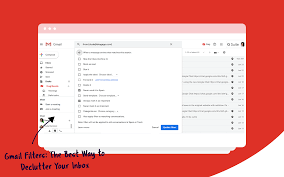
Deleting Quora From Gmail: A Step-by-step Guide
Are you tired of receiving too many emails from Quora? Do you want to delete Quora from your Gmail account, but don’t know how? You’re not alone! In this article, we’ll guide you through the process of deleting Quora from your Gmail account, as well as other helpful solutions like dissociating your Google account or cancelling your Quora account altogether.
Why Delete Quora From Gmail?
Quora is a popular platform for asking and answering questions on various topics. However, sometimes you might receive too many emails from the platform, making it difficult to manage your inbox. Deleting Quora from your Gmail account can help alleviate this issue.
How to Cancel The Registration to Receive Emails From Quora
To cancel the registration to receive emails from Quora, follow these steps:
- Access Your Gmail Account: Open your Gmail account on a computer, smartphone, or tablet.
- Search For Unwanted Emails: Search for unwanted emails from Quora in your inbox.
- Click on The Email: Click on the email from Quora that you want to cancel receiving.
- Cancel Registration: Cancel the registration by clicking on the “Cancel” button.
How to Manage Preferences For Emails And Notifications
To manage preferences for emails and notifications, follow these steps:
- Access Your Quora Account: Access your Quora account through the website or app.
- Go to Settings: Go to settings by clicking on your profile picture in the top right corner of the screen.
- Select Email And Notifications: Select “Email and notifications” from the menu.
- Manage Preferences: Manage your preferences for receiving emails and notifications.
How to Disconnect Your Google Account
If you want to disconnect your Google account from Quora, follow these steps:
- Access Your Quora Account: Access your Quora account through the website or app.
- Go to Settings: Go to settings by clicking on your profile picture in the top right corner of the screen.
- Select Account: Select “Account” from the menu.
- Disconnect Google Account: Disconnect your Google account by clicking on the “Disconnect” button.
How to Change Your Email Connected to Your Quora Account
If you want to change your email connected to your Quora account, follow these steps:
- Access Your Quora Account: Access your Quora account through the website or app.
- Go to Settings: Go to settings by clicking on your profile picture in the top right corner of the screen.
- Select Account: Select “Account” from the menu.
- Add a New Email: Add a new email address and save it as the primary email.
How to Cancel Your Quora Account
If you want to cancel your Quora account altogether, follow these steps:
- Access Your Quora Account: Access your Quora account through the website or app.
- Go to Settings: Go to settings by clicking on your profile picture in the top right corner of the screen.
- Select Privacy: Select “Privacy” from the menu.
- Erase Account: Erase your account by clicking on the “Erase” button.
Conclusion
Deleting Quora from Gmail or cancelling your Quora account can be a straightforward process if you follow these steps. Remember to manage your preferences for emails and notifications, disconnect your Google account, change your email connected to your Quora account, or cancel your Quora account altogether. If you have any doubts or concerns, feel free to reach out to our community of experts.
Frequently Asked Questions
- Q: How do I delete Quora from my Gmail account?
A: To delete Quora from your Gmail account, follow the steps outlined in this article. - Q: Can I disconnect my Google account from Quora?
A: Yes, you can disconnect your Google account from Quora by following the steps outlined in this article. - Q: How do I change my email connected to my Quora account?
A: To change your email connected to your Quora account, follow the steps outlined in this article.


