
Deleting a Spotify Account: A Step-by-step Guide
Are you tired of using Spotify or want to cancel your subscription? Deleting a Spotify account can be a bit tricky, but don’t worry, we’ve got you covered. In this article, we’ll guide you through the process of deleting a Spotify account, whether you’re a free user or a premium subscriber.
Why Delete a Spotify Account?
Before we dive into the steps, let’s briefly discuss why you might want to delete your Spotify account. Perhaps you:
- No longer use Spotify and want to cancel your subscription
- Want to avoid automatic renewal of your premium subscription
- Need to remove sensitive information from your account
- Simply want to take a break from music streaming
Whatever the reason, deleting a Spotify account is relatively straightforward.
How to Delete a Spotify Account: Premium Edition
If you’re a premium subscriber, you’ll need to disable auto-renewal and then delete your account. Here’s how:
Disabling Auto-renewal
- Open Spotify: Log in to your account using the Spotify app or website.
- Go to Settings: Click on the gear icon at the top right corner of the screen (on desktop) or tap the settings icon on mobile.
- Click on Account: Select “Account” from the dropdown menu.
- Cancel Subscription: Click on “Cancel subscription” and confirm that you want to cancel.
Deleting a Spotify Premium Account
Once you’ve disabled auto-renewal, you can proceed with deleting your account:
- Open Spotify: Log in to your account using the app or website.
- Go to Settings: Click on the gear icon at the top right corner of the screen (on desktop) or tap the settings icon on mobile.
- Click on Account: Select “Account” from the dropdown menu.
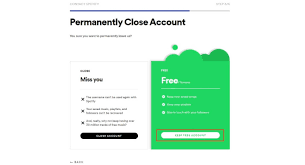
- Delete Account: Click on “Delete account” and follow the prompts.
How to Delete a Spotify Account: Free Edition
If you’re a free user, deleting your account is even easier:
- Open Spotify: Log in to your account using the app or website.
- Go to Settings: Click on the gear icon at the top right corner of the screen (on desktop) or tap the settings icon on mobile.
- Click on Account: Select “Account” from the dropdown menu.
- Delete Account: Click on “Delete account” and follow the prompts.
What Happens After Deleting a Spotify Account?
After deleting your Spotify account:
- You’ll no longer have access to your playlists, music library, or premium features.
- Any pending payments will be cancelled.
- Your account will be removed from the Spotify platform.
Frequently Asked Questions (FAQs)
Here are some common questions and answers about deleting a Spotify account:
Q: Can I Restore my Account if I Change my Mind?
A: Yes, you can restore your account within 7 days of deletion. Just log in to your email associated with the account and click on the “Restore account” link.
Q: What Happens to my Playlists And Music Library?
A: Your playlists, music library, and other data will be deleted along with your account.
Q: Can I Delete a Spotify Account Using The Mobile App?
A: Yes, you can delete a Spotify account using either the desktop or mobile app.
Conclusion
Deleting a Spotify account is a straightforward process that requires just a few steps. Whether you’re a free user or a premium subscriber, we hope this guide has helped you navigate the process with ease. Remember to review your subscription and payment details before deleting your account to avoid any potential issues.
Frequently Asked Questions (FAQs)
Here are some additional FAQs:
- Q: How do I Delete my Spotify Account if I’m Using a Third-party Service Like Google or Apple?
A: You can still delete your Spotify account, but you may need to access the Spotify website directly. - Q: Can I Transfer my Playlists And Music Library to Another Streaming Platform?
A: Yes, many streaming platforms allow you to import your playlists and music library from other services. - Q: What if I Have Pending Payments or Subscription Issues When Deleting my Account?
A: Spotify’s customer support team is available to help with any payment or subscription-related issues.
Final Notes
We hope this article has helped you understand the process of deleting a Spotify account. Remember to take your time and review the steps carefully before proceeding. If you have any further questions, feel free to ask!


