
How to Delete Your Telegram Account: A Step-by-step Guide
Are you tired of using Telegram and want to delete your account? This article will guide you through the process, covering both manual deletion and automatic cancellation.
Why Delete a Telegram Account?
Before we dive into the instructions, let’s quickly discuss why someone might want to delete their Telegram account. Maybe you’ve switched to another messaging service, or perhaps you’re concerned about data security. Whatever your reason, deleting your account will erase all chat history, contacts, and data associated with it.
Important: Deleting a Telegram Account is Irreversible
Please note that once you delete your Telegram account, there’s no going back. All data will be permanently erased, and you won’t be able to recover it. If you change your mind later, you’ll need to create a new account from scratch.
How to Delete Your Telegram Account Manually
To delete your Telegram account manually:
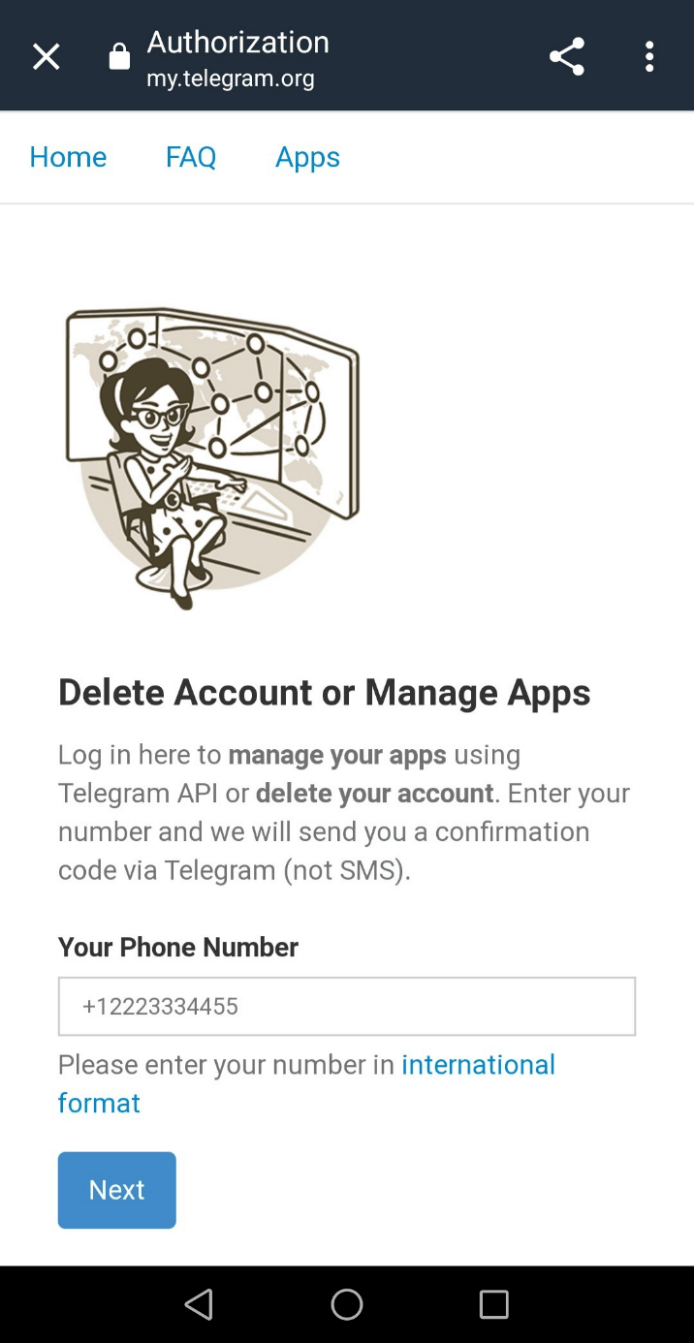
- Go to The Telegram Website: Open a web browser on your device (computer, smartphone, or tablet) and visit the official Telegram website.
- Log in to Your Account: Enter your phone number and password associated with your Telegram account.
- Delete Your Account: Click on the “Delete My Account” option, which can be found by clicking on your profile picture and then selecting “Settings.”
- Confirm Deletion: Review the information displayed and confirm that you want to delete your account.
How to Delete Your Telegram Account Automatically
If you’re not convinced about deleting your account manually, you can opt for automatic cancellation:
- Access The Settings Menu: On your device (smartphone, tablet, or computer), open the Telegram app and tap on the three horizontal lines (☰) at the top left corner.
- Select “Settings”: Choose the “Settings” option from the menu that appears.
- Choose “Privacy And Safety”: Scroll down to find the “Privacy and Safety” section.
- Select “Delete My Account”: Tap on the “Delete My Account” option, which will prompt you to choose a deletion period (1 month, 3 months, 6 months, or 1 year).
- Confirm Deletion: Review the information displayed and confirm that you want to delete your account.
Troubleshooting: What to Do if You Encounter Problems
If you’ve followed these steps but still can’t delete your account, don’t worry! Follow these additional instructions:
- Visit The Telegram Support Page: Open the Telegram app on your device (smartphone or tablet) and tap on the icon with a circle of gears at the top right corner.
- Select “Support”: Choose the “Support” option from the menu that appears.
- Describe Your Issue: Tap on the option to initiate a chat with the Telegram support team, describing your problem.
- Follow Their Instructions: Wait for their response and follow their instructions to resolve the issue.
Conclusion
Deleting your Telegram account is a straightforward process, but it’s essential to understand the consequences of doing so. If you’re no longer using the service or have concerns about data security, deleting your account might be the best option for you.
Frequently Asked Questions (FAQs)
- Will Deleting my Telegram Account Delete All my Chat History And Contacts?
Yes, when you delete a Telegram account, all associated data, including chat history and contacts, will be permanently erased. - Can I Recover my Deleted Account?
No, once your account is deleted, it’s irretrievable. If you change your mind later, you’ll need to create a new account from scratch. - How Long Does it Take For my Account to be Deleted After Selecting Automatic Cancellation?
The time frame depends on the deletion period you’ve chosen (1 month, 3 months, 6 months, or 1 year). - What if I Encounter Problems Deleting my Account?
Follow the troubleshooting steps outlined in this article. - Can I Delete my Telegram Account Using a Computer?
Yes, but only for desktop versions of Telegram; not on the web version (Telegram Web). - Will Deleting my Account Remove Any Limitations Caused by Spam or Other Issues?
Yes, deleting your account will also remove any limitations imposed due to spamming or other issues. - How do I Report a Problem With Deleting my Account?
Follow the steps outlined in the “Troubleshooting” section.
If you have any further questions or concerns, don’t hesitate to reach out!


