
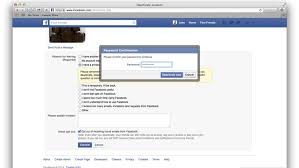
How to Delete Your Facebook Account: A Step-by-step Guide
Are you tired of using Facebook but don’t know how to delete your account? Or perhaps you want to take a break from the social media platform without permanently deleting it? Look no further! In this article, we will guide you through the process of deleting or temporarily deactivating your Facebook account.
The Consequences of Deleting Your Facebook Account
Before we dive into the step-by-step guide, it’s essential to know what happens when you delete your Facebook account. When you permanently delete your account, all your data, including photos, videos, posts, and friends list, will be gone forever. Even if you reactivate your account, your old data won’t come back.
Deleting Your Facebook Account: A Step-by-step Guide
Permanently Deleting Your Facebook Account
If you’re sure you want to delete your Facebook account permanently, follow these steps:
- Log in to your Facebook account and click on the three horizontal lines (⋮) at the top right corner of the screen.
- Click on “Settings” from the dropdown menu.
- Scroll down to the “Your Facebook Information” section and click on “View”.
- Select “Delete My Account” and follow the instructions to confirm your decision.
Temporarily Deactivating Your Facebook Account
If you don’t want to delete your account permanently but take a break from Facebook, deactivation is the way to go. Here’s how:
- Log in to your Facebook account and click on the three horizontal lines (⋮) at the top right corner of the screen.
- Click on “Settings” from the dropdown menu.
- Scroll down to the “Your Facebook Information” section and click on “View”.
- Select “Deactivate Account” and follow the instructions to confirm your decision.
Deleting Your Facebook Account Using a Smartphone or Tablet
If you want to delete or deactivate your Facebook account using your smartphone or tablet, here’s how:
- Open the Facebook app and tap on the three horizontal lines (⋮) at the top right corner of the screen.
- Tap on “Settings” from the dropdown menu.
- Scroll down to the “Account Settings” section and select “Deactivation and Elimination”.
- Select “Delete Account” or “Deactivate Account” depending on your preference.
Deleting Your Facebook Account Using a Computer
If you want to delete or deactivate your Facebook account using a computer, here’s how:
- Log in to your Facebook account and click on the three horizontal lines (⋮) at the top right corner of the screen.
- Click on “Settings” from the dropdown menu.
- Scroll down to the “Your Facebook Information” section and click on “View”.
- Select “Delete My Account” or “Deactivate Account” depending on your preference.
Deleting Your Facebook Dating Profile
If you’ve created a Facebook dating profile but no longer want to use it, here’s how:
- Open the Facebook app and tap on the three horizontal lines (⋮) at the top right corner of the screen.
- Tap on “Dating” from the dropdown menu.
- Select “Settings” and scroll down to the “Account Settings” section.
- Select “Deactivate Account” or “Delete Profile” depending on your preference.
What Happens After Deleting Your Facebook Dating Profile
If you delete your Facebook dating profile, all your data associated with it will be gone forever. This includes photos, videos, messages, and matches.
How to Delete Your Facebook Account After Being Left
If you’ve been left by someone and want to delete your Facebook account, here’s how:
- Open the Facebook app and tap on the three horizontal lines (⋮) at the top right corner of the screen.
- Tap on “Settings” from the dropdown menu.
- Scroll down to the “Your Facebook Information” section and click on “View”.
- Select “Delete My Account” or “Deactivate Account” depending on your preference.
Tips For Deleting Your Facebook Account
- Before deleting your account, make sure you have a backup of your data.
- If you want to take a break from Facebook without permanently deleting it, deactivate your account instead.
- Be aware that deactivating or deleting your account will remove all your data associated with it.
Conclusion
Deleting or deactivating your Facebook account is a simple process. Just remember to have a backup of your data before making the decision. If you’re not sure about what to do, consider taking a break from Facebook instead of permanently deleting it.


