
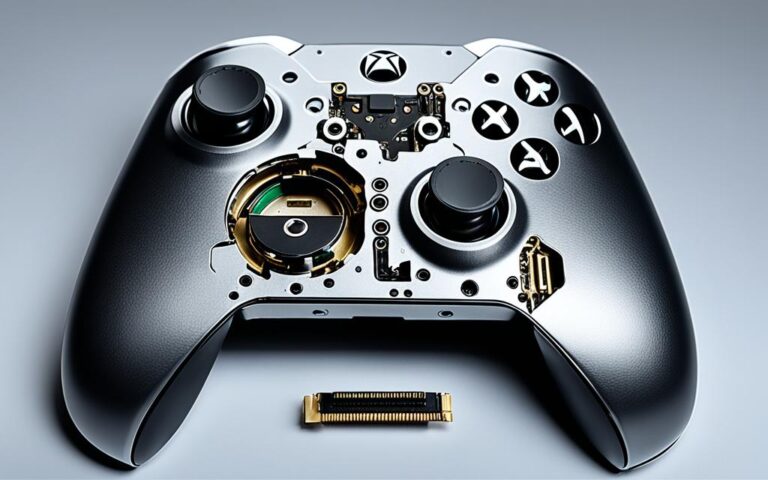
Disassembling Your Xbox Controller: A Step-by-step Guide
Are you tired of dealing with a malfunctioning Xbox controller? Do you want to clean it, replace damaged components, or add some personal touches? Disassembling your Xbox controller is a relatively simple process that can be completed with the right tools and a bit of patience. In this article, we will guide you through the steps involved in disassembling your Xbox One, Elite, and 360 controllers.
Understanding The Risks
Before we begin, it’s essential to understand that opening your Xbox controller may void its warranty. If your controller is still under warranty, it’s recommended to consult an authorized service center or contact Microsoft support for assistance.
Tools Needed
To disassemble your Xbox controller, you’ll need a few basic tools:
- A screwdriver with a 3 mm (PH0) tip
- A screwdriver with a Torx T8 tip
- A screwdriver with a Torx T6 tip (for Xbox One and Elite controllers)
- A hexagonal key or brugola (for Xbox One controller)
- A plastic spudger (for all three controllers)
Disassembling The Xbox One Controller
To disassemble your Xbox One controller, follow these steps:
- Remove The Screws: Use a screwdriver with a Torx T8 tip to remove the 5 screws from the back of the controller.
- Separate The Back And Front Plates: Gently pry open the two halves of the controller using a plastic spudger or screwdriver.
- Disconnect The Battery: Carefully lift the battery compartment and disconnect it from the rest of the controller.
- Remove The Internal Components: Use a screwdriver with a Torx T6 tip to remove the internal components, such as the motherboard and vibration motors.
Disassembling The Xbox Elite Controller
Disassembling your Xbox Elite controller is similar to disassembling the Xbox One controller:
- Remove The Screws: Use a screwdriver with a Torx T8 tip to remove the 5 screws from the back of the controller.
- Separate The Back And Front Plates: Gently pry open the two halves of the controller using a plastic spudger or screwdriver.
- Disconnect The Cable: Carefully disconnect the flat cable that connects the body of the controller to the back plate.
- Remove The Internal Components: Use a screwdriver with a Torx T6 tip to remove the internal components, such as the motherboard and vibration motors.
Disassembling The Xbox 360 Controller
Disassembling your Xbox 360 controller is relatively straightforward:
- Remove The Screws: Use a screwdriver with a Torx T3 tip to remove the 6 screws from the back of the controller.
- Separate The Back And Front Plates: Gently pry open the two halves of the controller using a plastic spudger or screwdriver.
- Disconnect The Vibration Motors: Carefully disconnect the two engines for vibration.
- Remove The Internal Components: Use a screwdriver with a Torx T6 tip to remove the internal components, such as the motherboard and directional pad.
Conclusion
Disassembling your Xbox controller can be a simple process if you have the right tools and follow these steps carefully. Remember to exercise caution when handling sensitive electronic components, and always refer to the manufacturer’s instructions for any specific recommendations or guidelines. With this guide, you should now be able to disassemble and maintain your Xbox One, Elite, and 360 controllers with confidence.
Frequently Asked Questions
Q: What tools do I need to disassemble my Xbox controller?
A: A screwdriver with a Torx T8 tip, a screwdriver with a Torx T6 tip (for Xbox One and Elite controllers), a hexagonal key or brugola (for Xbox One controller), and a plastic spudger.
Q: Will disassembling my Xbox controller void its warranty?
A: Yes, disassembling your Xbox controller may void its warranty. If your controller is still under warranty, consult an authorized service center or contact Microsoft support for assistance.
Q: How do I clean my Xbox controller?
A: You can use a soft cloth and mild soap solution to gently clean the exterior of your Xbox controller. Avoid using harsh chemicals or abrasive materials that may damage the components.
Q: Can I add personal touches to my Xbox controller?
A: Yes, you can customize your Xbox controller with third-party accessories, such as custom skins, buttons, or sticks. However, be sure to follow the manufacturer’s guidelines and ensure compatibility before making any modifications.
Additional Resources
For more information on disassembling and maintaining your Xbox controllers, refer to the following resources:
- Microsoft’s official support website
- Online forums and communities dedicated to gaming and electronics repair


