
Diverting The Called: A Comprehensive Guide
In today’s fast-paced world, staying connected is crucial. Whether you’re a busy professional or a parent trying to manage multiple family members’ calls, diverting unwanted calls can be a lifesaver. In this article, we’ll delve into the world of call diversion, exploring its benefits, methods, and potential drawbacks.
What is Call Diversion?
Call diversion, also known as call forwarding or call transfer, allows you to redirect incoming calls from your primary phone number to another number. This can be a landline, mobile, or even voicemail. The goal is to ensure that important calls are not missed, while unwanted ones can be diverted.
Benefits of Call Diversion
- Increased Flexibility: With call diversion, you can choose when and how you want to receive calls.
- Reduced Stress: No more worrying about missing critical calls or dealing with pesky telemarketers.
- Improved Productivity: By diverting non-essential calls, you can focus on tasks that require your attention.
Methods of Call Diversion
- Using Codes: Most mobile networks and landline providers offer special codes to activate and deactivate call diversion. These codes vary depending on the service provider.
- App-based Solutions: Many smartphones come with built-in apps that allow you to divert calls directly from the device settings.
- Operator Assistance: If you’re unsure about how to set up call diversion or need help with specific requirements, contacting your network operator can be a viable option.
Call Diversion on Android Devices
If you’re an Android user, diverting unwanted calls is relatively straightforward:
- Open the Phone app and tap on the three dots in the top right corner.
- Select Settings > Call settings > Call diversion.
- Choose the type of call diversion you want (e.G., Divert all calls or only specific numbers).
- Enter the number to which you want to divert the call.
- Save your changes.
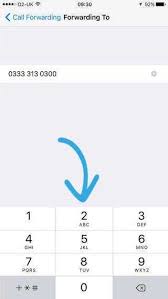
Call Diversion on Ios Devices
For iPhone users:
- Go to Settings > Phone > Call Blocking & Identification.
- Tap on “Block Contact” and select the contact you want to block.
- Choose whether you want to block all calls from this number or just specific types of calls (e.G., Text messages).
- Save your changes.
Diverting Calls to a Secretariat
In some cases, you might want to divert calls directly to a secretariat or voicemail. This can be achieved by:
- Setting up call diversion on your primary phone number.
- Configuring the secretariat or voicemail to receive diverted calls.
- Ensuring that the secretariat or voicemail is available and functioning correctly.
Service Provider-specific Codes
Different service providers use unique codes for call diversion. Here’s a brief overview:
- Tim: 21*[Number of destination]# (activation) / #21# (deactivation)
- Vodafone: 21*[Number of destination]# (activation) / #21# (deactivation)
- Windtre: 21*[Number of destination]# (activation) / #21# (deactivation)
- Fastweb: 22*[Number of destination]# (activation for busy number) / #22# (deactivation)
Conclusion
Call diversion is a valuable tool that can help you manage your time and prioritize important calls. By understanding the benefits, methods, and service provider-specific codes, you can effectively divert unwanted calls and focus on what truly matters.
Frequently Asked Questions
- Q: How do I Set up Call Diversion on my Android Device?
A: Open the Phone app, tap on Settings > Call settings > Call diversion. - Q: Can I Divert Calls to a Secretariat or Voicemail?
A: Yes, by setting up call diversion on your primary phone number and configuring the secretariat or voicemail to receive diverted calls. - Q: What Are The Service Provider-specific Codes For Call Diversion?
A: Refer to the table above for TIM, Vodafone, WINDTRE, and Fastweb codes. - Q: Can I Divert Calls When my Line is Busy?
A: Yes, by using specific codes (e.G., 67[Number of destination]# for Vodafone). - Q: How do I Deactivate Call Diversion?
A: Use the deactivation code provided by your service provider or follow the instructions in your device’s settings.
Stay connected and manage your calls with ease!


