
How to Download Adobe Flash Player Free: A Step-by-step Guide
Are you struggling to access videos or websites that require Adobe Flash Player? Look no further! This article will guide you through the process of downloading and installing Adobe Flash Player free on both Windows and Mac operating systems.
What is Adobe Flash Player?
Adobe Flash Player was a popular software used to play multimedia content, including animations, games, and video clips. However, due to security concerns and the rise of newer technologies like HTML5, Adobe announced the end of life for Flash in 2020. Despite this, there are still many websites that require Flash to function properly.
Why Do I Need Adobe Flash Player?
If you’re trying to access videos or websites that require Flash, but can’t seem to do so, it’s likely because your system is missing the necessary software. Flash was a staple for online multimedia content in the past, and many classic games and animations still rely on it.
Downloading Adobe Flash Player Free on Windows
To download Adobe Flash Player free on Windows, follow these steps:
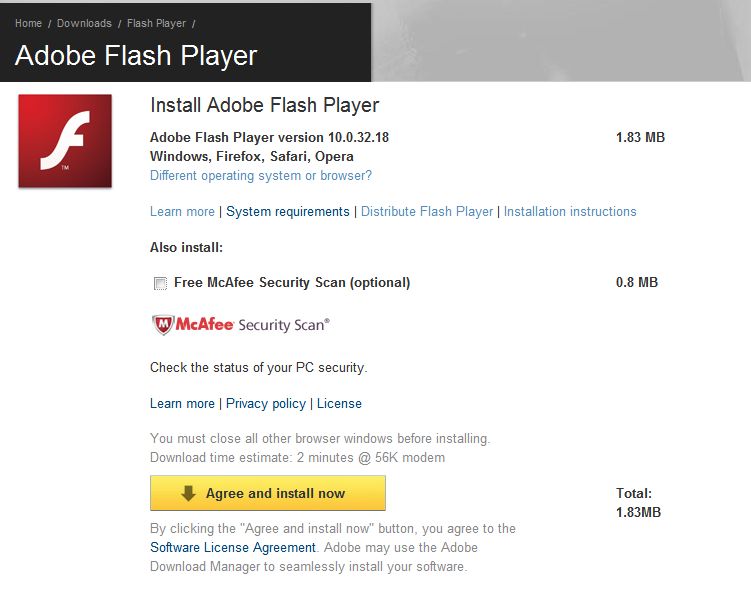
- Open The Adobe Website: Go to the official Adobe website (www.Adobe.Com) and navigate to the Flash Player page.
- Click on Download: Click on the “Download” button for Windows.
- Wait For The Download to Complete: Wait for the file to download completely.
- Run The Installer: Run the installer and follow the prompts to install Flash Player.
Alternative Solution: Adobe Flash Player Projector
If you’re looking for an alternative solution, Adobe offers a free utility called Flash Player Projector that allows you to open and play SWF files on Windows.
- Open The Adobe Website: Go to the official Adobe website (www.Adobe.Com) and navigate to the Flash Player page.
- Click on Download: Click on the “Download” button for the Projector utility.
- Wait For The Download to Complete: Wait for the file to download completely.
- Run The Installer: Run the installer and follow the prompts to install the Projector.
Downloading Adobe Flash Player Free on Mac
To download Adobe Flash Player free on Mac, follow these steps:
- Open The Adobe Website: Go to the official Adobe website (www.Adobe.Com) and navigate to the Flash Player page.
- Click on Download: Click on the “Download” button for Mac.
- Wait For The Download to Complete: Wait for the file to download completely.
- Run The Installer: Run the installer and follow the prompts to install Flash Player.
Alternative Solution: Adobe Flash Player Projector
If you’re looking for an alternative solution, Adobe offers a free utility called Flash Player Projector that allows you to open and play SWF files on Mac.
- Open The Adobe Website: Go to the official Adobe website (www.Adobe.Com) and navigate to the Flash Player page.
- Click on Download: Click on the “Download” button for the Projector utility.
- Wait For The Download to Complete: Wait for the file to download completely.
- Run The Installer: Run the installer and follow the prompts to install the Projector.
What if I Don’t Have Adobe Flash Player?
If you’re trying to access websites or videos that require Flash but can’t seem to do so, it’s likely because your system is missing the necessary software. Try downloading one of the alternative solutions mentioned above.
How Do I Open Flv Files Without Adobe Flash Player?
You can use a third-party media player like VLC Media Player to open and play FLV files without needing Adobe Flash Player.
- Download Vlc: Download and install VLC from their official website.
- Open Vlc: Open VLC and navigate to the “Media” menu.
- Select File: Select “Open file” and choose the FLV file you want to play.
Conclusion
In conclusion, while Adobe Flash Player is no longer supported by Adobe, there are still many websites that require it to function properly. By following these steps, you can download and install Adobe Flash Player free on both Windows and Mac operating systems. Alternatively, you can use the Adobe Flash Player Projector utility or third-party media players like VLC to open and play SWF and FLV files without needing Flash.
Frequently Asked Questions
- What is Adobe Flash Player?: Adobe Flash Player was a popular software used to play multimedia content, including animations, games, and video clips.
- Why do I Need Adobe Flash Player?: You may need Adobe Flash Player if you’re trying to access websites or videos that require it to function properly.
- Can I Download Adobe Flash Player Free on Windows And Mac?: Yes, you can download Adobe Flash Player free on both Windows and Mac operating systems.


