
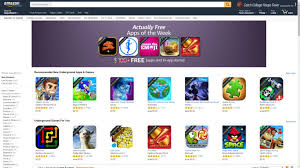
How to Download Free Apps on Android And Ios Devices
Are you tired of searching for free apps on your device? Do you want to know how to download free apps without breaking the bank? Look no further! In this article, we will guide you through the process of downloading free apps on both Android and iOS devices.
What Are Free Apps?
Free apps are software programs that can be downloaded and installed on your device without any cost. These apps can range from productivity tools to games, social media platforms, and more. With so many free apps available, it’s easy to get overwhelmed with the options.
Downloading Free Apps on Android Devices
If you have an Android device, you can download free apps from the Google Play Store. Here’s how:
- Accessing The Google Play Store: To access the Google Play Store, tap on the icon of a triangle colored in blue, which is usually found on your home screen or in the app drawer.
- Searching For Free Apps: Once you’re in the Google Play Store, use the search bar at the top to look for free apps. You can also browse through the various categories, such as Games, Productivity, and more.
- Filtering Results: Use the filter option to narrow down your search results based on factors like rating, reviews, and price. Since we’re looking for free apps, select the “Free” option under the price filter.
- Installing Free Apps: Once you’ve found an app that interests you, tap on its icon to view more information about it. If it’s a free app, you’ll see a green button labeled “Install.” Tap on this button to download and install the app.
Downloading Free Apps on Ios Devices
If you have an iOS device, such as an iPhone or iPad, you can download free apps from the App Store. Here’s how:
- Accessing The App Store: To access the App Store, tap on the icon of a blue “A” logo, which is usually found on your home screen.
- Searching For Free Apps: Once you’re in the App Store, use the search bar at the top to look for free apps. You can also browse through the various categories, such as Games, Productivity, and more.
- Filtering Results: Use the filter option to narrow down your search results based on factors like rating, reviews, and price. Since we’re looking for free apps, select the “Free” option under the price filter.
- Installing Free Apps: Once you’ve found an app that interests you, tap on its icon to view more information about it. If it’s a free app, you’ll see a green button labeled “Get.” Tap on this button to download and install the app.
Tips For Downloading Free Apps
While downloading free apps can be convenient, there are some things to keep in mind:
- Be Cautious of Scams: Some free apps may contain malware or ask for personal information. Be sure to read reviews and check the app’s permissions before installing it.
- Check For Updates: Make sure you have the latest version of an app by checking the App Store or Google Play Store for updates.
- Use Reputable Sources: Stick to official app stores like the Google Play Store or App Store. Avoid downloading apps from unknown sources, as they may be malicious.
Conclusion
Downloading free apps on Android and iOS devices is a straightforward process. By following these steps and being mindful of potential scams, you can enjoy a wide range of free apps without breaking the bank.
Frequently Asked Questions (FAQs)
Q: What are free apps?
A: Free apps are software programs that can be downloaded and installed on your device without any cost.
Q: How do I download free apps on Android devices?
A: You can download free apps from the Google Play Store by searching for them, filtering results based on factors like rating and price, and installing them.
Q: How do I download free apps on iOS devices?
A: You can download free apps from the App Store by searching for them, filtering results based on factors like rating and price, and installing them.
Q: What should I be cautious of when downloading free apps?
A: Be cautious of scams and malware. Read reviews and check an app’s permissions before installing it.
Q: How do I update my free apps?
A: Make sure you have the latest version of an app by checking the App Store or Google Play Store for updates.
Q: Where can I find reputable sources for downloading free apps?
A: Stick to official app stores like the Google Play Store or App Store. Avoid downloading apps from unknown sources, as they may be malicious.


