
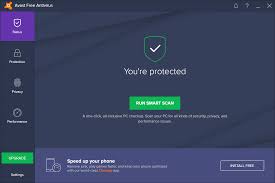
The Ultimate Guide to Downloading Avast Antivirus Free
Are you looking for a reliable antivirus software to protect your computer from malware and other online threats? Look no further than Avast, one of the most popular and effective antiviruses on the market. In this article, we will guide you through the process of downloading Avast antivirus free on your PC, Mac, Android device, and even iPhone or iPad.
Why Choose Avast Antivirus Free?
Avast antivirus free is a great option for those who want to protect their devices without breaking the bank. This software offers a robust set of features that can detect and remove malware, viruses, and other online threats. With Avast, you can enjoy peace of mind knowing that your device is protected from cyber threats.
Downloading Avast Antivirus Free on Windows
To download Avast antivirus free on your Windows PC, follow these simple steps:
- Visit The Official Website: Go to the official Avast website (www.Avast.Com) and click on the “Download” button.
- Select The Correct Version: Choose the correct version of Avast for your Windows operating system (Windows 10, Windows 8/8.1, Or Windows 7).
- Click on The Download Button: Click on the download button to initiate the download process.
- Run The Installer: Once the download is complete, run the installer and follow the prompts to install Avast antivirus free.
Downloading Avast Antivirus Free on Mac
To download Avast antivirus free on your Mac, follow these steps:
- Visit The Official Website: Go to the official Avast website (www.Avast.Com) and click on the “Download” button for Mac.
- Select The Correct Version: Choose the correct version of Avast for your Mac operating system (macOS 10.10 Or later).
- Click on The Download Button: Click on the download button to initiate the download process.
- Install Avast Security: Once the download is complete, open the installer and follow the prompts to install Avast Security.
Downloading Avast Antivirus Free on Android
To download Avast antivirus free on your Android device, follow these steps:
- Visit The Google Play Store: Go to the Google Play Store (www.Play.Google.Com) and search for “Avast”.
- Select The Correct Version: Choose the correct version of Avast for your Android operating system (Android 5.0 Or later).
- Click on The Install Button: Click on the install button to initiate the download process.
- Run Avast: Once the installation is complete, run Avast and follow the prompts to set it up.
Downloading Avast Antivirus Free on Iphone And Ipad
Unfortunately, there is no antivirus software available for iPhone or iPad directly from Avast. However, you can use other security apps like Avast Safety & Protection to protect your device from online threats.
Why Choose Avast Premium Security?
While the free version of Avast offers robust protection, the paid version (Avast Premium Security) offers additional features such as:
- Advanced firewall and Wi-Fi protection
- Ransomware protection
- VPN for secure browsing
- Password manager
With Avast Premium Security, you can enjoy even more peace of mind knowing that your device is protected from cyber threats.
Conclusion
Downloading Avast antivirus free on your PC, Mac, Android device, or iPhone/iPad is a great way to protect yourself from online threats. With its robust set of features and user-friendly interface, Avast is an excellent choice for those who want reliable protection without breaking the bank. So why wait? Download Avast today and enjoy peace of mind!
Frequently Asked Questions
- What Are The System Requirements For Avast Antivirus Free?
The minimum system requirements for Avast antivirus free are:- Windows 10, Windows 8/8.1, Or Windows 7
- Intel Pentium 4/Athlon 64 or equivalent processor
- 1 GB of RAM (32-bit) or 2 GB (64-bit)
- 256 MB of disk space
For Mac:
* MacOS 10.10 Or later
* Intel Core i5 or i7 processor
* 4 GB of RAM
* 512 MB of disk space
For Android:
* Android 5.0 Or later
* Quad-core processor
* 2 GB of RAM
* 1 GB of disk space
-
Is Avast Antivirus Free a Legitimate Software?
Yes, Avast antivirus free is a legitimate and highly-rated antivirus software that offers robust protection against online threats. -
What Are The Differences Between Avast Free And Paid Versions?
The main difference between Avast free and paid versions is that the paid version (Avast Premium Security) offers additional features such as advanced firewall, VPN, password manager, and more. -
Can I Download Avast Antivirus Free on my Iphone or Ipad?
Unfortunately, there is no antivirus software available for iPhone or iPad directly from Avast. However, you can use other security apps like Avast Safety & Protection to protect your device from online threats. -
How do I Uninstall Avast Antivirus Free?
To uninstall Avast antivirus free on Windows, go to the Control Panel and select “Uninstall a program”. Select Avast Free Antivirus and click on “Uninstall”.
For Mac:
* Go to Applications
* Select Avast Security
* Right-click and select “Move to Trash”
* Empty the trash
For Android:
* Go to Settings
* Select Apps or Application Manager
* Select Avast Mobile Security
* Click on “Uninstall”
Note: These instructions may vary depending on your device and operating system.


