
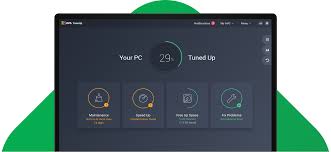
Download Avg Free: A Step-by-step Guide
Are you looking for a reliable antivirus solution without breaking the bank? Look no further than AVG Free! In this comprehensive guide, we’ll walk you through the process of downloading and installing AVG Free on your Windows, macOS, Android, and iOS devices.
Why Choose Avg Free?
AVG Free is a popular and highly-rated antivirus software that offers robust protection against malware, viruses, and other online threats. With its user-friendly interface and comprehensive features, AVG Free is an excellent choice for those seeking a free antivirus solution.
Downloading Avg Free on Windows
To download AVG Free on your Windows device, follow these steps:
- Visit The Official Website: Head over to the official AVG website (www.Avg.Com) and click on the “Download” button.
- Select Your Device: Choose your Windows version (32-bit or 64-bit) from the dropdown menu.
- Click on “Free Download”: Click on the “Free Download” button to initiate the download process.
- Run The Installer: Once the download is complete, run the installer and follow the prompts to install AVG Free.
Downloading Avg Free on Macos
To download AVG Free on your macOS device, follow these steps:
- Visit The Official Website: Head over to the official AVG website (www.Avg.Com) and click on the “Download” button.
- Select Your Device: Choose your macOS version (Sierra or later) from the dropdown menu.
- Click on “Free Download”: Click on the “Free Download” button to initiate the download process.
- Run The Installer: Once the download is complete, run the installer and follow the prompts to install AVG Free.
Downloading Avg Free on Android
To download AVG Free on your Android device, follow these steps:
- Visit The Play Store: Open the Google Play Store app on your Android device.
- Search For Avg Free: Search for “AVG Free” in the search bar.
- Click on The App: Click on the AVG Free app icon to open it.
- Tap “Install”: Tap the “Install” button to download and install AVG Free.
Downloading Avg Free on Ios/ipados
To download AVG Free on your iOS or iPadOS device, follow these steps:
- Visit The App Store: Open the App Store app on your iOS or iPadOS device.
- Search For Avg Mobile Security: Search for “AVG Mobile Security” in the search bar.
- Click on The App: Click on the AVG Mobile Security app icon to open it.
- Tap “Get”: Tap the “Get” button to download and install AVG Free.
Additional Features: Avg Internet Security
While AVG Free offers robust protection against malware, viruses, and other online threats, you may also want to consider upgrading to AVG Internet Security for additional features such as:
- Firewall
- Anti-ransomware protection
- Protection of sensitive documents
- Web protection
To download AVG Internet Security, follow the same steps as above, but select the “AVG Internet Security” option instead.
Conclusion
Downloading and installing AVG Free is a straightforward process that can be completed on Windows, macOS, Android, and iOS devices. With its robust features and user-friendly interface, AVG Free is an excellent choice for those seeking a reliable antivirus solution without breaking the bank.
Frequently Asked Questions (FAQs)
- Q: Is Avg Free Suitable For my Device?
A: Yes, AVG Free can be downloaded and installed on Windows, macOS, Android, and iOS devices. - Q: What Features Does Avg Free Offer?
A: AVG Free offers robust protection against malware, viruses, and other online threats, including firewall protection, anti-ransomware protection, and web protection. - Q: Can I Upgrade to Avg Internet Security For Additional Features?
A: Yes, you can upgrade to AVG Internet Security for additional features such as a firewall, anti-ransomware protection, and protection of sensitive documents. - Q: Is Avg Free Free Forever?
A: While AVG Free is free to download and install, some features may require an upgrade or subscription to access. - Q: Can I Use Avg Free on Multiple Devices?
A: Yes, you can use AVG Free on multiple devices, but each device will require a separate installation. - Q: Is Avg Free Compatible With my Browser?
A: Yes, AVG Free is compatible with most browsers, including Google Chrome, Mozilla Firefox, and Safari. - Q: Can I Cancel my Subscription at Any Time?
A: Yes, you can cancel your subscription to AVG Internet Security at any time. - Q: Is Avg Free Available in Multiple Languages?
A: Yes, AVG Free is available in multiple languages, including English, Spanish, French, and German.


