
How to Download Brawl Stars: A Step-by-step Guide
Are you ready to dive into the world of Brawl Stars? This article will guide you through the process of downloading and installing this popular mobile game on various devices, including Android, iOS, PC, and Nintendo Switch.
Understanding Brawl Stars
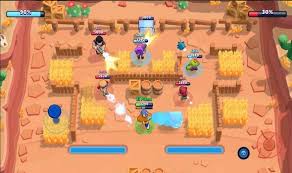
Brawl Stars is a free-to-play multiplayer online battle arena (MOBA) game developed by Supercell. It’s designed for both casual and competitive players, offering a unique blend of strategy and action. The game features various modes, including 3v3 battles, Gems Rush, and Showdown.
Downloading Brawl Stars on Android
If you have an Android device and want to download Brawl Stars, follow these steps:
- Open The Google Play Store: Find the Google Play Store icon on your device’s home screen or in the app drawer.
- Search For Brawl Stars: Tap on the search bar at the top of the screen and type “Brawl Stars” into the search field.
- Select The Game: Choose the correct result, which should be the official Supercell app.
- Tap The Install Button: Press the “Install” button to begin downloading and installing the game.
- Wait For The Installation to Complete: Once the download is complete, tap on the “Open” button to start playing.
Downloading Brawl Stars Without Google Play Store
If you don’t have access to the Google Play Store or want to install the game from an alternative store, follow these steps:
- Find a Reliable Apk Source: Look for trusted websites that offer APK files for download, such as APKMirror.
- Download The Apk File: Click on the “Download” button to obtain the Brawl Stars APK file.
- Install The Apk Manually: Follow the instructions provided in our guide on installing APKs.
Downloading Brawl Stars on Ios
If you have an iPhone or iPad, follow these steps:
- Open The App Store: Locate the App Store icon on your device’s home screen or in the dock.
- Search For Brawl Stars: Tap on the search bar and type “Brawl Stars” into the field.
- Select The Game: Choose the correct result, which should be the official Supercell app.
- Tap The Get Button: Press the “Get” button to begin downloading and installing the game.
- Wait For The Installation to Complete: Once the download is complete, tap on the “Open” button to start playing.
Downloading Brawl Stars on PC And Mac
Unfortunately, Brawl Stars is not available on PC or Mac in its original form. However, you can use an Android emulator like BlueStacks to play the game on your computer.
- Download Bluestacks: Visit the official BlueStacks website and download the emulator.
- Install Bluestacks: Follow the installation instructions provided by BlueStacks.
- Launch Bluestacks: Open the emulator and sign in with your Google account.
- Search For Brawl Stars: Type “Brawl Stars” into the search bar within the emulator.
- Select The Game: Choose the correct result, which should be the official Supercell app.
Important Note
As of July 2020, Supercell has updated its terms of service to explicitly prohibit the use of emulators for their games. Using an emulator may result in account suspension or termination.
Downloading Brawl Stars on Nintendo Switch
Unfortunately, it’s not possible to download Brawl Stars directly onto a Nintendo Switch console.
Conclusion
In this article, we’ve provided step-by-step guides for downloading and installing Brawl Stars on various devices, including Android, iOS, PC, and Nintendo Switch. Remember to follow the instructions carefully, and don’t hesitate to reach out if you encounter any issues during the installation process. Happy gaming!


