
How to Download And Use Chatgpt on Pc, Smartphone, And Tablet
Are you curious about how to download and use ChatGPT on your device? Look no further! This article will guide you through the process of accessing this revolutionary artificial intelligence tool on various platforms.
What is Chatgpt?
ChatGPT is an advanced chatbot developed by OpenAI that allows users to have conversations with a highly intelligent AI system. It uses natural language processing (NLP) and machine learning algorithms to provide accurate and informative responses to a wide range of questions and topics.
Downloading Chatgpt on PC
While there isn’t an official desktop application for ChatGPT, you can still access it easily on your Windows PC. Here’s how:
- Add a Link to Chatgpt on The Desktop: To make accessing ChatGPT more convenient, you can create a shortcut on your desktop. Simply go to Google Chrome, navigate to the official ChatGPT page, click on the three dots in the top-right corner, and select “Create shortcut.” Name the shortcut as desired (e.G., “ChatGPT”) and save it.
- Using Google Chrome: If you have Google Chrome installed on your PC, you can also use its built-in feature to create a shortcut. Open Chrome, go to the ChatGPT page, click on the three dots in the top-right corner, select “More tools,” then choose “Create application shortcuts.” Name the shortcut and save it.
Downloading Chatgpt on Smartphone And Tablet
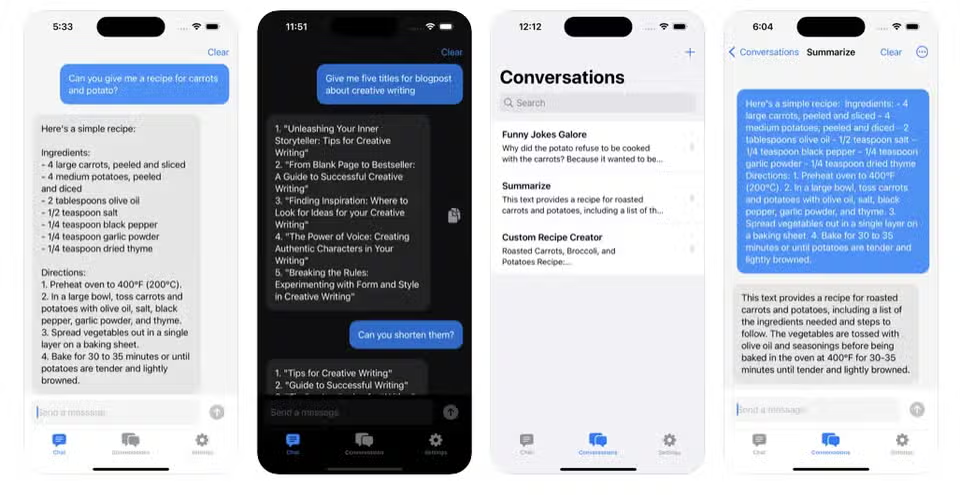
For mobile devices, you can download the official ChatGPT app from the App Store (for iOS) or the Google Play Store (for Android).
- Download on Iphone: To install ChatGPT on your iPhone, open the App Store, search for “ChatGPT,” select the app, and click “Get.” Once installed, you can access ChatGPT by tapping on its icon.
- Download on Android: For Android devices, go to the Google Play Store, search for “ChatGPT,” select the app, and click “Install.” After installation, tap on the ChatGPT icon to launch the app.
Accessing Chatgpt Without The App
If you don’t want to download the official app or have a device that’s not compatible with it, you can still access ChatGPT using your browser. Simply navigate to the ChatGPT website and log in to start chatting.
Tips And Variations
- Alternative Browsers: If you’re using Edge, you can access Bing’s AI engine, which is based on the same technology as ChatGPT.
- Desktop Shortcuts: You can create desktop shortcuts for other apps that provide similar functionality to ChatGPT.
- Mobile Devices Without Ios or Android: While there isn’t a dedicated app for these platforms, you can still access ChatGPT through your browser.
By following the steps outlined in this article, you’ll be able to download and use ChatGPT on various devices.


