
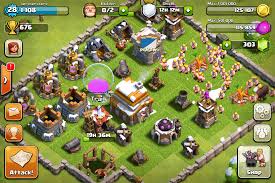
How to Download Clash of Clans on PC Without Bluestacks
Are you a passionate player of Clash of Clans and want to enhance your experience by playing it on your computer? Look no further! In this article, we will guide you through the process of downloading Clash of Clans on PC without using BlueStacks.
What is Clash of Clans?
For those who may not be familiar with the game, Clash of Clans is a popular mobile strategy game developed by Supercell. It has become one of the most downloaded games in the world, and for good reason – it’s addictive!
Why Download on Pc?
Playing Clash of Clans on your computer can provide several advantages over playing on your smartphone or tablet. For instance, you’ll have a larger screen to view the game, making it easier to navigate and play. Additionally, using a keyboard and mouse instead of touchscreen controls can improve your gaming experience.
Downloading Without Bluestacks
In recent years, there has been an official solution for downloading Clash of Clans on PC. This means that you don’t need to use third-party emulators like BlueStacks to play the game on your computer.
Step-by-step Guide
Here’s how to download and install Clash of Clans on PC without using BlueStacks:
- Connect to Google Play Games: Open the official portal of Google Play Games, select “Download beta”, and get the file Install-GooglePlayGames-[version].Exe.
- Install Google Play Games: Run the installer, follow the prompts, and complete the installation process.
- Log in With Your Google Account: Use your Google account to log in to Google Play Games.
- Configure a Gaming Profile: If you’re new to Google Play Gamings, you’ll need to configure a gaming profile.
- Accept Terms And Conditions: Click on “Accept” for the Terms and Conditions agreement.
- Start Playing Clash of Clans: Once installed, click on the icon of Clash of Clans in your Start menu or search bar.
Downloading With Emulators
If you still want to use an emulator like BlueStacks, we have a separate guide for that as well.
Downloading on Mac
Unfortunately, the official solution for downloading Clash of Clans on PC is not available for Mac users. However, you can still play the game using BlueStacks on your Mac. Please follow our separate tutorial on how to download and install BlueStacks on Mac.
Conclusion
As you’ve seen from this article, it’s possible to download and play Clash of Clans on PC without using BlueStacks. The process is relatively straightforward, and you can enjoy the game with improved performance and controls.
Frequently Asked Questions (FAQs)
Q: What are the system requirements for playing Clash of Clans on PC?
A: Your computer should meet the minimum system requirements for running Google Play Games.
Q: Do I need to create a gaming profile?
A: Yes, you’ll need to configure a gaming profile if you’re new to Google Play Gamings.
Q: Can I play with my Supercell ID?
A: Yes, you can continue playing with your existing Supercell account on PC.
Q: How do I exit the game?
A: Use the keyboard shortcut Ctrl + Alt + Tab or press the “Close” button in the top-right corner of the window.
Q: Can I use my mouse and keyboard to play?
A: Yes, you can use a mouse and keyboard for more precise controls and improved gaming experience.
Q: Is there an official solution for Mac users?
A: Unfortunately, no. However, we have a separate tutorial on how to download BlueStacks on Mac.
Q: What if I encounter issues during installation?
A: Please refer to our troubleshooting guide or contact the Google Play Games support team for assistance.
Note: This article is intended as a general guide and may not cover every possible scenario. If you’re experiencing difficulties, please consult the official resources provided by Google Play Games or Supercell.


