
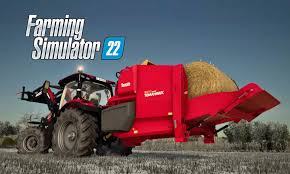
How to Download Mods For Farming Simulator 2020, 2019, And 2017 on PC And Ps4
Are you tired of playing the same old game without any new challenges or features? Look no further! In this article, we’ll guide you through the process of downloading mods for Farming Simulator 2020, 2019, and 2017 on both PC and PS4. Whether you’re a seasoned player or just starting out, these mods will take your gaming experience to the next level.
What Are Mods?
Mods, short for modifications, are custom-made content created by players that can be added to the game to enhance gameplay, add new features, or fix bugs. They can range from simple tweaks to complex overhauls of the game’s mechanics. In the case of Farming Simulator, mods can include new crops, animals, farm equipment, and even entire scenarios.
How to Download Mods For Farming Simulator 2020 on PC
To download mods for Farming Simulator 2020 on PC, follow these steps:
- Open The Game: Launch Farming Simulator 2020 on your PC.
- Go to The Mod Hub: From the main menu, select “Mod” and then click on “ModHub”.
- Browse Mods: Browse through the various categories of mods available for download. You can search for specific mods or browse through the different categories.
- Download a Mod: Once you’ve found a mod you like, click on it to view its details. If it’s compatible with your game version (2020), click on “Zip Download” to start the download process.
- Extract And Install: After downloading, extract the contents of the zip file to the “mods” folder in your Farming Simulator 2020 directory.
How to Download Mods For Farming Simulator 2019 on PC
To download mods for Farming Simulator 2019 on PC, follow these steps:
- Open The Game: Launch Farming Simulator 2019 on your PC.
- Go to The Mod Hub: From the main menu, select “Mod” and then click on “ModHub”.
- Browse Mods: Browse through the various categories of mods available for download. You can search for specific mods or browse through the different categories.
- Download a Mod: Once you’ve found a mod you like, click on it to view its details. If it’s compatible with your game version (2019), click on “Zip Download” to start the download process.
- Extract And Install: After downloading, extract the contents of the zip file to the “mods” folder in your Farming Simulator 2019 directory.
How to Download Mods For Farming Simulator 2017 on PC
To download mods for Farming Simulator 2017 on PC, follow these steps:
- Open The Game: Launch Farming Simulator 2017 on your PC.
- Go to The Mod Hub: From the main menu, select “Mod” and then click on “ModHub”.
- Browse Mods: Browse through the various categories of mods available for download. You can search for specific mods or browse through the different categories.
- Download a Mod: Once you’ve found a mod you like, click on it to view its details. If it’s compatible with your game version (2017), click on “Zip Download” to start the download process.
- Extract And Install: After downloading, extract the contents of the zip file to the “mods” folder in your Farming Simulator 2017 directory.
How to Download Mods For Farming Simulator 2020, 2019, And 2017 on Ps4
To download mods for Farming Simulator 2020, 2019, and 2017 on PS4, follow these steps:
- Open The Game: Launch Farming Simulator on your PS4.
- Go to The Mod Menu: From the main menu, select “Mod” to access the mod menu.
- Browse Mods: Browse through the various categories of mods available for download. You can search for specific mods or browse through the different categories.
- Download a Mod: Once you’ve found a mod you like, click on it to view its details. If it’s compatible with your game version, click on “Install” to start the download process.
Tips And Tricks
- Always check the compatibility of a mod before downloading it.
- Make sure to read the instructions carefully before installing a mod.
- Some mods may require additional files or patches to work properly.
- Be careful when downloading mods from unknown sources, as they may contain malware or viruses.
- If you encounter any issues with a mod, try reinstalling it or seeking help from the community.
Conclusion
Downloading mods for Farming Simulator 2020, 2019, and 2017 is a great way to enhance your gaming experience. With these step-by-step guides, you’ll be able to download and install mods on both PC and PS4 with ease. Remember to always check compatibility and follow the instructions carefully to avoid any issues. Happy modding!


