
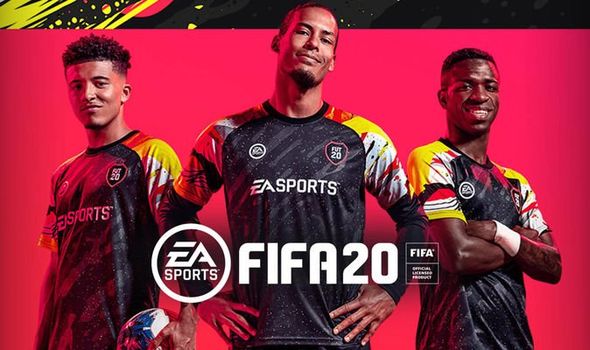
How to Download Fifa Demo on Pc, Ps4, Ps5, Xbox, And Nintendo Switch
Are you ready to experience the thrill of football simulation with the latest edition of FIFA? Before diving into the world of football, you might want to try out the demo version of the game to see if it’s worth your time and money. In this article, we’ll guide you through the process of downloading the FIFA demo on various gaming platforms.
Introduction
FIFA is a popular football simulation video game developed by Electronic Arts (EA). The latest edition, EA SPORTS FC 24, offers improved gameplay, new features, and enhanced graphics. However, before purchasing the full game, you might want to try out the demo version to see if it’s worth your investment.
Preliminary Information
Before we dive into the step-by-step guide, here are some preliminary details you should know:
- The FIFA demo is available on PC, PS4, PS5, Xbox, and Nintendo Switch.
- To download the demo on PC, you need a subscription to EA Play, which costs €3.99/Month or €24.99/Year.
- On PS4 and PS5, you also need an EA Play subscription to access the demo.
- For Xbox users, the demo is available through the Game Pass Ultimate service.
Downloading Fifa Demo on PC
To download the FIFA demo on your PC, follow these steps:
- Install EA App: First, install the EA App from the official website of Electronic Arts. This app allows you to manage your EA games and access exclusive content.
- Login With Your Credentials: Log in to the EA App using your Google, Facebook, Apple, Steam, Xbox, or PSN credentials.
- Subscribe to EA Play: Subscribe to EA Play by selecting the “EA Play” option from the app’s menu. Choose the subscription plan that suits you best (€3.99/Month or €24.99/Year).
- Download And Install Fifa Demo: Once subscribed, navigate to the FIFA demo page within the EA App and click on the “Download” button.
- Launch The Game: After downloading and installing the demo, launch the game to try out its features.
Downloading Fifa Demo on Ps4 And Ps5
To download the FIFA demo on your PS4 or PS5 console:
- Access Your Psn Account: Log in to your PlayStation Network account on your PS4 or PS5.
- Search For EA Play: Search for “EA Play” within the PS Store, and select the subscription option.
- Subscribe to EA Play: Follow the prompts to subscribe to EA Play, choosing either a monthly or annual plan.
- Download And Install Fifa Demo: Once subscribed, navigate to the FIFA demo page within the PS Store and click on the “Download” button.
Downloading Fifa Demo on Xbox
To download the FIFA demo on your Xbox console:
- Access Your Xbox Account: Log in to your Xbox account on your console.
- Search For Game Pass Ultimate: Search for “Game Pass Ultimate” within the Microsoft Store, and select the subscription option.
- Subscribe to Game Pass Ultimate: Follow the prompts to subscribe to Game Pass Ultimate, choosing either a monthly or annual plan.
- Download And Install Fifa Demo: Once subscribed, navigate to the FIFA demo page within the Xbox Store and click on the “Download” button.
Downloading Fifa Demo on Nintendo Switch
Unfortunately, there is no official way to download the FIFA demo on the Nintendo Switch console. However, if you’re a subscriber to Nintendo Switch Online, you may have access to some demos through the service.
Conclusion
In conclusion, downloading the FIFA demo on various gaming platforms requires a subscription to EA Play or Game Pass Ultimate services. By following these step-by-step guides, you can experience the thrill of football simulation with the latest edition of FIFA before making a purchase decision.
Frequently Asked Questions (FAQs)
- Q: Do I Need an EA Play Subscription to Download The Fifa Demo on Pc?
A: Yes, you need an EA Play subscription to access the FIFA demo on PC. - Q: Can I Download The Fifa Demo on my Xbox Console Without a Subscription?
A: No, you need a Game Pass Ultimate subscription to access the FIFA demo on Xbox. - Q: Is The Fifa Demo Available on Nintendo Switch?
A: Unfortunately, there is no official way to download the FIFA demo on Nintendo Switch. - Q: How do I Subscribe to EA Play or Game Pass Ultimate Services?
A: You can subscribe to these services through their respective websites or consoles. - Q: Can I Try Out Other EA Games Besides Fifa With my Subscription?
A: Yes, your subscription grants you access to a library of EA games, including recent titles and classics. - Q: Are There Any System Requirements For The Fifa Demo on Pc?
A: Yes, please check the official EA website for system requirements and compatibility information. - Q: Can I Download The Fifa Demo on Multiple Platforms With my Subscription?
A: Your subscription allows you to access the FIFA demo on one platform at a time, but you can switch between platforms as needed. - Q: Is The Fifa Demo Free to Download, or do I Need to Pay For It?
A: The FIFA demo is free to download, but your subscription may require a monthly or annual fee.
We hope this guide has been helpful in answering your questions about downloading the FIFA demo on various gaming platforms!


