
How to Download Free Games on Iphone
Are you tired of spending money on games that you can’t finish? Do you want to explore the vast world of mobile gaming without breaking the bank? Look no further! In this article, we will guide you through the process of downloading free games on your iPhone.
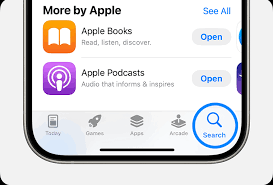
The Easiest Way: Apple App Store
The most straightforward way to download free games is by accessing the Apple App Store. Here’s how:
- Launch The App Store: Tap on the App Store icon on your home screen.
- Navigate to The Free Section: Scroll down and tap on the “Top Free” section.
- Browse And Download: Browse through the list of free games, read reviews, and download the ones that catch your eye.
Using Apple Arcade
Apple Arcade is a subscription-based service that offers exclusive access to over 200 games without ads or in-app purchases. If you’re interested in exploring more premium content, consider subscribing to Apple Arcade.
- Launch The App Store: Tap on the App Store icon on your home screen.
- Access Apple Arcade: Tap on the “Arcade” tab at the bottom of the screen.
- Browse And Download: Browse through the list of available games and download the ones that interest you.
Using Netflix
If you’re an existing Netflix subscriber, you can also access free games on your iPhone using the Netflix app.
- Launch The Netflix App: Tap on the Netflix icon on your home screen.
- Access The Games Section: Scroll down and tap on the “Games” tab.
- Browse And Download: Browse through the list of available games and download the ones that interest you.
Alternative Solutions
If you’re looking for more free game options, consider using third-party apps like App Sliced or Apps Gone Free.
- Launch The Browser: Open your web browser on your iPhone.
- Access App Sliced: Tap on the App Sliced website and follow the prompts to access their database of free games.
- Browse And Download: Browse through the list of available games and download the ones that interest you.
Tips And Tricks
- Make sure to check the reviews and ratings before downloading a game.
- Be cautious when downloading apps from third-party sources, as they may contain ads or malware.
- Consider using a VPN when accessing free game content to protect your online security.
Conclusion
Downloading free games on iPhone is easier than ever! With these tips and tricks, you can explore the vast world of mobile gaming without breaking the bank. Remember to always be cautious when downloading apps from third-party sources and enjoy your gaming experience!
Frequently Asked Questions (FAQs)
- Q: Can I Download Free Games on my Iphone?
A: Yes, you can download free games using various methods, including Apple App Store, Apple Arcade, Netflix, App Sliced, and Apps Gone Free. - Q: How do I Access The Free Game Section on Apple App Store?
A: Simply launch the App Store, navigate to the “Top Free” section, and browse through the list of available games. - Q: Can I Download Free Games Using Netflix?
A: Yes, if you’re an existing Netflix subscriber, you can access their database of free games within the app. - Q: What Are Some Alternative Solutions to Download Free Games on Iphone?
A: Consider using third-party apps like App Sliced or Apps Gone Free, which offer a wide selection of free games. - Q: How do I Stay Safe When Downloading Free Game Content?
A: Always be cautious when downloading apps from third-party sources and consider using a VPN to protect your online security. - Q: Can I Cancel my Apple Arcade Subscription if I Don’t Like It?
A: Yes, you can cancel your Apple Arcade subscription at any time by accessing the Settings app on your iPhone. - Q: Are There Any Free Games Available For Iphone That Offer In-app Purchases?
A: While some free games may offer in-app purchases, others do not. Be sure to check the game’s description and reviews before downloading.
Apps Mentioned
- Apple App Store
- Apple Arcade
- Netflix
- App Sliced
- Apps Gone Free


