
How to Download Free Images From The Internet
Are you looking for a way to download free images for personal or commercial use? Look no further! In this article, we will guide you through the process of downloading high-quality images from various websites.
Why Use Free Images?
Using free images can save you time and money. You don’t have to worry about copyright issues or purchasing expensive stock photos. With the vast number of websites offering free images, you can easily find what you need for your projects.
Best Websites For Downloading Free Images
There are many websites that offer free images for download. Here are some of the best ones:
- Google Images: Google Images is a powerful search engine that allows you to search for images using keywords or phrases.
- Pexels: Pexels is a popular website that offers high-quality, royalty-free images.
- Pixabay: Pixabay is another excellent website that provides a vast collection of free stock photos, illustrations, and videos.
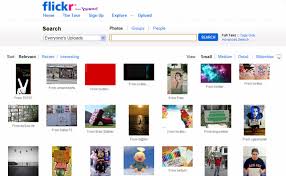
- Flickr: Flickr is a photo-sharing platform that allows users to upload and share their photos. You can search for images using keywords or phrases.
How to Download Images From Google
To download images from Google, follow these steps:
- Go to the Google Images website (www.Google.Com/imghp).
- Type your search query in the search bar and press Enter.
- Click on the “Tools” button and select “Usage rights” to filter results by license type.
- Choose the image you want to download and click on it to view its details.
- Click on the “Download” button to save the image.
How to Download Images From Pexels
To download images from Pexels, follow these steps:
- Go to the Pexels website (www.Pexels.Com).
- Type your search query in the search bar and press Enter.
- Browse through the results and select an image you want to download.
- Click on the “Download” button to save the image.
How to Download Images From Pixabay
To download images from Pixabay, follow these steps:
- Go to the Pixabay website (www.Pixabay.Com).
- Type your search query in the search bar and press Enter.
- Browse through the results and select an image you want to download.
- Click on the “Download” button to save the image.
How to Download Images From Flickr
To download images from Flickr, follow these steps:
- Go to the Flickr website (www.Flickr.Com).
- Type your search query in the search bar and press Enter.
- Browse through the results and select an image you want to download.
- Click on the “Download” button to save the image.
Tips And Variations
- Use Filters: Use filters like color, orientation, or date to refine your search results.
- Choose The Right License: Choose images that have a suitable license for your needs (e.G., Creative Commons or commercial use).
- Check The Image Details: Check the image details before downloading to ensure it’s what you need.
Conclusion
Downloading free images from the internet is easier than ever. With these tips and variations, you can find high-quality images for personal or commercial use. Remember to check the license type and image details before downloading to avoid any issues.
Faqs
- What Are The Best Websites For Downloading Free Images?
- Google Images, Pexels, Pixabay, and Flickr are some of the best websites for downloading free images.
- How do I Download Images From Google?
- Go to Google Images, type your search query, click on the image you want to download, and then click on the “Download” button.
- Can I Use Free Images For Commercial Purposes?
- Yes, some websites like Pexels and Pixabay allow you to use their images for commercial purposes.
- How do I Filter Results by License Type?
- Go to Google Images or other websites and click on the “Tools” button to select a specific license type (e.G., Creative Commons).
- Can I Download Images From Flickr?
- Yes, you can download images from Flickr, but make sure to check the image details before downloading.
- What is The Difference Between Free Images And Stock Photos?
- Free images are typically lower-resolution and may not be suitable for commercial use, while stock photos are high-quality images specifically designed for commercial purposes.
- Can I Use Free Images on Social Media?
- Yes, you can use free images on social media platforms like Instagram, Facebook, or Twitter.
I hope this article has helped you understand how to download free images from the internet. Happy downloading!


