
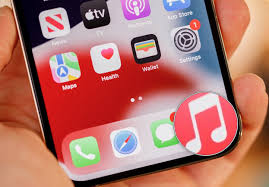
How to Download Music Free on Ipad: A Comprehensive Guide
Are you tired of searching for ways to download music free on your iPad? Look no further! In this article, we’ll explore the most popular services and apps that allow you to enjoy your favorite tunes without breaking the bank.
The Rise of Streaming Services
With the advent of streaming services, downloading music free on iPad has become a reality. These platforms offer access to vast music libraries, often with generous free trials or ad-supported options. Let’s take a look at some of the leading services:
Apple Music
- Included in Apple’s Music app
- Features lossless audio support and Dolby Atmos
- Allows users to download their favorite songs for offline listening
- Offers a 1-month free trial, after which it costs $9.99/Month
Spotify
- Free version available with ads
- Premium subscription ($9.99/Month) required for downloading music
- Features a vast music library and personalized recommendations
- Has a user-friendly interface and supports various devices
Amazon Music
- Included in Amazon Prime membership
- Offers limited features and skips for free users
- Full version available at $9.99/Month, with a 1-month free trial
- Supports Ultra HD audio and spatial audio
Youtube Music
- Available at $9.99/Month, with a 1-month free trial
- Features a vast music library, including videos and podcasts
- Offers personalized recommendations and playlist creation tools
Other Options
While streaming services are the most popular way to download music free on iPad, there are other options available:
Total Downloader
- A free app that allows users to capture audio streams from websites
- Can be used to download music from streaming services
- Offers in-app purchases for additional features
Vlc For Ipad
- A free media player app that supports various file formats
- Allows users to copy multimedia files from their computer to their iPad using Wi-Fi sharing
- Offers a user-friendly interface and supports various devices
Tips And Tricks
- Always use reputable sources when downloading music to avoid copyright infringement
- Be aware of the terms and conditions for each service or app, including any limitations or requirements
- Consider purchasing music from authorized stores like iTunes or Google Play Music to support artists directly
Conclusion
Downloading music free on iPad has never been easier. With these services and apps, you can enjoy your favorite tunes without breaking the bank. Remember to always follow the terms and conditions for each service or app, and consider supporting artists by purchasing their music from authorized stores.
Frequently Asked Questions
- Q: What Are The Best Streaming Services For Downloading Music Free on Ipad?
A: Apple Music, Spotify, Amazon Music, and YouTube Music are some of the most popular options. - Q: How Can I Download Music From my Computer to my Ipad Using Wi-fi Sharing?
A: Use an app like VLC or Total Downloader to copy multimedia files from your computer to your iPad using Wi-Fi sharing. -
Q: Are There Any Risks Associated With Downloading Music Free on Ipad?
A: Yes, always use reputable sources and be aware of the terms and conditions for each service or app to avoid copyright infringement. -
Q: Can I Download Music From Streaming Services For Offline Listening?
A: Yes, some streaming services like Apple Music allow users to download their favorite songs for offline listening. -
Q: What Are The Costs Associated With These Services And Apps?
A: Some services offer free trials or ad-supported options, while others require a subscription fee. -
Q: Are There Any Other Options For Downloading Music on Ipad Besides Streaming Services?
A: Yes, apps like Total Downloader and VLC can be used to download music from various sources. -
Q: How do I Ensure That The Music I Download is High-quality And Suitable For my Needs?
A: Research the service or app you plan to use and read reviews from other users to determine the quality of their content. -
Q: Can I Share Downloaded Music With Friends or Family Members?
A: Check the terms and conditions for each service or app, as some may have restrictions on sharing downloaded content.


