
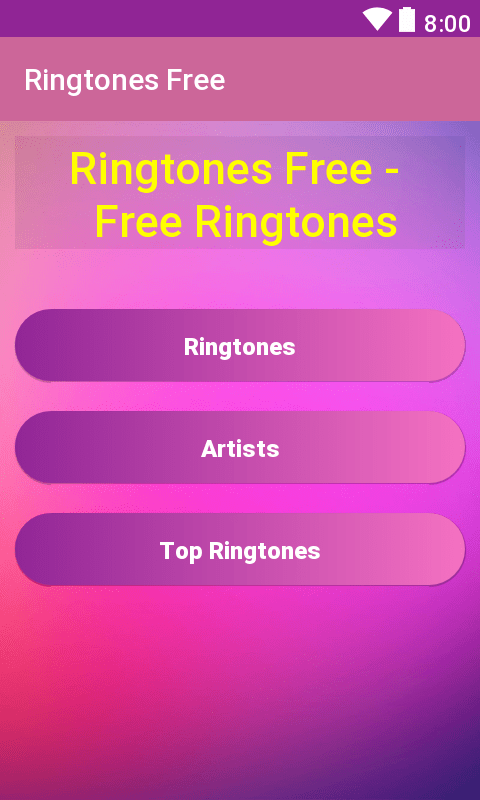
How to Download Free Ringtones on Your Smartphone
Are you tired of hearing the same old ringtone on your phone every time someone calls or texts you? Do you want to personalize your mobile experience without breaking the bank? Look no further! In this article, we’ll show you how to download free ringtones for both Android and iPhone devices.
Why Use a Free Ringtone App?
Have you ever wondered if that ringtone you found in a public place is actually yours or someone else’s? With a personalized ringtone app, you can avoid situations like these and make your phone experience even more pleasant. Plus, who doesn’t love the thrill of discovering new tunes to add to their playlist?
Solutions For Downloading Free Ringtones on Android
If you’re an Android user, don’t worry – we’ve got you covered! Here are some top-notch solutions to download free ringtones:
- Audiko: This app is a game-changer when it comes to downloading free ringtones. With its vast collection of tones, you’ll never run out of options.
- How to use: Open the Play Store and search for Audiko. Install the app and start browsing through their extensive library. You can also create your own personalized ringtone using their editor feature.
- Ringtone Maker: This app is perfect for those who want to create their own unique ringtones from audio files saved on their device.
- How to use: Download and install Ringtone Maker, then browse through your device’s audio files. Select the one you like and edit it using the app’s built-in editor feature.
Solutions For Downloading Free Ringtones on Iphone
Now, let’s move on to our friends with iPhones! Here are some top-notch solutions to download free ringtones:
- Zedge Wallpapers & Ringtones: This app is a one-stop-shop for all your ringtone needs. With its vast collection of tones and wallpapers, you’ll never go wrong.
- How to use: Open the App Store and search for Zedge. Install the app and start browsing through their extensive library. You can also create your own personalized ringtone using their editor feature.
Other Solutions For Downloading Free Ringtones
If you’re still looking for more options, here are a few more solutions:
- Suonerie For Iphone: This app is perfect for those who want to personalize their ringtone without spending a dime.
- How to use: Open the App Store and search for Suonerie. Install the app and start browsing through their extensive library.
- Better Ringtones For Iphone: This app is a comprehensive collection of ringtones, divided into 21 categories.
- How to use: Open the App Store and search for Better Ringtones. Install the app and start browsing through their extensive library.
How to Set Up Your Downloaded Ringtone
Now that you’ve downloaded your favorite ringtone, it’s time to set it up on your device! Here are some quick steps:
- For Android: Go to Settings > Sounds and Vibration, then choose the relative voice to the ringtone. Select the tone you want to use, and voila!
- For iPhone: Open GarageBand, import the audio file you downloaded, and transform it into a ringtone. You can also use iTunes/Music to create your own ringtone.
Conclusion
Downloading free ringtones is easier than ever! With these top-notch solutions, you’ll never have to worry about running out of options or breaking the bank again. So go ahead, get creative, and make your phone experience even more personalized with these awesome apps!
Faqs
Q: What’s the best app for downloading free ringtones?
A: Audiko is an excellent choice for Android users, while Zedge Wallpapers & Ringtones stands out for iPhone users.
Q: Can I create my own ringtone using a free ringtone app?
A: Yes! Many apps like Ringtone Maker and Suonerie For iPhone allow you to create your own unique ringtones from audio files saved on your device.
Q: How do I set up my downloaded ringtone on my Android device?
A: Go to Settings > Sounds and Vibration, then choose the relative voice to the ringtone. Select the tone you want to use, and voila!
Q: Can I use iTunes/Music to create my own ringtone for iPhone?
A: Yes! You can import your downloaded audio file into GarageBand or use iTunes/Music to create your own unique ringtone.
References
- Audiko
- Ringtone Maker
- Zedge Wallpapers & Ringtones
- Suonerie For iPhone
- Better Ringtones For iPhone
- Tones7
- Mob.Org
- Mobiles24


