
The Ultimate Guide to Downloading Mixcloud Content
Are you tired of missing out on your favorite music content when you’re offline? Do you wish there was a way to download Mixcloud tracks, podcasts, and radio transmissions for offline listening? Well, wish no more! In this comprehensive guide, we’ll show you how to download Mixcloud content on both mobile devices and computers.
Understanding Mixcloud Premium
Before we dive into the downloading process, it’s essential to understand that Mixcloud has a premium version that offers additional features, including the ability to download content for offline listening. To access these features, you’ll need to upgrade to Mixcloud Premium, which costs 6.99 Euros per month plus VAT.
Mixcloud Premium Features
With Mixcloud Premium, you get:
- Ad-free listening experience
- Unlimited searches in the catalogue
- Ability to view complete tracklists for specific content (even if it’s not available for streaming)
- Downloading of content for offline listening
Downloading Mixcloud Content on Mobile Devices
To download Mixcloud content on your mobile device, follow these steps:
- Access The Mixcloud App: Open the Mixcloud app on your Android or iOS device.
- Login to Your Account: If you haven’t already, sign in to your Mixcloud account using your email and password.
- Navigate to The Content Page: Search for the content you want to download and access its page.
- Tap The Three Dots: Tap the three dots on the top-right corner of the screen to access the menu.
- Select “Save to Downloads”: Choose “Save to Downloads” from the menu to initiate the download process.
Downloading Mixcloud Content on Computers
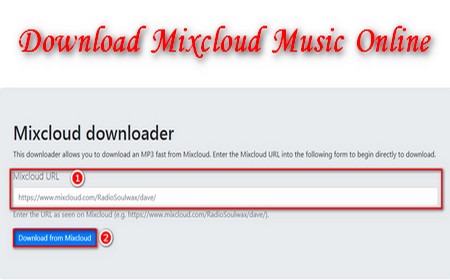
Unfortunately, downloading Mixcloud content is not possible using the web version of the platform. However, you can use a third-party tool like Mixcloud Downloader to achieve this.
Mixcloud Downloader Tool
To use the Mixcloud Downloader tool:
- Access The Mixcloud Website: Open the Mixcloud website on your computer.
- Find The Content Page: Search for the content you want to download and access its page.
- Copy The Url: Copy the URL of the content page.
- Visit The Mixcloud Downloader Site: Paste the URL into the Mixcloud Downloader tool and click “Download.”
- Select The Format: Choose your preferred format (MP3) and initiate the download process.
Important Notes
- Downloading copyrighted music without permission is a serious offense.
- This guide is for illustrative purposes only, and we do not endorse or condone any form of copyright infringement.
Conclusion
Downloading Mixcloud content can be achieved on both mobile devices and computers using various methods. However, it’s essential to remember that premium features like offline listening require an upgrade to Mixcloud Premium.
Frequently Asked Questions (FAQs)
Q: What is Mixcloud Premium?
A: Mixcloud Premium is a subscription-based service that offers additional features, including ad-free listening, unlimited searches, and content downloading for offline listening.
Q: How much does Mixcloud Premium cost?
A: Mixcloud Premium costs 6.99 Euros per month plus VAT.
Q: Can I download Mixcloud content on my computer?
A: Yes, you can use a third-party tool like Mixcloud Downloader to download content on your computer.
Q: What is the Mixcloud Downloader tool?
A: The Mixcloud Downloader tool is a third-party application that allows you to download Mixcloud content in MP3 format.
Q: Can I delete downloaded content from my device?
A: Yes, you can delete downloaded content by accessing the Mixcloud app and navigating to the “Downloads” section.
Q: What happens when I log out of Mixcloud?
A: When you log out of Mixcloud, all your downloaded content will be removed from your device.


