
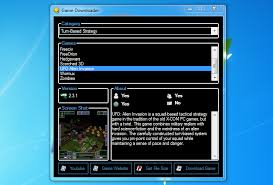
How to Download Games on Pc: A Comprehensive Guide
Are you a gamer looking to download games on your PC? Look no further! In this article, we will guide you through the process of downloading games on various platforms, including Steam, EA App/Origin, Itch.Io, and more.
Table 1: Popular Gaming Platforms
| Platform | Description |
|---|---|
| Steam | A digital distribution platform for PC games |
| EA App/origin | A gaming platform developed by Electronic Arts |
| Itch.Io | A website that allows developers to sell and share their games directly with customers |
| Microsoft Store | A digital storefront for Windows 10 and Xbox games |
What You Need to Know Before Downloading Games
Before you start downloading games, make sure you have a stable internet connection and enough storage space on your computer. Also, create an account on the platform you want to use, as this will be required to download and play games.
Downloading Games on Steam
To download games on Steam, follow these steps:
- Create a Steam account if you don’t already have one.
- Download and install Steam from the official website.
- Launch Steam and sign in with your account credentials.
- Browse through the various categories to find the game you want to download.
- Click on the “Install” button to start downloading the game.
Downloading Games on EA App/origin
To download games on EA App/Origin, follow these steps:
- Create an EA account if you don’t already have one.
- Download and install EA App from the official website.
- Launch EA App and sign in with your account credentials.
- Browse through the various categories to find the game you want to download.
- Click on the “Download” button to start downloading the game.
Downloading Games on Itch.Io
To download games on Itch.Io, follow these steps:
- Create an account on Itch.Io if you don’t already have one.
- Browse through the various categories to find the game you want to download.
- Click on the “Download” button to start downloading the game.
Downloading Games on Other Platforms
Other popular platforms for downloading games include Microsoft Store, Epic Games Store, GOG, and Humble Store. Each platform has its own unique features and requirements, but the basic process remains the same.
Tips And Tricks
- Make sure you have enough storage space on your computer before downloading games.
- Check the system requirements for the game to ensure it runs smoothly on your computer.
- Consider purchasing a gaming subscription service like Xbox Game Pass or Apple Arcade for access to a vast library of games.
- Keep an eye out for promotions and discounts on the platforms you use.
Conclusion
Downloading games on PC is a straightforward process, but it requires some basic knowledge of the various platforms available. By following the steps outlined in this article, you’ll be able to download and play your favorite games in no time.
Frequently Asked Questions (FAQs)
- What Are The System Requirements For Downloading Games?
The system requirements vary depending on the platform and game. Make sure you check the system requirements before downloading a game.
- Can I Download Games Without an Account?
Yes, some platforms allow you to download games without an account. However, creating an account will often provide access to more features and benefits.
- How do I Update my Games?
Updates are usually available through the platform’s automatic update feature. Make sure your computer is connected to the internet and follow the prompts to update your games.
- Can I Share my Games With Friends?
Some platforms allow you to share games with friends, while others require a separate purchase or subscription.
- What Happens if I Encounter an Error While Downloading a Game?
If you encounter an error while downloading a game, try restarting the download process or checking for updates on the platform’s website.
- Can I Cancel my Game Subscription at Any Time?
Yes, most gaming subscription services allow you to cancel your subscription at any time.
- How do I Contact Customer Support For Help With Downloading Games?
You can usually find customer support resources and contact information on the platform’s website or by checking their FAQs section.
- What Are Some Popular Games That I Can Download on my Pc?
There are countless games available on various platforms, but some popular ones include Fortnite, Minecraft, League of Legends, and Overwatch.


