
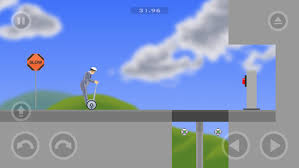
Happy Wheels: A Thrilling Adventure Game
Are you looking for a fun and exciting video game to play on your computer or mobile device? Look no further than Happy Wheels, a hilarious and action-packed game that will keep you entertained for hours.
What is Happy Wheels?
Happy Wheels is a free online game developed by Jim Bonacci. The game features a cast of lovable characters who are all trying to reach their destination, but with a twist – they’re all on wheels! Players can choose from a variety of levels and game modes, each with its own unique challenges and obstacles.
How to Download Happy Wheels on Computer
To play Happy Wheels on your computer, you’ll need to have the Adobe Flash Player plugin installed. Don’t worry if you’re not sure how to update it – just follow our guide to get started!
Once you’ve updated your Flash Player, simply navigate to the official Happy Wheels website and click on the “Play Now” button. You can also access the game through a link on the TotalJerkFace website.
Gameplay And Controls
The gameplay in Happy Wheels is simple but addictive. Players use the arrow keys or WASD keys to control their character, who can jump, brake, or even capsize to avoid obstacles. The game features a range of characters, each with its own unique abilities and weaknesses.
As players progress through the levels, they’ll encounter increasingly difficult challenges and obstacles. But don’t worry – you can always restart from a previous checkpoint or try again with a different character.
Customizing Your Controls
One of the best things about Happy Wheels is the ability to customize your controls. If you’re not happy with the default keys, you can change them to suit your preferences. Just click on the “Options” button and select the key combination that works best for you.
Downloading Happy Wheels on Smartphone or Tablet
Happy Wheels is also available to download on your smartphone or tablet. To get started, simply navigate to the App Store (for iPhone or iPad) and search for “Happy Wheels”. Once you’ve found the game, tap the “Get” button to begin the download process.
System Requirements
To play Happy Wheels on your mobile device, you’ll need an iPhone 4S or later, an iPad 2 or later, or an iPod Touch 5. You’ll also need iOS 10.0 Or later installed on your device.
Tips And Tricks
Here are a few tips and tricks to help you get the most out of Happy Wheels:
- Use the arrow keys or WASD keys to control your character.
- Try different characters to see which one works best for you.
- Experiment with different levels and game modes to find your favorite.
- Don’t be afraid to try again – it’s all part of the fun!
Conclusion
Happy Wheels is a hilarious and action-packed video game that’s perfect for players of all ages. With its simple yet addictive gameplay, customizable controls, and variety of levels and game modes, Happy Wheels is sure to keep you entertained for hours.
So why not give it a try? Download Happy Wheels today and experience the thrill of this exciting adventure game for yourself!
Frequently Asked Questions (FAQs)
- What Devices Can I Play Happy Wheels On?
Happy Wheels is available to download on desktop computers, mobile devices (iPhone, iPad, iPod Touch), and tablets. - How do I Update my Adobe Flash Player Plugin?
To update your Adobe Flash Player plugin, simply follow our guide or visit the official Adobe website for instructions. - Can I Play Happy Wheels Offline?
Yes – once you’ve downloaded and installed Happy Wheels on your device, you can play it offline without an internet connection. - How do I Customize my Controls in Happy Wheels?
To customize your controls in Happy Wheels, simply click on the “Options” button and select the key combination that works best for you. - What Are The System Requirements For Playing Happy Wheels on a Mobile Device?
The minimum system requirements for playing Happy Wheels on an iPhone or iPad include iOS 10.0 Or later installed on your device. - Can I Play Happy Wheels With my Friends?
Yes – while Happy Wheels is primarily a solo game, you can share levels and game modes with your friends and compete to see who gets the best score!


