
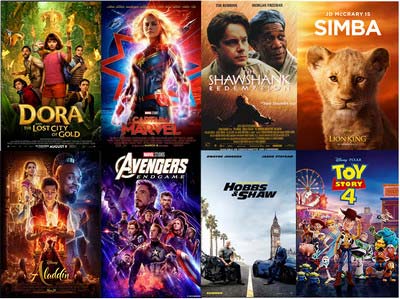
How to Download Movies in HD From Streaming Services
Are you tired of watching movies on streaming services only to have them taken away when your internet connection drops? Do you want to enjoy your favorite films offline without worrying about buffering or interruptions? Look no further! In this article, we will explore the various options available for downloading movies in HD from popular streaming services.
The Benefits of Downloading Movies
Downloading movies allows you to watch them whenever and wherever you want, without relying on a stable internet connection. This is particularly useful when traveling, commuting, or experiencing areas with poor internet connectivity. With downloaded movies, you can enjoy your favorite films without worrying about buffering or interruptions.
Streaming Services That Offer Movie Downloading
Several popular streaming services now offer the option to download movies for offline viewing. Some of these services include:
Amazon Prime Video
- Amazon Prime Video is one of the most popular streaming services that offers movie downloading.
- With Amazon Prime Video, you can download movies in HD and watch them offline using the Amazon Prime Video app.
- The service also offers a 30-day free trial for new users.
Netflix
- Netflix is another popular streaming service that now offers movie downloading.
- With Netflix, you can download movies and TV shows in HD and watch them offline using the Netflix app.
- The service also offers a range of plans to suit different budgets and viewing preferences.
Apple Tv+
- Apple TV+ is a relatively new streaming service that offers high-quality original content.
- With Apple TV+, you can download movies and TV shows in HD and watch them offline using the Apple TV app.
- The service also offers a 7-day free trial for new users.
Youtube
- YouTube is one of the most popular video-sharing platforms that now offers movie downloading.
- With YouTube Premium, you can download movies and videos in HD and watch them offline using the YouTube app.
- The service also offers a range of benefits, including ad-free videos, exclusive content, and more.
Other Streaming Services
In addition to the services mentioned above, there are several other streaming services that offer movie downloading. Some of these services include:
Disney+
- Disney+ is a popular streaming service that now offers movie downloading.
- With Disney+, you can download movies and TV shows in HD and watch them offline using the Disney+ app.
- The service also offers a range of benefits, including exclusive content, original series, and more.
Now
- NOW is a relatively new streaming service that now offers movie downloading.
- With NOW, you can download movies and TV shows in HD and watch them offline using the NOW app.
- The service also offers a range of benefits, including exclusive content, original series, and more.
Paramount+
- Paramount+ is another popular streaming service that now offers movie downloading.
- With Paramount+, you can download movies and TV shows in HD and watch them offline using the Paramount+ app.
- The service also offers a range of benefits, including exclusive content, original series, and more.
How to Download Movies From Streaming Services
Downloading movies from streaming services is generally a straightforward process. Here are some steps to follow:
- Select a Streaming Service: Choose a streaming service that offers movie downloading, such as Amazon Prime Video, Netflix, Apple TV+, or YouTube Premium.
- Sign up For an Account: Create an account with the chosen streaming service and set up your payment information (if required).
- Search For a Movie: Use the streaming service’s search bar to find the movie you want to download.
- Select The Download Option: Once you’ve found the movie, select the download option from the menu.
- Choose The Video Quality: Select the video quality you prefer (e.G., HD, Full HD, or 4K).
- Start Downloading: Click the “Download” button to start the download process.
Troubleshooting Common Issues
While downloading movies from streaming services is generally a smooth process, there may be some issues that arise. Here are some common problems and their solutions:
Buffering or Slow Downloads
- Solution: Check your internet connection speed and ensure it’s stable enough for downloading.
- Solution: Restart your device or streaming service app to resolve any connectivity issues.
Download Errors or Failed Downloads
- Solution: Check the movie’s availability on the streaming service’s catalog or try restarting the download process.
- Solution: Contact the streaming service’s customer support team for assistance with resolving the issue.
Conclusion
Downloading movies from streaming services is a convenient way to enjoy your favorite films offline. With the options listed above, you can choose the best streaming service that suits your preferences and viewing habits. By following the steps outlined in this article, you’ll be able to download movies and watch them whenever and wherever you want.
Frequently Asked Questions (FAQs)
Here are some frequently asked questions about downloading movies from streaming services:
Q: Is it Safe to Download Movies From Streaming Services?
A: Yes, downloading movies from reputable streaming services is generally safe. However, always ensure that the service you’re using is trustworthy and follows all applicable laws.
Q: Can I Download Movies on Multiple Devices?
A: It depends on the streaming service’s policies. Some services may allow you to download movies on multiple devices (e.G., Smartphones, tablets, or smart TVs), while others might have limitations.
Q: How Long Does it Take to Download a Movie?
A: The time it takes to download a movie depends on factors like your internet connection speed, the size of the movie file, and the quality of the video. As a rough estimate, expect the download time to range from 10 minutes to several hours.
Q: Can I Watch Downloaded Movies Offline Without an Internet Connection?
A: Yes, once you’ve downloaded a movie, you can watch it offline without requiring a stable internet connection. However, always check the streaming service’s policies regarding offline viewing and any limitations that might apply.
Q: Are There Any Additional Costs Associated With Downloading Movies From Streaming Services?
A: Some streaming services may charge extra for downloading movies or offer different pricing plans depending on your viewing preferences. Always review the service’s terms and conditions before signing up.
Q: Can I Download Movies From Multiple Streaming Services at Once?
A: It depends on the streaming service’s policies and any applicable laws. In some cases, you may be able to download movies from multiple services simultaneously, while others might restrict or prohibit it.
Q: How do I Ensure That Downloaded Movies Are of High Quality?
A: To enjoy high-quality downloads, always choose the highest video resolution available (e.G., 4K) and opt for a stable internet connection with sufficient bandwidth.


