
How to Download HP Smart on PC
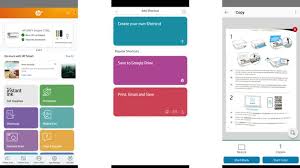
If you’ve recently acquired a printer from HP and are unsure when to use it, you can find specific programs required to configure your printer and make it work flawlessly. One such program is called HP Smart, which offers numerous features beyond simple printing or scanning documents and photos.
HP Smart allows you to print wirelessly, initiate a scan, and even manage the automatic purchase of consumables. This software is not only available on computers but also on smartphones and tablets.
In this article, we will guide you through the process of downloading HP Smart on your PC, smartphone, or tablet.
Downloading HP Smart on PC
To download HP Smart on your PC running Windows 10 or Windows 11, follow these steps:
- Click on the Start button (the icon) and type “Microsoft Store” in the search bar.
- Click on the Microsoft Store icon to open it.
- Type “HP Smart” in the search bar within the Microsoft Store.
- Click on the HP Smart app and click the “Get” button.
- If required, sign in with your Microsoft account.
- Once installed, you can find HP Smart in the Start menu, ready to be used to configure your printer.
Downloading HP Smart Without Microsoft Store
If you don’t have a Microsoft account or prefer not to use the Microsoft Store, you can download HP Smart directly from HP’s website. Here are the steps:
- Visit the official HP website and navigate to the support section.
- Search for “HP Smart” and click on the relevant result.
- Click on the “Download” button next to HP Smart.
- Follow the prompts to install HP Smart.
Downloading HP Smart on Mac
To download HP Smart on your Mac, follow these steps:
- Visit the Mac App Store by clicking on the Apple menu and selecting “App Store”.
- Search for “HP Smart” in the search bar.
- Click on the HP Smart app and click the “Get” button.
- Sign in with your Apple ID or Touch ID to confirm.
- Once installed, you can find HP Smart in the Launchpad and Applications folder.
Downloading HP Smart on Smartphone And Tablet
Yes, you can use HP Smart on your smartphone or tablet! The software is available for both Android and iOS/iPadOS devices.
Downloading HP Smart on Android
To download HP Smart on your Android device:
- Visit the Google Play Store by opening the app.
- Search for “HP Smart” in the search bar.
- Click on the HP Smart app and click the “Install” button.
- Wait for the installation to complete.
- Once installed, open HP Smart and log in with your HP account or create a new one.
Downloading HP Smart on Iphone or Ipad
To download HP Smart on your iPhone or iPad:
- Visit the App Store by opening the app.
- Search for “HP Smart” in the search bar.
- Click on the HP Smart app and click the “Get” button.
- Sign in with your Face ID, Touch ID, or Apple ID password to confirm.
- Once installed, open HP Smart and log in with your HP account or create a new one.
Conclusion
Downloading HP Smart is a straightforward process that can be completed on various devices, including PCs, smartphones, and tablets. By following the steps outlined above, you’ll have access to this versatile software, which allows for wireless printing, scanning, and automatic consumable management.
Whether you’re a seasoned user or just starting out with your new HP printer, HP Smart is an indispensable tool that will help you get the most out of your device.
Faqs
- Q: What is HP Smart?
A: HP Smart is a software program developed by HP to configure and manage printers wirelessly. - Q: Is HP Smart Available on Multiple Devices?
A: Yes, HP Smart can be downloaded on PCs (Windows 10/11), Macs, Android smartphones, and iOS/iPadOS tablets. - Q: How do I Download HP Smart on my Pc?
A: To download HP Smart on your PC, visit the Microsoft Store and search for “HP Smart”. - Q: Can I Use HP Smart Without a Microsoft Account?
A: Yes, you can download HP Smart directly from HP’s website if you don’t have a Microsoft account. - Q: How do I Install HP Smart on my Android Device?
A: Visit the Google Play Store and search for “HP Smart” to install it on your Android smartphone or tablet.
By following these steps, you’ll be able to download and install HP Smart on your preferred device, ensuring seamless integration with your HP printer.


