
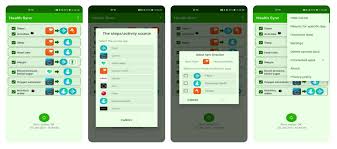
How to Download Huawei Health on Your Mobile Device
Are you one of those fitness enthusiasts who wants to track their daily activities, monitor their health metrics, and stay motivated? If yes, then you’re in the right place! In this article, we’ll guide you through the process of downloading HUAWEI Health on your mobile device.
What is Huawei Health?
HUAWEI Health is an app developed by HUAWEI that allows users to track their fitness and health metrics. It’s a comprehensive platform that enables users to monitor their daily activities, including steps taken, calories burned, sleep quality, and heart rate. The app also provides personalized recommendations for achieving fitness goals.
Why Download Huawei Health?
There are several reasons why you should download HUAWEI Health on your mobile device:
- Track Your Fitness Progress: Monitor your daily activities, including steps taken, calories burned, sleep quality, and heart rate.
- Set Goals And Achieve Them: Set personalized goals for yourself, and receive recommendations to help you achieve them.
- Monitor Your Health Metrics: Track your blood pressure, oxygen saturation, stress levels, and other health metrics.
- Stay Motivated: Receive rewards and badges for reaching your fitness milestones.
How to Download Huawei Health on Android Devices
If you have an Android device, you can download HUAWEI Health directly from the AppGallery.
- Open The Appgallery: Open the AppGallery app on your Android device.
- Search For Huawei Health: Search for “HUAWEI Health” in the search bar.
- Install The App: Install the app by tapping on the “Install” button.
- Authorize The Installation: Authorize the installation of the app from external sources.
How to Download Huawei Health on Ios Devices
If you have an iOS device, you can download HUAWEI Health directly from the App Store.
- Open The App Store: Open the App Store app on your iOS device.
- Search For Huawei Health: Search for “HUAWEI Health” in the search bar.
- Get The App: Get the app by tapping on the “Get” button.
- Authorize The Installation: Authorize the installation of the app using Face ID, Touch ID, or your Apple password.
How to Download Huawei Health on Huawei And Honor Devices
If you have a HUAWEI or HONOR device, HUAWEI Health is already pre-installed on your device. However, if you’ve deleted it accidentally, you can download it directly from the AppGallery.
- Open The Appgallery: Open the AppGallery app on your HUAWEI or HONOR device.
- Search For Huawei Health: Search for “HUAWEI Health” in the search bar.
- Install The App: Install the app by tapping on the “Install” button.
Tips And Tricks
- To download HUAWEI Health, make sure you have a stable internet connection.
- If you’re experiencing any issues while downloading or installing the app, try restarting your device.
- HUAWEI Health is a free app to use, but some advanced features may require a subscription.
Conclusion
Downloading HUAWEI Health on your mobile device is a straightforward process. By following the steps outlined in this article, you’ll be able to track your fitness and health metrics, set goals, and achieve them with ease. Remember to stay motivated and enjoy the benefits of using HUAWEI Health!
Frequently Asked Questions (FAQs)
-
What is Huawei Health?
HUAWEI Health is an app developed by HUAWEI that allows users to track their fitness and health metrics. -
How do I Download Huawei Health on my Android Device?
You can download HUAWEI Health directly from the AppGallery on your Android device. -
How do I Download Huawei Health on my Ios Device?
You can download HUAWEI Health directly from the App Store on your iOS device. -
Is Huawei Health a Free App to Use?
Yes, HUAWEI Health is a free app to use, but some advanced features may require a subscription. -
How do I Track my Fitness Progress Using Huawei Health?
You can track your daily activities, including steps taken, calories burned, sleep quality, and heart rate, by opening the HUAWEI Health app on your mobile device.


