
How to Download Music From Apple Music: A Step-by-step Guide
Are you an Apple Music user who wants to listen to your favorite tunes offline? Look no further! With this guide, you’ll learn how to download music from Apple Music on various devices, including Windows, Mac, iPhone, and Android.
Posso Download Music of Apple *Music?
Yes, it is possible to download music from Apple Music, but there are certain conditions that must be met. First, you need to have an Apple ID and be subscribed to the service. There are two subscription plans: Individual (10.99 Euros/month or 109 euros/year) or family (16.99 Euros/month). Alternatively, you can sign up for a free trial period of 1 month (or more).
How Download Music of Apple Music gratis
If you’re new to Apple Music, you can enjoy a free trial period of 1 month (or more). This allows you to try out the service and see if it’s right for you. Just be aware that you’ll need to cancel your subscription before the trial ends to avoid being charged.
Downloading Music on Various Devices
Downloading Music on Windows
If you use a Windows PC, you can download the Apple Music app from the Microsoft Store. This app allows you to download music directly from the service.
- Search for “Apple Music” in the Microsoft Store.
- Install the app and launch it.
- Sign in with your Apple ID.
- Add the content you want to download (e.G., A song, album, or playlist).
- Tap on the arrow icon next to the added content to initiate the download.
Downloading Music on Mac
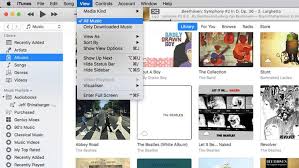
If you have a Mac, you can access Apple Music through the built-in Music app.
- Launch the Music app.
- Sign in with your Apple ID.
- Add the content you want to download (e.G., A song, album, or playlist).
- Tap on the arrow icon next to the added content to initiate the download.
Downloading Music on Iphone And Android
If you have an iPhone or Android device, you can access Apple Music through its dedicated app.
- Download and install the Apple Music app from the App Store (iPhone) or Google Play Store (Android).
- Launch the app and sign in with your Apple ID.
- Add the content you want to download (e.G., A song, album, or playlist).
- Tap on the arrow icon next to the added content to initiate the download.
Important Notes
- The music downloaded from Apple Music is protected by DRM (Digital Rights Management) and cannot be copied or transferred to other devices.
- There are limits to the number of songs you can download depending on your subscription plan.
- You cannot download music directly from YouTube on Apple Music. However, you can search for YouTube content within Apple Music.
Conclusion
Downloading music from Apple Music is a straightforward process that can be done on various devices. By following this guide, you’ll be able to enjoy your favorite tunes offline with ease. Remember to always check the terms and conditions of your subscription plan to ensure you’re aware of any limitations or restrictions.
Frequently Asked Questions (FAQs)
- Q: Can I Download Music From Apple Music For Free?
A: Yes, new users can try out the service for a free trial period of 1 month (or more). - Q: How do I Download Music on Windows?
A: You can download and install the Apple Music app from the Microsoft Store. - Q: Can I Download Music on Mac?
A: Yes, you can access Apple Music through the built-in Music app. - Q: What Devices Support Apple Music Downloads?
A: Apple Music supports downloads on Windows PC, Mac, iPhone, and Android devices. - Q: Is it Possible to Download Music Directly From Youtube on Apple Music?
A: No, you cannot download music directly from YouTube on Apple Music. - Q: Are There Limits to The Number of Songs I Can Download?
A: Yes, there are limits depending on your subscription plan. - Q: Can I Copy or Transfer Downloaded Music to Other Devices?
A: No, the music downloaded from Apple Music is protected by DRM and cannot be copied or transferred to other devices.
Disclaimer
The information provided in this guide is for general informational purposes only and may not reflect the most current or accurate data available.


