
How to Download Music on Samsung: A Step-by-step Guide
Are you looking for a way to download music on your Samsung smartphone or tablet? Look no further! In this article, we will guide you through the process of downloading music on your Samsung device using various services and apps.
Why Download Music on Your Samsung Device?
Downloading music on your Samsung device offers several benefits. You can listen to your favorite songs offline, without relying on an internet connection. This is especially useful when traveling or in areas with limited internet access. Additionally, downloaded music takes up space on your device, which may be a concern if you have limited storage.
Services of Streaming
The easiest way to download music on your Samsung device is by using services of streaming musical. These services allow you to listen and download music without having to purchase or own the physical copies. Some popular services include:
- Spotify: Spotify is one of the most famous streaming services, offering a vast library of songs, podcasts, and videos. You can access it freely with some limitations or subscribe to Spotify Premium for ad-free listening and offline playback.
- Amazon Music: Amazon Music offers two main plans: Amazon Prime Music and Amazon Music Unlimited. With Prime Music, you get access to a large music library, while Music Unlimited provides the entire catalog.
- Apple Music: Apple Music is another popular streaming service that allows you to download music for offline listening.
Fildo: A Free App For Downloading Music
Another option for downloading music on your Samsung device is using Fildo, a free app available on Google Play. This app lets you search and download musical pieces from various sources on the web. To use Fildo, follow these steps:
- Visit the Fildo website and click on the “Download” button.
- Proceed with caution, as this app may not be subject to the same controls as those available in the Google Play Store.
- Once downloaded, install the APK file by following the prompts.
Downloading Music on Youtube
If you usually use YouTube to listen to music, you can download songs using YouTube Music. This service allows you to access a vast library of musical pieces and videos. To download music on YouTube:
- Open YouTube Music and search for the song you want to download.
- Tap on the “Download” icon (represented by three dots) and select the quality of the file.
Downloading Music With Samsung Music
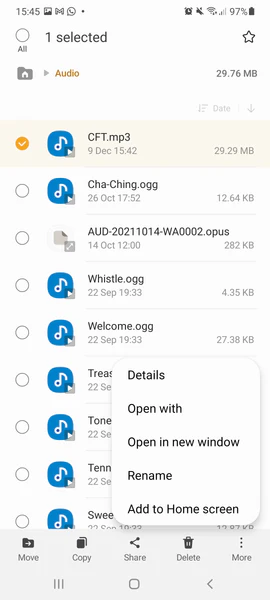
If you have a Samsung device, it may come pre-installed with the Samsung Music app. While this app doesn’t allow direct downloading of music, you can use it to listen to downloaded files or stream music from other services. To transfer music to your Samsung device:
- Use a computer and drag-and-drop the desired songs into the Music folder.
- Transfer the music files to your Samsung device using Bluetooth or USB.
Setting Music as a Ringtone
To set a song as your ringtone, follow these steps:
- Open ZEDGE, an app designed specifically for setting ringtones.
- Search for the desired song and download it.
- Select the downloaded song as your ringtone.
In conclusion, downloading music on your Samsung device offers numerous benefits, including offline listening and space-saving capabilities. By using services of streaming musical or apps like Fildo and ZEDGE, you can easily access a vast library of songs.


