
The Thrill of Motocross: A Guide to Downloading MX Bikes on PC
Are you ready to experience the thrill of motocross racing on your PC? Look no further! In this article, we will guide you through the process of downloading and installing MX Bikes on your computer. This simulator is a must-try for any fan of extreme sports and video games.
What is MX Bikes?
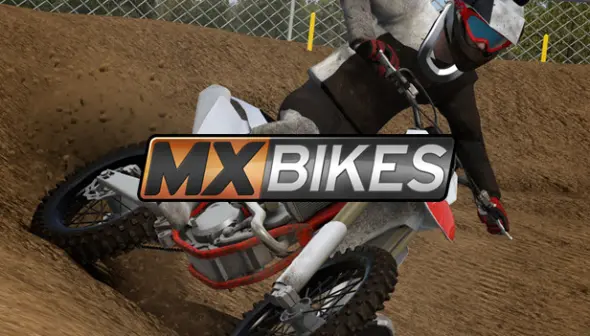
MX Bikes is a motocross racing simulator developed by PiBoSo, an independent game development company specializing in motor-sport related games. The game has received positive reviews from players and critics alike, praised for its realistic physics engine and immersive gameplay experience.
Why Download MX Bikes on Pc?
Downloading MX Bikes on PC is a great way to enjoy the thrill of motocross racing without breaking the bank. With the game’s advanced physics engine and realistic graphics, you’ll feel like you’re right in the middle of the action. Plus, the game has a user-friendly interface and simple controls, making it easy to pick up and play.
How to Download MX Bikes on PC
To download MX Bikes on your PC, follow these steps:
Step 1: Check System Requirements
Before downloading the game, make sure your computer meets the minimum system requirements. These include a processor of at least 2GHz, 2GB of RAM, and a graphics card with 256MB of video memory.
Step 2: Download The Game
You can download MX Bikes from the official website or through the Steam store. If you choose to download from the official site, be sure to click on the “Download” button and follow the instructions to install the game.
Step 3: Install The Game
Once you’ve downloaded the game, run the installation file and follow the prompts to install MX Bikes on your PC.
How to Play MX Bikes on PC
Playing MX Bikes is easy and fun! Here’s a quick guide to get you started:
- To start a new game, click on the “New Game” button in the main menu.
- Choose your rider and bike from the selection screen.
- Select the track you want to ride on from the map.
- Use the arrow keys or controller to control your bike’s movement.
- Press the ‘R’ key to respawn after a crash.
Tips And Tricks
Here are some tips and tricks to help you get the most out of MX Bikes:
- Practice makes perfect! Don’t be discouraged if you don’t get it right away. Keep practicing, and you’ll soon be racing like a pro.
- Experiment with different bike settings to find the one that suits your riding style best.
- Try playing in different weather conditions to see how they affect your ride.
Conclusion
MX Bikes is an exciting and immersive motocross racing simulator that’s sure to thrill any fan of extreme sports. With its advanced physics engine, realistic graphics, and user-friendly interface, this game is a must-try for anyone looking to experience the thrill of motocross racing on their PC. So what are you waiting for? Download MX Bikes today and get ready to ride!
Frequently Asked Questions
Here are some frequently asked questions about MX Bikes:
Q: What System Requirements do I Need to Play MX Bikes?
A: You’ll need a processor of at least 2GHz, 2GB of RAM, and a graphics card with 256MB of video memory.
Q: Can I Download MX Bikes From The Steam Store?
A: Yes! You can also download MX Bikes from the Steam store. Simply click on the “Download” button and follow the instructions to install the game.
Q: How do I Uninstall MX Bikes?
A: To uninstall MX Bikes, simply go to the Control Panel and select “Uninstall a program”. Then, find MX Bikes in the list of installed programs and select it. Click “Uninstall” to complete the process.
Q: Can I Customize my Bike Settings in MX Bikes?
A: Yes! You can experiment with different bike settings to find the one that suits your riding style best.
Q: What Kind of Support Does MX Bikes Have For Controllers?
A: MX Bikes supports a variety of controllers, including gamepads and steering wheels. Experiment with different controllers to see which one works best for you!
Q: Can I Play MX Bikes in Vr?
A: Yes! While the VR mode is still in development, it’s an exciting new feature that’s sure to take your racing experience to the next level.
Q: Are There Any Mods Available For MX Bikes?
A: Yes! A community of developers has created a wide range of mods for MX Bikes, including new bikes, tracks, and game modes.


