
The New World of Amazon Games: A Beginner’s Guide
Are you ready to embark on a thrilling adventure in the world of gaming? Look no further than Amazon’s latest game, New World, a massively multiplayer online (MMO) experience that will transport you back to the 17th century. In this guide, we’ll take you through the process of downloading and installing New World on your PC or Mac.
What is New World?
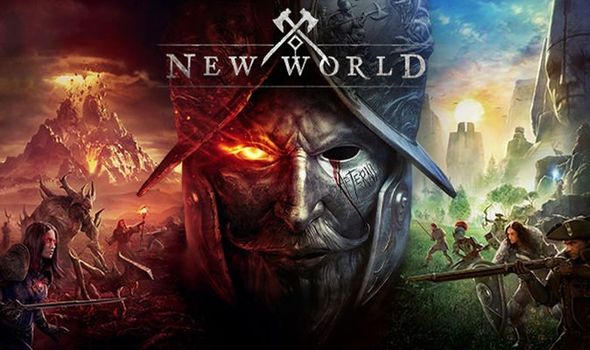
New World is an MMO game developed by Amazon Games, set in a fantasy world inspired by the Americas during the 17th century. Players will embark on a journey to explore the supernatural island of Aeternum, interact with other players, and master various skills and mechanics.
Minimum Requirements For PC
Before downloading New World, ensure that your computer meets the minimum requirements:
- Operating system: Windows 10 64-bit
- Processor: Intel Core i5-2400 or AMD equivalent
- RAM: 8GB
- Graphics card: AMD Radeon R9 280 or NVIDIA GeForce GTX 260 (2GB or higher)
- DirectX: 12
- Storage: 50GB of free space
Recommended Requirements For PC
For an optimal gaming experience, consider upgrading to the recommended requirements:
- Operating system: Windows 10 64-bit
- Processor: Intel Core i7-2600K or AMD Ryzen 5 1400
- RAM: 16GB
- Graphics card: NVIDIA GeForce GTX 970 or AMD Radeon R9 390X (or higher)
- DirectX: 12
- Storage: 50GB of free space
Installing Steam on Windows
If you haven’t already, download and install Steam, the popular digital distribution platform that hosts New World, by following these steps:
- Go to the official Steam website and click on the “Install Steam” button.
- Follow the installation prompts to complete the process.
Downloading New World on PC
Once you have Steam installed, follow these steps to download New World:
- Launch Steam and sign in to your account.
- Click on the “Store” tab and search for New World.
- Select the desired edition (Standard or Deluxe) and click on the “Add to Cart” button.
- Follow the checkout process to complete the purchase.
Downloading New World on Mac
Unfortunately, New World is not available on Mac at this time. However, you can consider installing Windows on your Mac in dual-boot mode and running New World from there. Keep in mind that performance may vary depending on your computer’s specifications.
Downloading New World on Console
As of now, New World is not available on console platforms like PlayStation or Xbox. We’ll have to wait and see if Amazon Games decides to bring it to the consoles in the future.
Conclusion
Amazon’s New World offers an immersive gaming experience with a rich fantasy world, engaging mechanics, and a strong focus on community. By following this guide, you can easily download and install the game on your PC or Mac. Happy gaming!
Frequently Asked Questions (FAQs)
- What is The Minimum System Requirements For New World?
The minimum system requirements are Windows 10 64-bit, Intel Core i5-2400 or AMD equivalent processor, 8GB RAM, and a graphics card with at least 2GB of VRAM. - Can I Download New World on my Mac?
Unfortunately, New World is not available on Mac at this time. However, you can consider installing Windows on your Mac in dual-boot mode and running New World from there. - Is New World Available on Console Platforms Like Playstation or Xbox?
No, as of now, New World is not available on console platforms. - What Are The Recommended System Requirements For New World?
The recommended system requirements are Windows 10 64-bit, Intel Core i7-2600K or AMD Ryzen 5 1400 processor, 16GB RAM, and a graphics card with at least 2GB of VRAM. - How do I Download And Install Steam on my PC or Mac?
You can download and install Steam by following the official instructions on the Steam website. - What Are The Different Editions of New World Available For Purchase?
There are two editions available: Standard (€39,99) and Deluxe (€49,99), which includes additional aesthetic elements and items. - Can I Use my Amazon Prime Subscription to Access Exclusive Content in New World?
Yes, you can use your Amazon Prime subscription to access exclusive content, including skins, emotes, and currency in-game.
Note: The prices mentioned above are subject to change and may vary depending on the region and availability of the game.


