
Unlocking Free Apps on Your Iphone: A Step-by-step Guide
Are you tired of spending money on apps that were previously free? Look no further! In this article, we will explore the various ways to download free apps on your iPhone, using services like App Store, App Sliced, and Apps Gone Free.
What Are Free Apps?
Free apps are applications that were initially paid but have become available for download without any cost. These apps can be found on the App Store or through other websites and services that track promotional initiatives.
Why Download Free Apps?
Downloading free apps can save you money, as you won’t need to spend a dime on new apps. Additionally, some free apps offer premium features or in-app purchases, which can enhance your experience.
Method 1: Using App Store
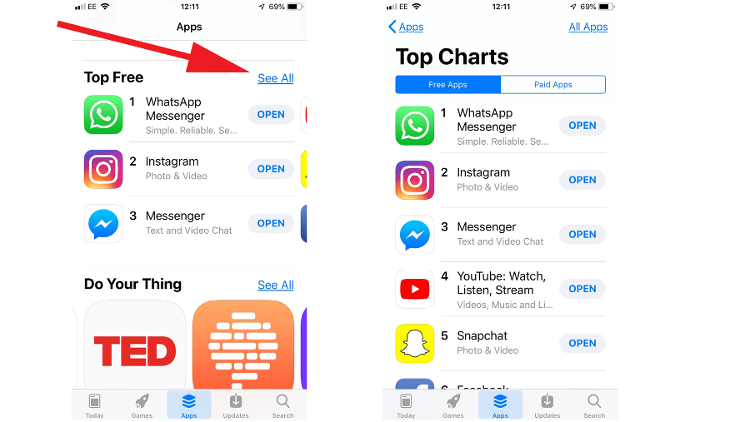
The App Store is the official platform for downloading apps on your iPhone. You can search for free apps by using the “Free” filter on the search bar. Here’s how to do it:
- Open the App Store and tap on the Search tab.
- Type in “free” or “free apps” in the search bar.
- Tap on the “Free” tab at the bottom of the screen.
- Browse through the list of free apps and tap on the one you want to download.
Method 2: Using App Sliced
App Sliced is a service that helps you discover free apps on the App Store. Here’s how to use it:
- Download and install App Sliced from the App Store.
- Open App Sliced and tap on the “Price Drops” tab.
- Browse through the list of free apps and tap on the one you want to download.
- Tap on the “Download” button to initiate the download process.
Method 3: Using Apps Gone Free
Apps Gone Free is a website that tracks promotional initiatives on the App Store. Here’s how to use it:
- Open the Apps Gone Free website on your iPhone or computer.
- Browse through the list of free apps and tap on the one you want to download.
- Tap on the “Download” button to initiate the download process.
Additional Tips
When using these methods, keep in mind that some free apps may have ads or in-app purchases. Be sure to read the app’s description and reviews before downloading it.
Conclusion
Downloading free apps on your iPhone is a straightforward process, and we’ve outlined three methods for you to try. By using App Store, App Sliced, or Apps Gone Free, you can discover new apps without spending any money.
Frequently Asked Questions (FAQs)
Here are some frequently asked questions about downloading free apps:
- What is the difference between a free app and a paid app?
- How do I know if an app is free to download?
- Can I still use a free app even after it’s no longer available for free?
- Are there any risks associated with downloading free apps?
Answering Your Questions
- A free app is an application that was initially paid but has become available for download without any cost.
- You can search for free apps by using the “Free” filter on the App Store or through other services like App Sliced and Apps Gone Free.
- Even after a free app is no longer available for free, you may still be able to use it as long as you’ve downloaded and installed it before its promotional period ended.
- While there are risks associated with downloading free apps, such as ads or in-app purchases, these can usually be managed by reading the app’s description and reviews.


