
The Ultimate Guide to Downloading Free Lonely Cards on Your Pc, Smartphone, or Tablet
Are you tired of playing the same old video games? Do you want to try something new that’s both fun and challenging? Look no further than downloading free lonely cards on your PC, smartphone, or tablet! In this article, we’ll show you how to get started with this exciting hobby.
What Are Lonely Cards?
Lonely cards, also known as solitaire games, are a type of card game that can be played by one person. They’re perfect for passing the time, exercising your brain, and having fun without needing anyone else’s company. With lonely cards, you’ll have access to a wide range of games, each with its own unique rules and challenges.
Downloading Lonely Cards on Your PC
If you want to download free lonely cards on your PC, there are several options available. Here are a few:
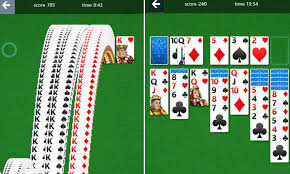
- Microsoft Solitaire Collection: This is a free app that comes pre-installed on Windows 10 devices. It includes a collection of popular solitaire games like Klondike, Spider, FreeCell, and Pyramid.
- Lonely (Windows): Another free app from Microsoft, this one offers different variants of the classic Klondike game.
- 250+ Solitaires (macOS): This is a collection of over 250 solitaire games for macOS devices. It includes popular titles like Klondike, FreeCell, and Spider.
Downloading Lonely Cards on Your Smartphone or Tablet
If you don’t have a PC or prefer to play on-the-go, there are plenty of free lonely card apps available for smartphones and tablets. Here are some options:
- Microsoft Solitaire Collection (Android/iOS): This app is the mobile version of the popular Windows 10 game.
- Lonely (iOS): A free iOS app that offers a classic Klondike experience.
- Other Lonely Card Apps: There are many other apps available, such as Lonely Android and Collected Lonely Android.
Tips For Playing Lonely Cards
Whether you’re playing on your PC or mobile device, here are some tips to keep in mind:
- Start with the basics: Begin with simple games like Klondike or Spider.
- Practice makes perfect: The more you play, the better you’ll become at strategies and techniques.
- Experiment with different games: Try out new titles and variations to keep things interesting.
Conclusion
Downloading free lonely cards on your PC, smartphone, or tablet is a great way to pass the time, challenge yourself, and have fun without needing anyone else’s company. With so many options available, you’re sure to find something that suits your taste. So why not give it a try?
Frequently Asked Questions
Q: What are lonely cards?
A: Lonely cards, also known as solitaire games, are a type of card game that can be played by one person.
Q: How do I download free lonely cards on my PC?
A: There are several options available, including Microsoft Solitaire Collection and Lonely (Windows).
Q: Can I play lonely cards on my smartphone or tablet?
A: Yes, there are many free apps available for Android and iOS devices.
Q: What tips should I keep in mind when playing lonely cards?
A: Start with the basics, practice makes perfect, and experiment with different games to keep things interesting.
Q: Are lonely card games suitable for all ages?
A: Yes, lonely card games can be enjoyed by people of all ages and skill levels.


