
How to Download Songs From Spotify: A Step-by-step Guide
Are you interested in downloading songs from Spotify, but not sure how? Look no further! In this article, we will guide you through the process of downloading music from Spotify on your smartphone, tablet, and computer.
What Can Be Downloaded With a Free Version of Spotify?
Before we dive into the instructions, it’s essential to know what can be downloaded with a free version of Spotify. Unfortunately, the free version does not allow you to download songs, albums, or playlists. However, you can download podcasts on your smartphone, tablet, and computer.
What Are The Limitations of The Free Version?
To use the free version of Spotify, there are some limitations that you should be aware of. You can only download a maximum of 10,000 tracks on up to five devices at a time. Additionally, you will need to connect to Spotify every 30 days to keep your downloaded music and podcasts available.
How to Download Songs From Spotify With Premium
To download songs from Spotify, you will need to have a premium subscription. This will give you access to the download feature, allowing you to save tracks, albums, playlists, and podcasts for offline listening. A premium subscription costs 9.99 Euros/month (or 4.99 Euros/month for students).
How to Download Music From Spotify on Your Smartphone
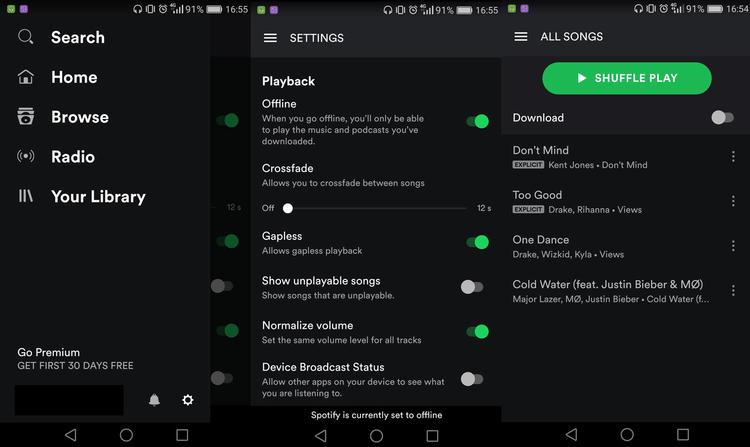
To download music from Spotify on your smartphone, follow these steps:
- Open the Spotify app and log in to your account.
- Search for the album or playlist you want to download.
- Tap on the icon of the three dots next to the title and select “Add to Playlist”.
- Create a new playlist by tapping on the “+” icon and selecting “New Playlist”.
- Name your playlist and tap on the “Create” button.
- Select the tracks you want to add to the playlist and tap on the arrow icon to download them.
How to Download Music From Spotify on Your Computer
To download music from Spotify on your computer, follow these steps:
- Open the Spotify app and log in to your account.
- Search for the album or playlist you want to download.
- Click on the “Download” button next to the title.
- Select the tracks you want to add to your library and click on the “Save” button.
- Access your downloaded music by clicking on the “Your Library” tab.
How to Download Music From Spotify on Your Usb Drive
Unfortunately, it is not possible to download music from Spotify directly onto a USB drive. The DRM (Digital Rights Management) system applied to Spotify’s content prevents copying tracks to external devices. To listen to your downloaded music offline, you will need to have a premium subscription.
Conclusion
Downloading music from Spotify can be a convenient way to access your favorite songs offline. With the steps outlined in this guide, you should now be able to download songs, albums, playlists, and podcasts on your smartphone, tablet, and computer. Remember that you will need a premium subscription to use the download feature.
Frequently Asked Questions
- What is The Difference Between Spotify Free And Premium?
Spotify Free allows you to listen to music with ads, while Spotify Premium gives you ad-free listening, offline access, and higher quality audio. - Can I Download Music From Spotify on my Usb Drive?
No, due to DRM restrictions, it’s not possible to copy tracks directly onto a USB drive. - How Many Devices Can I Use With Spotify Free?
Up to five devices at a time. - How Often do I Need to Connect to Spotify to Keep my Downloaded Music Available?
Every 30 days. - What is The Maximum Number of Tracks I Can Download on Spotify Free?
10,000 Tracks. - Can I Download Podcasts With Spotify Free?
Yes, you can download podcasts on your smartphone, tablet, and computer with a free account. - How Much Does Spotify Premium Cost?
9.99 Euros/month (or 4.99 Euros/month for students). - Do I Need to Have Spotify Premium to Listen to my Downloaded Music Offline?
Yes, you will need a premium subscription to access your downloaded music offline.


