
How to Download Torrent Files Safely And Anonymously
In today’s digital age, downloading torrent files has become a popular way to access various types of content, including movies, music, and software. However, with the rise of piracy and copyright infringement, it’s essential to download torrents safely and anonymously.
What Are Torrents?
Torrents are essentially a type of file-sharing technology that allows users to download and share large files over the internet. When you download a torrent file, you’re not actually downloading the content itself; instead, you’re downloading a small file that contains information about where to find the content on various servers across the internet.
How to Download Torrents Safely
To download torrents safely, follow these steps:
- Choose a Reputable Torrent Site: Look for sites with good reputations and active communities. Avoid sites that are known for hosting malicious or copyrighted content.
- Use a Vpn: A Virtual Private Network (VPN) can help you download torrents anonymously and protect your identity from trackers and ISPs.
- Select The Correct Client Software: Choose a reliable torrent client, such as qBittorrent or Transmission, to ensure smooth downloads.
- Check For Malware: Always scan downloaded files with an anti-virus program to ensure they’re free from malware.
Recommended Torrent Clients
Some of the best torrent clients available include:
- Qbittorrent: A popular and user-friendly client that’s compatible with Windows, macOS, and Linux.
- Transmission: A highly-rated client for Windows, macOS, and Linux users.
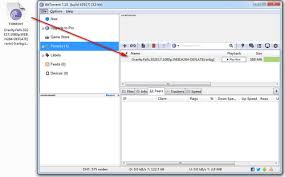
- ΜTorrent: A well-known client that’s also available for Android devices.
How to Use Qbittorrent
To use qBittorrent, follow these steps:
- Download And Install The Software: Visit the official website and download the correct version for your operating system.
- Configure Your Settings: Set up your VPN, select the correct torrent client, and configure your firewall rules.
- Search For Torrents: Use a reputable search engine to find the desired torrent file.
- Download And Verify The File: Once you’ve found the file, download it using qBittorrent and verify its integrity with an anti-virus program.
Alternative Ways to Download Torrents
If you don’t want to use a dedicated torrent client, there are alternative ways to download torrents safely:
- ΒTorrent: A web-based service that allows you to download torrents directly from your browser.
- Other Online Services: Look for other reputable services that offer anonymous and safe torrent downloads.
Conclusion
Downloading torrents can be a convenient way to access various types of content, but it’s essential to do so safely and anonymously. By choosing reputable torrent sites, using a VPN, selecting the correct client software, and checking for malware, you can ensure a smooth and secure downloading experience.
Faqs
- Q: What Are The Risks of Downloading Torrents?
A: Downloading torrents can expose you to malware, viruses, and copyright infringement. - Q: How do I Download Torrents Anonymously?
A: Use a VPN to mask your IP address and protect your identity from trackers and ISPs. - Q: Which Torrent Client is The Best?
A: The best client depends on your operating system and personal preferences. QBittorrent, Transmission, and µTorrent are popular options. - Q: Can I Download Torrents Directly From my Browser?
A: Yes, services like βTorrent allow you to download torrents directly from your browser. - Q: How do I Ensure The Integrity of Downloaded Files?
A: Use an anti-virus program to scan downloaded files and verify their authenticity.
Recommended Reading
- How to Download Torrents Safely
- The Best Torrent Clients for Windows, macOS, and Linux
- How to Use qBittorrent
Recommended Tools
- Qbittorrent: A popular torrent client for Windows, macOS, and Linux.
- Transmission: A highly-rated torrent client for Windows, macOS, and Linux.
- ΜTorrent: A well-known torrent client available for Android devices.


