
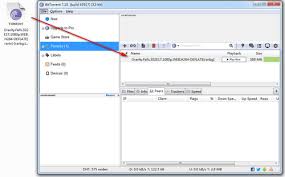
How to Download a Film Torrent: A Step-by-step Guide
Are you looking for a way to download films using the BitTorrent protocol? Look no further! In this article, we will guide you through the process of downloading a film torrent step by step.
What is Bittorrent?
BitTorrent is a peer-to-peer (P2P) file-sharing protocol that allows users to download and upload files from each other. It’s a popular way to share large files, such as films, music, and software.
How Does Bittorrent Work?
When you download a film torrent using BitTorrent, your computer connects to the internet and searches for peers who are sharing the same file. Your computer then downloads pieces of the file from these peers, which speeds up the download process.
Choosing a Client
There are several clients available that allow you to download and upload files using BitTorrent. Some popular options include:
- Qbittorrent: A free and open-source client that’s compatible with Windows, macOS, and Linux.
- Utorrent: A lightweight client that’s also compatible with Windows, macOS, and Linux.
- Transmission: A free client that’s compatible with Windows, macOS, and Linux.
Step 1: Choose a Client
First, you need to choose a BitTorrent client. We recommend starting with qBitTorrent or uTorrent, as they’re both easy to use and have a large user base.
Step 2: Download The Client
Once you’ve chosen a client, download it from the official website. Make sure to select the correct version for your operating system (Windows, macOS, or Linux).
Step 3: Install The Client
Follow the installation instructions provided with the client. This will typically involve running an executable file on Windows or installing a package on macOS or Linux.
Step 4: Configure The Client
Once installed, configure the client to work correctly. This may involve setting up your modem/router and configuring some settings in the client itself.
Step 5: Find a Torrent
Next, you need to find a film torrent that interests you. You can use a search engine like Google to find a website that provides BitTorrent links. Some popular options include:
- The Pirate Bay: A well-known website that provides links to torrents.
- Kickass Torrents: Another popular website that offers torrents.
Step 6: Download The Torrent
Once you’ve found a torrent, download it using your client. This will typically involve clicking on the “Download” button and selecting the correct file type (e.G., .Torrent).
Step 7: Wait For The Download to Complete
The final step is to wait for the download to complete. Depending on the size of the film and the number of peers available, this may take several minutes or even hours.
Tips And Tricks
Here are a few tips and tricks to help you get started with downloading films using BitTorrent:
- Use a Vpn: Consider using a virtual private network (VPN) to protect your identity while downloading torrents.
- Choose a Client Carefully: Select a client that’s compatible with your operating system and has good reviews from other users.
- Be Patient: Downloading large files can take time, so be patient and don’t expect instant results.
Conclusion
Downloading films using BitTorrent is a simple process once you’ve got the right tools. By following these steps and choosing a reputable client, you should be able to enjoy your favorite movies in no time.
Frequently Asked Questions (FAQs)
Q: What is BitTorrent?
A: BitTorrent is a peer-to-peer file-sharing protocol that allows users to download and upload files from each other.
Q: How does BitTorrent work?
A: When you download a film torrent using BitTorrent, your computer connects to the internet and searches for peers who are sharing the same file. Your computer then downloads pieces of the file from these peers, which speeds up the download process.
Q: Which client should I use?
A: We recommend starting with qBitTorrent or uTorrent, as they’re both easy to use and have a large user base.
Q: How long does it take to download a film?
A: The length of time it takes to download a film depends on the size of the file and the number of peers available. This can range from several minutes to several hours.
Q: Is downloading films using BitTorrent legal?
A: Yes, downloading films using BitTorrent is generally legal, as long as you’re not breaking any copyright laws. However, be aware that some websites may host copyrighted material without permission.
Q: Can I download other types of files using BitTorrent?
A: Yes, BitTorrent can be used to download all sorts of files, including music, software, and more.
Frequently Asked Questions (FAQs) Continued
Q: What is a VPN?
A: A virtual private network (VPN) is a service that encrypts your internet traffic and protects your identity while online.
Q: Why should I use a VPN when downloading torrents?
A: Using a VPN can help protect your identity and keep your downloads private.
Q: Are there any risks associated with using BitTorrent?
A: Yes, as with any file-sharing protocol, there are some risks associated with using BitTorrent. These include the risk of malware, viruses, and other online threats.
Additional Resources
- Qbittorrent: A free and open-source client that’s compatible with Windows, macOS, and Linux.
- Utorrent: A lightweight client that’s also compatible with Windows, macOS, and Linux.
- Transmission: A free client that’s compatible with Windows, macOS, and Linux.
Recommended Guides
- “How to Download Qbittorrent”: A step-by-step guide on how to download and install the qBitTorrent client.
- “How to Optimize Utorrent For Faster Downloads”: A guide on how to configure your uTorrent client for faster downloads.
- “How to Use Bittorrent Safely”: A guide on how to use BitTorrent safely and avoid potential risks.


