
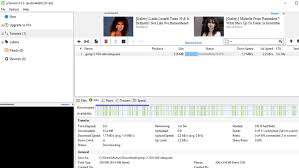
How to Download TV Series With Utorrent: A Step-by-step Guide
Are you tired of searching for your favorite TV series online? Do you want to download them easily and efficiently? Look no further than this comprehensive guide on how to download TV series with uTorrent.
What is Utorrent?
UTorrent, also known as µTorrent, is a popular peer-to-peer file sharing program that allows users to download and share large files over the internet. It’s widely used for downloading movies, music, and TV series from various websites and platforms.
Why Use Utorrent For Downloading TV Series?
Using uTorrent for downloading TV series has several advantages:
- Speed: UTorrent is designed to handle large file transfers quickly and efficiently.
- Convenience: With uTorrent, you can download multiple files simultaneously, making it easier to manage your downloads.
- Flexibility: UTorrent supports various types of files, including video, audio, and software.
Getting Started With Utorrent
Before we dive into the step-by-step guide, let’s cover some basic requirements:
- Software: Make sure you have uTorrent installed on your device. You can download it from the official website.
- Internet Connection: Ensure a stable internet connection for smooth downloads.
- Free Space: Ensure that your device has sufficient free space to store the downloaded files.
Step 1: Installing Utorrent
To begin, install uTorrent on your device. Follow these steps:
1.  Visit the official uTorrent website and click on the download button.
2.  Select the appropriate version (Classic or Web) for your operating system.
3.  Follow the installation prompts to complete the setup.
Step 2: Configuring Utorrent
Configure uTorrent for optimal performance:
1.  Open uTorrent and navigate to the settings menu.
2.  Choose the "Configuration" option and select your preferred language.
3.  Adjust the download and upload speed according to your internet connection.
Step 3: Downloading TV Series With Utorrent
Now that you have uTorrent set up, let’s proceed with downloading TV series:
1.  Open a web browser and navigate to a reliable torrent website (e.G., The Pirate Bay or Kickass Torrents).
2.  Search for the desired TV series using the search bar.
3.  Click on the "Download" button next to the relevant file.
Tips For Smooth Downloads
To ensure seamless downloads, keep these tips in mind:
- Seeders: Opt for files with a high number of seeders (users sharing the file).
- File Size: Prioritize smaller file sizes for faster downloads.
- Quality: Choose the best video quality available.
Security Considerations
Remember to exercise caution when downloading TV series from online sources:
- Copyright Laws: Respect copyright laws and avoid downloading content without permission.
- Virus Protection: Use a reliable antivirus software to safeguard your device against malware.
Conclusion
With these steps, you’re now equipped to download TV series using uTorrent. Remember to always follow safety guidelines and respect the rights of creators. Happy watching!
Frequently Asked Questions (FAQs)
Q: What is uTorrent?
A: UTorrent is a popular peer-to-peer file sharing program for downloading and sharing large files.
Q: Why use uTorrent for TV series downloads?
A: UTorrent offers speed, convenience, and flexibility when downloading TV series.
Q: Is it safe to download TV series with uTorrent?
A: Yes, as long as you follow safety guidelines and respect copyright laws.
Q: What are the best torrent websites for TV series?
A: Recommended websites include The Pirate Bay, Kickass Torrents, and EZTV.


